
Odoo 20 is here. Upgrade with a plan.
Odoo 20 was released in September 2026, with AI agents, agentic automation and UAE localisation changes. Star Bit Solutions implements Odoo 20 and upgrades existing databases to it on a tested path: Odoo Enterprise on Odoo Online, Odoo.sh or your own servers, and Odoo Community.
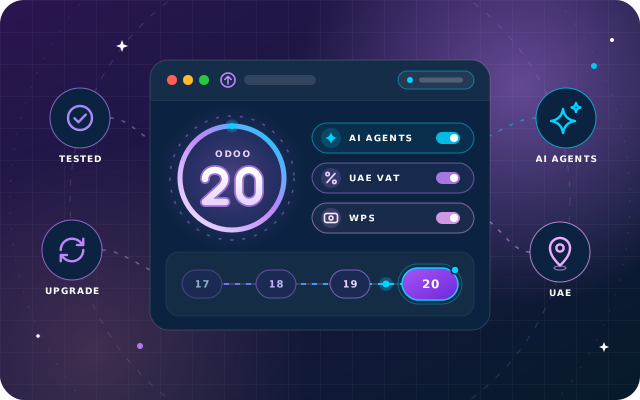
What is new in Odoo 20, in plain terms
Selected highlights from Odoo's official release notes, grouped by area, with a note on what each means for your team.
With Odoo 20, easily automate any process, design your dream website with a prompt, have your own accounting expert available to you 24/7, and much more.
AI agents and agentic automation
In Odoo 20, AI agents can work inside your processes, triggered by your automations and acting on your records.
- Agents triggered by automated and scheduled actions
- Agents that create records from uploaded files, such as PDFs
- Agents that update existing records
- A connection to your database via MCP (Model Context Protocol)
- Voice dictation: speak a request to an agent
- Automatic AI model selection for each task
Where to start with AI
Start with repetitive, rules-based work, such as turning an uploaded PDF into a new record. AI features run on credits bought via IAP, so we help you pick use cases that pay their way.
Discuss your AI use casesWebsite, eCommerce and marketing
In Odoo 20, the AI Website Assistant can create new webpages when you ask, and AI also helps with online sales and marketing.
- Website design from a prompt
- AI product editing in eCommerce
- AI-assisted campaign set-up in Marketing Automation
- AI-generated images for websites and mailings
What marketing teams gain
Faster first drafts for pages, product listings and mailings. We set up Website, eCommerce, Email Marketing and Marketing Automation around your brand, with a person approving what AI drafts.
Plan your Odoo 20 websiteOperations and everyday work
Odoo 20 brings AI help to Helpdesk and Documents, moves Field Service into the Planning app and changes screens people use every day.
- Field Service merged into the Planning app, with a live technician map and automatic planning by customer location
- AI that detects similar Helpdesk tickets and suggests answers
- Renaming files with AI in Documents
- Gantt view improvements
- CC recipients when sending an email from Odoo
- Bulk download of attachments
What users notice first
Planning, Helpdesk and Documents are Odoo Enterprise apps, so Enterprise databases gain most here. Our training covers the changed screens your teams use, so nobody works around the new release.
Explore Odoo EnterpriseUnited Arab Emirates localisation
For UAE companies, Odoo 20 changes both accounting and payroll. UAE Payroll is part of the Payroll app in Odoo Enterprise.
- Chart of accounts redesigned for IFRS and the UAE Commercial Companies Law, with a 6-digit system
- FTA VAT audit file generated from the general ledger (also on Odoo 19)
- Asset models added
- WPS export aligned with MoHRE regulations (also on Odoo 19)
- End-of-Service Benefit report
- Emiratization Compliance report, per MoHRE
- DIFC Employee Workplace Savings
- Employee benefit contributions revised per GPSSA and ADPF
- Improved overtime calculations and a new plane-ticket benefit calculation
What UAE finance and HR teams should know
These changes reach VAT returns, month-end and payday. We compare the redesigned chart with yours, check your tax and payroll set-up, and test it all on a copy before your live database changes.
Book a UAE localisation reviewThis is a selection. For other apps and countries, see Odoo's release notes, or ask us what changes for the apps you use.
Should you upgrade to Odoo 20 now?
Odoo publishes one major version a year, so a new release is an opportunity, not a deadline. We implement and support Odoo 19 and Odoo 20, Enterprise and Community; the right moment depends on what you run today.
Good reasons to move now
- You are starting a new implementation: begin on Odoo 20 and skip an upgrade later
- You want AI agents and agentic automation in daily work
- You run UAE payroll on Odoo Enterprise and want the new End-of-Service Benefit and Emiratization Compliance reports
- You run UAE accounting and want the chart of accounts redesigned for IFRS and the UAE Commercial Companies Law
- You are on Odoo 19 with mostly standard apps, so the step is shorter
Good reasons to plan for later
- Third-party modules you rely on have no Odoo 20 version yet
- Heavy customisation needs porting and testing first
- VAT filing, year-end or an audit is coming up
- Your team is still settling into the version it has
- Key users cannot spare time for testing yet
Four factors that decide the timing
Customisations
Custom modules must be ported; Studio changes, reports and automated actions need testing.
Third-party modules
Each needs an Odoo 20 version from its author, a standard replacement or a port.
AI credit costs
AI features use credits bought via IAP. Budget for the use cases you adopt.
Training
Changed screens need short, role-based training, so users trust the upgraded system.
Four routes to Odoo 20, one tested method
Your route depends on your edition and starting point. OdooStar, our Odoo practice, covers all four, with Studio configuration, custom modules, integrations, data migration and training in one team.
Odoo Enterprise databases
The most direct route. Odoo's upgrade service migrates your standard data; we handle everything that makes the database yours.
- Upgrade tested on a copy before the live run
- Custom modules ported to Odoo 20 by our engineers
- Testing, fixes and user training
- Cut-over at an agreed time, then hypercare
On Odoo Online, with standard apps and Studio but no custom Python modules, the work centres on testing and training.
Odoo Community databases
Community has no official upgrade service, so the upgrade runs as a migration project that we plan and carry out.
- Migration with community tools such as OpenUpgrade
- Custom modules ported to Odoo 20 by our engineers
- Before-and-after checks on balances and stock, then training and cut-over
- The option to move to Enterprise
From Odoo 16, 17 or 18
A bigger step, not a different kind of project. The more versions you skip, the more changes add up, so we plan the jump step by step.
- Data checked at each stage, not only at the end
- Custom modules reviewed against every version they skip
New implementations
No upgrade needed: a new project can start directly on Odoo 20, on the edition and hosting that fit.
- Enterprise on Odoo Online, Odoo.sh or your own servers
- Community on your own servers or a private cloud
- Data migration from spreadsheets or your current system
Enterprise and Community upgrades side by side
| Topic | Odoo Enterprise | Odoo Community |
|---|---|---|
| Standard data | Odoo's upgrade service | Migration project, for example with OpenUpgrade tools |
| Hosting | Odoo Online, Odoo.sh, on-premise or private cloud | On-premise or private cloud |
| Custom Python modules | On Odoo.sh or on-premise; not on Odoo Online | Yes, on your own servers |
| Test upgrade on a copy | Always, before go-live | Always, before go-live |
| Change of edition | Already on Enterprise | A Community database can move to Enterprise |
Comparing editions before you upgrade? See how we implement Odoo Enterprise, from Accounting and Studio to Payroll and Planning.
Six steps from assessment to a quiet go-live
Every upgrade follows the same six steps, whatever the edition, and your live database keeps working until the cut-over.
Assessment
We review your version, edition, hosting and modules, and agree what Odoo 20 should change for you.
Test upgrade on a copy
A copy of your database is upgraded: through Odoo's upgrade service for Enterprise, a migration run for Community.
Code and module porting
We port the custom modules you still need, retire what Odoo 20 makes unnecessary and fix what the test exposed.
User acceptance testing
Key users repeat real tasks on the upgraded copy, from invoices and VAT to stock and payroll, until they sign off.
Cut-over
The final upgrade of live data runs at an agreed quiet time, after a verified backup and with a rollback plan.
Hypercare
Close support after go-live, short training on changed screens, then ongoing support if you want it.
Your modules, ported by engineers who publish their own
Standard apps are the predictable part of an upgrade; custom code is where the work is. Our engineers port custom modules for Odoo Enterprise on Odoo.sh or on-premise, and for Odoo Community. They also publish 50+ free, open-source SBS modules on the Odoo App Store, so you can see how they write Odoo code.
- When we upgrade a client to Odoo 20, we port the SBS modules and other customisations they use as part of that project
- SBS Account Community and SBS HR Payroll are Community-only; on Enterprise, the Accounting and Payroll apps cover that ground
The free modules at a glance
- Odoo versions
- Shown on each module's Odoo App Store page
- Odoo 20
- Ported on request as part of an upgrade
- Hosting
- Odoo.sh and on-premise, not Odoo Online
Is your database ready for Odoo 20?
Work through these eight points before an upgrade starts. None needs a developer, and each makes the test upgrade easier to read.
List your apps and modules
Every app, custom module and third-party module, with who uses it and why.
Separate must-haves from habits
Mark the customisations you still need and those Odoo 20 may now cover as standard.
Check third-party modules
Ask each author whether an Odoo 20 version exists or is planned.
Note Studio changes and reports
Studio fields, custom reports, email templates and automated actions all need a test.
Clean master data
Merge duplicate contacts and products, and close or cancel stale draft documents.
Choose your AI use cases
Pick two or three tasks for AI agents and budget the IAP credits they will use.
Pick a quiet cut-over date
Stay clear of VAT filing, payroll runs, year-end and audits.
Name your testers
One key user per department to test the upgraded copy and sign it off.
Get a straight answer on your Odoo 20 move
Tell us your current version, edition and the modules you depend on. We will tell you which route applies, what needs porting and whether to move now or later.
- One team for Odoo Enterprise and Odoo Community, on Odoo 19 and Odoo 20
- Engineers who publish their own Odoo modules
- Founded in 2014, based in Ras Al Khaimah, UAE
Request an Odoo 20 consultation
Free, with no obligation. A few details are enough to start.
Odoo 20, answered
Is Odoo 20 stable enough to go live on?
Odoo 20 is a new release, presented in September 2026, so test before you commit. A test upgrade on a copy of your database shows how your data, modules and reports behave before you pick a go-live date. A new implementation can start directly on Odoo 20, with testing built into the project.
Do you upgrade both Odoo Enterprise and Community databases?
Yes. For Odoo Enterprise, on Odoo Online, Odoo.sh or on-premise, Odoo's upgrade service migrates your standard data, and we port any custom modules, test Studio changes and reports, train your users and plan the cut-over with you. Community has no official upgrade service, so its upgrade runs as a migration project, for example with OpenUpgrade tools. A Community database can also move to Enterprise.
Will our customisations work on Odoo 20?
Not without work. Custom modules are written for one Odoo version and must be ported by developers: Odoo's upgrade service migrates standard data, not custom code. We review each one, port what you still need, drop what Odoo 20 covers as standard and test everything on a copy. Third-party modules need an Odoo 20 version, a replacement or, where the licence allows, a port.
Do the AI features in Odoo 20 cost extra?
Yes. All AI features in Odoo 20 use credits, which are bought via IAP, Odoo's in-app purchase service. We help you choose the use cases that save real time, so you budget for credits you will actually use.
Does Odoo 20 support UAE VAT?
Yes. The UAE localisation covers VAT, including the FTA VAT audit file generated from the general ledger, which Odoo 19 also has. Odoo 20 adds a chart of accounts redesigned for IFRS and the UAE Commercial Companies Law. Full Accounting is part of Odoo Enterprise; Community includes Invoicing.
Can we stay on Odoo 19 for now?
Yes. We continue to implement and support Odoo 19, and Odoo publishes a new major version every year, so a new release is not a deadline. If Odoo 19 does what you need, staying is a sound choice; we simply recommend planning the move, with a test upgrade, before the gap between versions grows.
Do your free modules run on Odoo 20?
Check each module's Odoo App Store page for the Odoo versions it is published for. When we upgrade a client to Odoo 20, we port the SBS modules and other customisations they use as part of that project. Need an Odoo 20 version of a specific module? Ask us.
Move to Odoo 20 with a plan, not a guess
Book a free consultation. Tell us your edition, version and the modules you depend on, and we will map your route to Odoo 20, from test upgrade to go-live.