The Challenge
The retailer sells its own and imported collections through several stores supplied from a central warehouse. In the old system every size and color of every style had been created as a separate item, so one shirt in a full size run and a handful of colors became a long list of unrelated codes. Buyers, store managers and finance each kept their own spreadsheets to see how a style was really selling.
Stock moved between stores by phone and WhatsApp. A store that had sold out of a popular size would call around, someone would carry the piece across, and the system caught up later, if at all. Store counts rarely matched the records, and the warehouse could not see which sizes were building up in which store.
The end of each season made everything harder. Markdowns were keyed into each till by hand, sometimes at different prices in different stores, and the previous collection was often still on the rails when the new one arrived. These are the problems we meet most often in Lifestyle and Fashion retail.
- Every size and color created as a separate item, with no link between them
- Store transfers arranged by phone and recorded late or not at all
- No single view of stock by style, size, color and store
- Markdowns applied by hand at each till, with inconsistent prices
Our Approach
Discovery started on the shop floor and in the warehouse. We followed a style from purchase order to receipt, onto the rails in each store, through the till, and back again as a transfer or a return. We also sat with the buying team to understand how collections, seasons and markdowns were planned.
The fit-gap review against Odoo Enterprise showed that standard apps covered the processes: product variants, multi-warehouse Inventory with resupply routes, Point of Sale, Barcode and pricelists. The real gap was data. We designed one product template per style with Size and Color attributes, mapped every old item code to its new variant, and carried the existing barcodes onto the matching variants so labels already on the rails still scanned.
The rollout ran in phases: product data and the central warehouse first, then a pilot store with Point of Sale and Barcode, then the remaining stores once the pilot's counts matched the system. Every import was rehearsed on a test database and checked against physical counts before the final load. Training was role-based: store staff on the till and stock lookups, store managers on transfers and counts, buyers on replenishment and pricelists, and finance on stock valuation. Our OdooStar team stayed on hand as each store went live.
The Solution
One Product, Every Size and Color
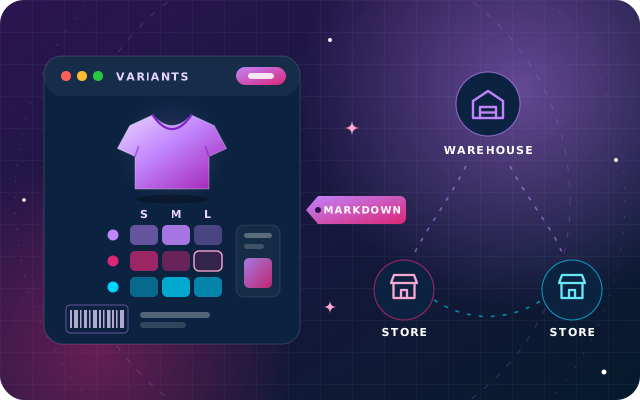
Each style is now a single product template with Size and Color attributes. Variants exist only for the combinations the retailer actually buys, with the rest excluded, and every variant carries its own barcode, internal reference and picture. Stock is counted per variant, so a style can be read at a glance by size and color, while descriptions and base prices are maintained once on the template and pricelist rules can still target a single variant.
Stores as Warehouses, with Planned Transfers
Every store is set up as its own warehouse, resupplied from the central warehouse and, where it makes sense, from neighboring stores. Reordering rules on each store's stock location create inter-warehouse transfers when a size runs low, and goods on the move sit in Odoo's inter-warehouse transit location until the receiving store scans them in. Before promising a size, store staff check available and forecasted stock in the other stores directly from the Point of Sale register.
Receipts, Transfers and Counts by Scanner
The Barcode app handles receipts at the warehouse, transfers between stores and regular counts on the shop floor, with handheld scanners or the Odoo mobile app. Managers assign counts by location and product, so each store counts one section at a time while it keeps trading. The Inventory app values stock in real time as goods move, and finance brings that value into Accounting at each month-end close.
Season Markdowns with Start and End Dates
Markdowns are prepared in advance as pricelist rules for the outgoing season's styles, each with a validity period, so every Point of Sale switches to the same reduced price on the same date. Each style also carries a season tag, so promotions set up as discount and loyalty programs can target that tag with their own start and end dates, for example a discount on the cheapest item when a customer buys more than one. A spreadsheet dashboard built on live Point of Sale and Inventory data sets units sold against stock on hand by style, size and store, so buyers can read sell-through and decide which sizes to transfer and which to mark down while there is still time to sell them.