What Is Adaptive Learning? How Personalized Learning Paths Work
Star Bit Solutions10 min read
Adaptive learning gives each learner the next lesson, question or review they need, based on what they have just shown they know. Here is how an adaptive engine decides, the data it needs, why the teacher stays in charge and the pitfalls that hold projects back.
Adaptive learning chooses each learner's next lesson, question or review from evidence of what they have just shown they know, not from a fixed calendar.
An adaptive engine is only as good as its skill map: clear skills, known prerequisites and enough tagged questions at different levels of difficulty.
Mastery estimates, short diagnostics and spaced review do the adapting, while teachers set goals, override paths and decide on interventions.
Judge a pilot by skills mastered, gaps closed and how early teachers stepped in, not by time spent in the app.
Walk into almost any classroom and you will find thirty learners at thirty different points. Some mastered the topic last week and are quietly bored. Others never quite grasped the step before it and are now lost, and the teacher often finds out only when the end-of-unit test comes back. Teachers differentiate as best they can, but preparing several versions of every lesson by hand does not scale.
Adaptive learning tackles that problem with software that behaves a little like a good tutor working with one student: it watches each answer, decides what to try next and knows when to step back to an earlier idea. The difference is that it can do this for every learner in the room at once.
What Is Adaptive Learning?
Adaptive learning is an approach to teaching in which a digital platform adjusts the content, difficulty, pace and order of learning for each learner, using evidence from their own answers. Instead of everyone moving through the same sequence on the same dates, each learner gets the next step that fits what they have just shown they know.
The idea is older than the software. In the 1960s the educational psychologist Benjamin Bloom described mastery learning: teach a unit, check understanding, give corrective work to those who need it and move on when the skill is secure. Intelligent tutoring systems and computerized adaptive tests carried related ideas into software decades ago. What has changed is that a modern platform can apply it continuously, for every learner, across a whole course.
It helps to be clear about what adaptive learning is not:
Not just self-paced. Letting learners click through at their own speed changes the pace but not the path. Adaptive learning changes what comes next.
Not a single branch. A quiz that sends every wrong answer to the same remedial page is one fixed rule. An adaptive engine keeps updating its picture of the learner with every response.
Not a replacement for teachers. It takes on routine sequencing and marking, so teachers can spend their time where judgment matters.
How an Adaptive Learning Engine Decides What Comes Next
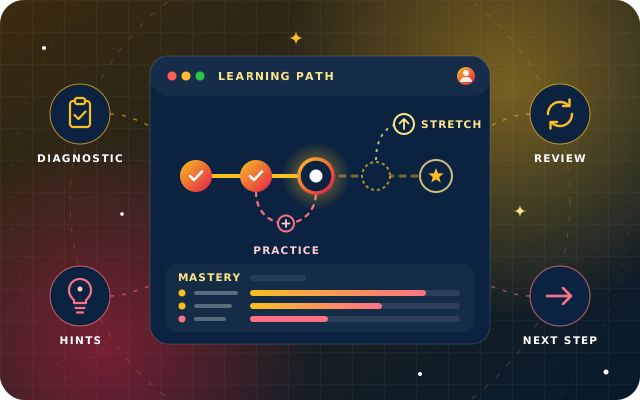
Most adaptive platforms run the same loop. The learner attempts something, the engine updates its estimate of what the learner knows, and that estimate decides the next activity. Four mechanisms do most of the work.
Mastery Estimates for Each Skill
The engine does not hold a single grade. It holds an estimate for each skill in the course, such as finding equivalent fractions or identifying the subject of a sentence. A widely used family of methods, called knowledge tracing, goes back to work by Corbett and Anderson in the mid-1990s: the system keeps a probability that the learner has mastered each skill and updates it after every answer. Good models allow for guesses and slips, so one lucky answer does not prove mastery and one careless mistake does not erase it.
Diagnostics and Placement
Before the engine can adapt, it needs a starting point. A short placement assessment samples the skills in a unit and seeds the learner's profile, so nobody repeats topics they already know. Good diagnostics are adaptive too, moving on as soon as the evidence for a skill is clear.
Difficulty and Sequence
With an estimate for each skill, the engine chooses what comes next by asking two questions. Is the learner ready for this skill, because its prerequisites are secure? And is this item at the right level of challenge? Psychologists call the band of tasks a learner cannot yet manage alone but can manage with some support the zone of proximal development. In practice it is where effort pays off and learners stay engaged.
When a prerequisite is weak, the engine runs a remediation loop: it steps back to the earlier skill, often with a worked example or a hint, and then returns to the main path. When a learner is clearly ahead, it offers stretch content rather than more of the same.
Spaced Practice and Review
Learning something once is not the same as keeping it. A major review of study techniques by Dunlosky and colleagues gave its highest rating to just two of the ten techniques it examined, practice testing and distributed practice, because they helped learners of different ages and abilities across many kinds of test, including in real classrooms. An adaptive engine applies both: it schedules short retrieval checks on skills at risk of fading and spaces them out over time, instead of leaving revision to the week before an exam.
A Worked Example: One Learner, One Unit on Fractions
Here is how the loop plays out for an upper primary learner starting a unit on adding fractions. The details vary by platform, but the shape is typical.
Placement. A short diagnostic shows that the learner can simplify fractions but is unsure about equivalent fractions, a prerequisite for adding fractions with different denominators.
Remediation loop. Instead of starting the new topic, the engine offers a short lesson on equivalent fractions with a worked example, then a few practice items of rising difficulty.
Hints, not answers. When the learner hesitates, a hint points to the step they missed. Some engines give less credit to an answer reached after a hint, so the mastery estimate stays honest.
Back to the main path. Once the estimate for equivalent fractions is secure, the engine returns to adding fractions, starting with like denominators and then moving to unlike ones.
Teacher view. On the dashboard, the teacher sees that this learner and several classmates needed the remediation loop, and opens the next lesson with a short recap for that group.
Spaced review. Over the following weeks, short review items on equivalent fractions return at widening intervals, so the skill stays secure after the unit ends.
Nothing in that sequence is magic. Each step is something a good teacher would do for one learner, and the software makes it possible for a whole class at once.
Have a question about this guide? Ask the engineers who wrote it.
Adaptive learning works best when the division of labor is clear. The engine is good at bookkeeping: tracking many skills for every learner, choosing the next item and marking routine questions instantly. Teachers are good at everything that needs judgment.
Setting goals. Teachers and heads of department decide which skills matter, in what order and what counts as mastery.
Overriding the path. A teacher should be able to pin a lesson, skip an item or reorder a path for one learner or a whole group, and the platform should follow.
Acting on signals. A dashboard can flag that a learner has stalled. Only a teacher can find out whether the cause is the maths, the wording of the question or something happening at home.
A practical test when you evaluate a platform: ask to see how a teacher changes one learner's path, and how quickly the dashboard shows who needs help this week. If either is hard to find, the teacher is not really in charge.
The Data Adaptive Learning Needs
An adaptive engine needs less personal data than people expect, but it needs well-organized learning data. Most of the preparation sits in the content, not in the learner records.
Data
Why the engine needs it
Who provides it
Skill map
Breaks the syllabus into skills and prerequisites the engine can reason about
Teachers and curriculum leads, with the implementation team
Tagged content
Links every lesson and question to the skill it teaches or tests, with a rough difficulty
Content authors, often starting from existing question banks
Placement results
Seed each learner's starting profile
Learners, through a short diagnostic
Responses and attempts
Update mastery estimates after every answer, including hints used
The platform, as learners work
Teacher input
Goals, overrides and notes the engine must respect
Teachers
Notice what is not on the list. An engine does not need a learner's location, contacts or browsing history to choose the next fractions question, so ask any provider what it collects beyond learning activity, and why. Access matters as much as collection: a teacher should see their own classes, and a parent only their own child.
What Good Adaptive Learning Looks like
When adaptive learning is working, you can see it in the classroom as well as in the data. Look for these signs during a pilot:
Learners can explain where they are on their path and what comes next.
Tasks feel challenging but achievable, so fewer learners are coasting or stuck.
Teachers can name who needs help this week, and on which skill, without marking a pile of papers first.
Gaps surface within days of a learner slipping, not at the end of term.
Reports show mastery per skill, so they say what to do next rather than only how well someone did.
Skills learned earlier keep coming back in review, and they stay secure.
Lessons and questions that do not teach well are spotted, then improved or retired.
Common Pitfalls and How to Avoid Them
A vague skill map. A skill such as "understands algebra" is too broad to adapt to, while hundreds of tiny skills leave every estimate resting on too little evidence. Aim for skills a teacher would recognize and could teach in a lesson or two.
Too few questions per skill. An engine cannot vary difficulty or schedule review with a handful of questions. Build or import a pool of items at different levels for each skill before launch.
Testing instead of teaching. If every step is a quiz, learners tire. Mix short lessons, worked examples and practice, and let assessments stop once mastery is clear.
Content in one language only. In a bilingual classroom, a learner who struggles with the wording of a question can look weak at the maths. Provide the same content in Arabic and English where classes need both.
Treating accessibility as an extra. Keyboard navigation, screen-reader support, captions and scalable text are part of adapting to the learner.
Measuring the wrong thing. Time in the app and items completed are easy to report and easy to game. Judge a pilot on skills mastered, gaps closed and how early teachers stepped in.
Skipping the pilot. Start with one class or one unit and tune the skill map before rolling out.
Tip: Before you compare platforms, take one unit you teach every year and write down its skills, their prerequisites and the questions you already use for each. That one-page skill map is the best preparation for an adaptive learning project, and it shows quickly whether a provider's engine can work with your curriculum.
How Star Bit Solutions Can Help
StarLearn is the adaptive learning platform we build in the UAE. Each learner starts with a placement assessment that seeds their profile, and knowledge tracing then estimates mastery per skill with every response. That estimate drives the next lesson, question difficulty and review schedule, with remediation loops and stretch content where they are needed. Educators see cohort progress, mastery per skill and at-risk flags as learners work, and can pin, reorder or skip any item.
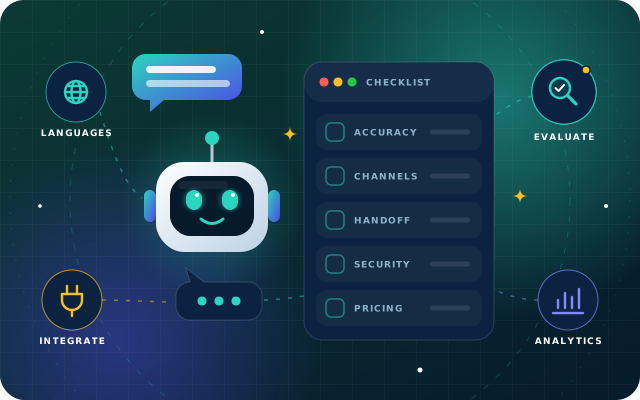
StarLearn runs in Arabic and English on desktop, tablet and mobile browsers, supports keyboard navigation and screen readers, and imports the lessons, slides and question banks you already have. We begin every project by mapping your syllabus to skills and prerequisites, then run a pilot with one class or module before rolling out in waves. Alongside it, StarBot can act as a learning assistant that answers learners' questions on the web and WhatsApp and hands over to a teacher when it should.
See how we work with schools, universities and training teams on our education industry page, read how we handle learner data in our privacy policy, then contact us or call +971 55 973 4524. Send us a syllabus or a sample quiz and we will build a short demo path around it.
Written by the Star Bit Solutions team
Star Bit Solutions is a software company in Ajman, UAE, founded in 2014. We implement and customize Odoo Enterprise and Odoo Community, and build StarBiz (AI-driven ERP), StarHub (life super app), StarBot (conversational AI), StarLearn (adaptive learning) and StarSense (AI and IoT platform). About us
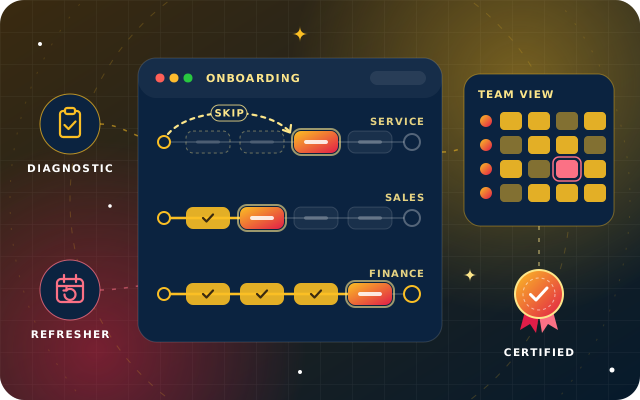
Role-based onboarding paths, diagnostics that skip what staff already know, spaced compliance refreshers, microlearning and dashboards that show competence.
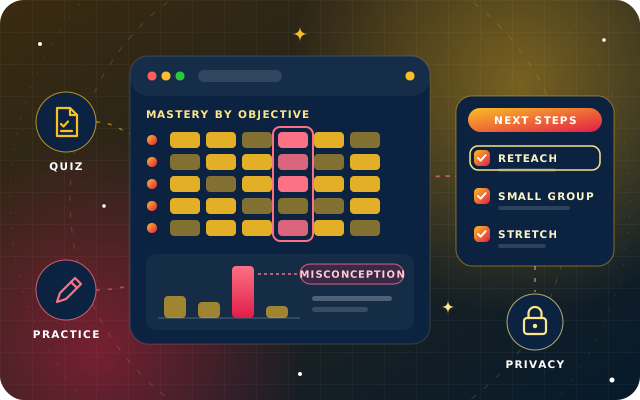
The quiz signals that matter, dashboards that lead to action, interventions that close gaps and how to protect young learners' data without sliding into surveillance.
Adaptive learning is a way of teaching in which software adjusts each learner's next lesson, question or review to what they have just shown they know. Instead of the whole class following one sequence at one pace, learners who are secure move on, learners with gaps get targeted practice, and teachers see who needs help and on which skill.
How is adaptive learning different from personalized learning?
Personalized learning is the broad goal of tailoring education to each learner, and it can include choice of topics, projects and pace. Adaptive learning is one way to achieve it: a platform uses evidence from each answer to change the difficulty, order and timing of what comes next. Most schools combine adaptive practice with teacher-led lessons and projects.
Does adaptive learning replace teachers?
No. An adaptive engine is good at routine work such as tracking many skills for every learner, choosing the next practice item and marking simple questions instantly. Teachers set the goals, decide what counts as mastery, override paths when they disagree, run the lessons and act on what the dashboard shows. The platform frees teacher time for explanation, discussion and support.
What data does an adaptive learning platform need?
Mostly learning data: a skill map of the syllabus, lessons and questions tagged by skill and difficulty, placement results and each learner's answers and attempts. It does not need location, contacts or browsing history. Schools should ask providers what they collect, who can see it, how long it is kept and how it can be exported or deleted.
How do schools get started with adaptive learning?
Most of the effort goes into the skill map and content rather than the software. A sensible start is one unit or one class: map its skills and prerequisites, tag the questions you already have, run a pilot for a few weeks with weekly teacher feedback, then tune the skill map and roll out to more classes in stages.
StarLearn by Star Bit Solutions
Give Every Learner the Right Next Step.
Send us a syllabus or a sample quiz. We will build a short StarLearn demo path around it and walk your team through it in 30 minutes.