Conversational AI
How to Choose a Conversational AI Chatbot for Customer Service
Ten criteria, the red flags to watch for and a pilot plan you can run in a few weeks.
· 8 min read
Customers in the UAE switch between Arabic and English, write in Gulf dialect and type Arabic in Latin letters. Here is how to design an Arabic chatbot that keeps up, from language detection and right-to-left layouts to tone, bilingual handover and testing with real customers.
Key takeaways
Ask a customer service team in Dubai or Ajman which language customers write in and the honest answer is "both, often in the same message". A greeting in Arabic, a product name in English, a time typed as a number, and now and then a whole sentence of Arabic spelled in Latin letters.
An Arabic chatbot that only understands textbook Arabic, or a translated copy of an English bot, struggles with that reality. This guide covers the design decisions that make a bilingual chatbot work in the UAE, from language switching and dialect to right-to-left layouts, tone, handover and testing.
Translating your English answers into Arabic is a sensible first step, but it only covers what the bot says. The harder half is what customers say to it. Arabic speakers in the UAE come from across the region, write in their own dialects, mix in English and switch scripts.
A good bilingual design treats Arabic and English as two first-class languages that share one set of intents, flows and policies. The knowledge base holds an approved answer in each language, written by fluent writers rather than pasted from a translation tool, and both versions change together when a policy changes.
Many chatbot platforms detect the language of each message. That is necessary but not sufficient, because many messages carry no language at all: "ok", a thumbs-up, an order number, a phone number or a time such as "8:30". A bot that re-decides the language on every message flips back and forth for no reason.
A more reliable pattern keeps a conversation language and changes it only on clear evidence:
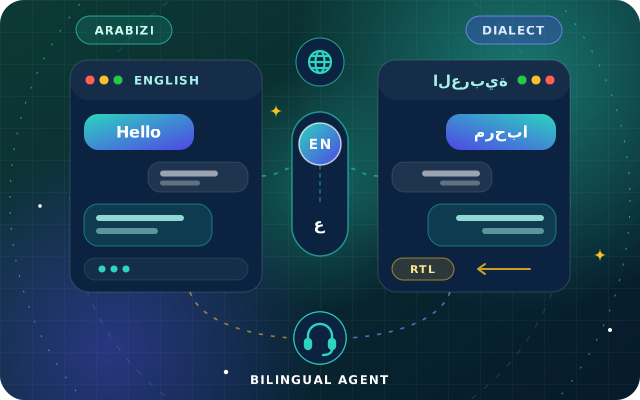
Code-switching is normal. A customer might write ابي احجز table لشخصين ("I want to book a table for two"), with one English word inside an Arabic sentence. The rule of thumb is to follow the language of the sentence, not of individual words, so this stays an Arabic conversation.
Arabizi is harder. It is Arabic written in Latin letters, with digits standing in for sounds English lacks: 3 for ع and 7 for ح are the best known, and other conventions vary by country. "mar7aba, abi a7jiz" (hello, I want to book) is an Arabic sentence, but a detector that only looks at the alphabet may label it English. If your transcripts show customers writing like this, add Arabizi examples to the training phrases for your main intents, and decide whether the bot replies in Arabic script or asks once which language the customer prefers.
Modern Standard Arabic (MSA) is the shared written standard of news, government and most formal writing. In chat, customers usually write closer to how they speak: Emirati and wider Gulf Arabic for many, and Egyptian, Levantine and other dialects for the many Arabs from elsewhere who live and work in the UAE. The same request can arrive in several forms.
| How it arrives | Example | What the bot should do |
|---|---|---|
| Modern Standard Arabic | أين طلبي؟ (Where is my order?) | Understand it and reply in MSA |
| Gulf dialect | وين طلبي؟ (the same question) | Recognize dialect words such as وين (where), ابي (I want) and باجر (tomorrow) in training phrases |
| Arabizi | wain talabi? | Train with Latin-letter examples, then reply in Arabic script or offer a choice |
| Mixed Arabic and English | عندكم delivery لعجمان؟ (Do you deliver to Ajman?) | Follow the sentence language and pick up the English word as normal |
Which register should the bot reply in? For most UAE businesses, clear and warm MSA is the safest default. Every Arabic reader understands it, it suits a brand voice, and it avoids a bot attempting a dialect that some customers do not share. Understanding dialect matters far more than producing it.
Tip: Normalize Arabic text on both sides before matching it against intents, products and records. The same word can be typed with different forms of alef, with ة or ه at the end, with ى or ي, and with or without diacritics. Numbers arrive as Western digits or Arabic-Indic digits such as ٤٥٢١, so convert both to one form before looking up order 4521.
Arabic is written right to left, but a bilingual chat window has to handle both directions, often in a single bubble. Getting it wrong produces the familiar bugs: a question mark at the wrong end of a sentence, an order number that looks scrambled, a send button on the wrong side.
For web widgets, the World Wide Web Consortium (W3C) guidance on structural markup and right-to-left text in HTML is the best place to start. In practice, check these points:
dir attribute, not in the stylesheet, and mirror the layout: input box, send button, avatars and timestamps.dir="auto", so an English reply inside an Arabic conversation still reads correctly.On WhatsApp and social inboxes the app handles direction, so the work moves to content: native Arabic templates and quick replies, short button labels, and a check on both iPhone and Android.
Courtesy works differently in Arabic customer conversations, and a literal translation of an English script often misses it. A customer who opens with السلام عليكم expects وعليكم السلام in return, not a generic "Hello". Small touches like this tell the customer the bot was designed for them, not converted for them.
Even a well-trained bot hands some conversations to people: complaints, unusual requests, anything sensitive. Handover is where many bilingual designs quietly fail, because the bot speaks Arabic but the person who picks up the chat does not. Our chatbot buying guide covers handover triggers in general; for two languages, add these rules:
Internal testers tend to write tidy sentences. Customers do not. The most useful test material is your own history: past WhatsApp chats, website inquiries, emails and call notes, with personal details removed.
Here is how the pieces fit together for a hotel restaurant taking bookings on WhatsApp, a common pattern in hospitality. A guest writes مرحبا، ابي احجز table لشخصين باجر الساعة 8 (Hello, I want to book a table for two tomorrow at 8).
StarBot, our conversational AI chatbot, is built for this mix. It detects Arabic and English in every message, replies in the customer's language and keeps context across turns through its dialogue manager. Its answers, guided flows and handover messages are maintained in both languages from one knowledge base. Intent detection is trained on your own phrases and customer vocabulary, so the way your customers really write becomes training data. Handover routes conversations by topic, language, channel and business hours, with the full transcript passed to the agent.
We start by building the knowledge base with you in Arabic and English, then pilot on one channel, such as your website or WhatsApp, and review transcripts together before scaling up. StarBot can also look up orders in StarBiz or in Odoo through OdooStar, and check calendars for bookings. To see it answer your own questions in both languages, book a free consultation, call +971 55 973 4524 or email [email protected].

Star Bit Solutions is a software company in Ajman, UAE, founded in 2014. We implement and customize Odoo Enterprise and Odoo Community, and build StarBiz (AI-driven ERP), StarHub (life super app), StarBot (conversational AI), StarLearn (adaptive learning) and StarSense (AI and IoT platform). About us
Arabic and English detected per message, one knowledge base for both languages, and handover with the full transcript.
Learn MoreRound-the-clock guest conversations on web and WhatsApp, with requests routed to the right desk.
Learn MoreA citizen service desk chatbot, approval chains with an audit trail and on-premise data residency.
Learn MoreTen criteria, the red flags to watch for and a pilot plan you can run in a few weeks.
· 8 min read
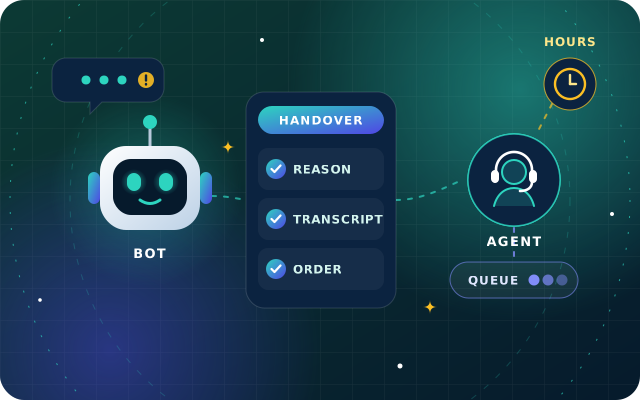
Triggers, handover packets, queues, business hours and customer messages for passing chats to people, plus the measures that show whether it works.
· 9 min read
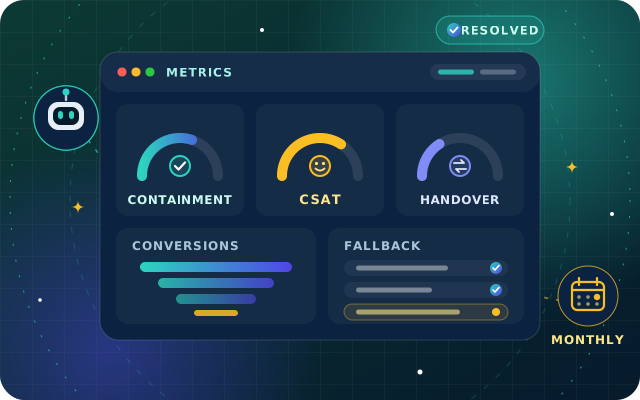
Containment, resolution, satisfaction, handover, first response, fallback and conversions defined, with vanity metrics to drop and a monthly review routine.
· 9 min read
For most UAE businesses, clear and warm Modern Standard Arabic is the safer default for replies. Every Arabic reader understands it, it suits a brand voice and it avoids a dialect that some customers do not share. What matters more is that the bot understands dialect, so train it on the Gulf and other dialect phrases your customers actually use, and keep greetings and courtesies natural.
Arabizi is Arabic written in Latin letters, with digits standing in for sounds English lacks, such as 3 for the letter ain and 7 for haa. Detection that only looks at the alphabet can label it as English, so a bot misreads it unless its intents include Arabizi examples. Check your transcripts: if customers write this way, add their phrases to training and decide which language the bot replies in.
It detects the language of each message, but a good design keeps a conversation language and changes it only on clear evidence, such as a full sentence in the other language or a tap on a language button. Neutral messages such as ok, numbers, emojis and order references should not trigger a switch, otherwise the bot flips between languages for no reason.
Set the base direction with the dir attribute and mirror the layout, including the input box, send button and avatars. Give each message bubble automatic direction so mixed conversations display correctly, isolate order numbers, email addresses and links inside Arabic text, mirror only icons that point somewhere, and choose a font that renders Arabic clearly at small sizes. Then test on real phones.
Build a test set from real customer messages with personal details removed, covering Modern Standard Arabic, Gulf and other dialects, Arabizi, mixed Arabic and English, typos and neutral replies. Ask fluent reviewers to score accuracy and tone, then pilot on one channel and compare fallbacks, handovers and satisfaction between Arabic and English before widening the launch.
Send us your most common customer questions in Arabic and English, and we will build a free StarBot demo around them and walk you through it.