Odoo Enterprise
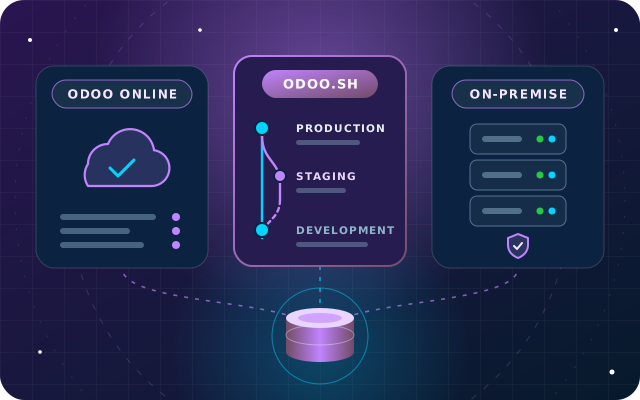
Odoo Online vs Odoo.sh vs Your Own Server: Choosing Where Odoo Runs
Custom modules, staging, upgrades, backups, data location and cost structure compared, with a hosting decision table for UAE businesses.
· 9 min read
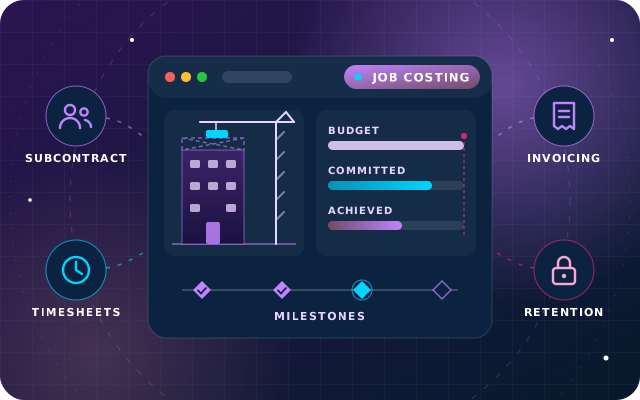
Odoo for construction works when every job has its own analytic account, budget and billing rules before the first purchase order goes out. Here is how to set up job costing, subcontractor bills and progress claims in Odoo 19 Enterprise, and where retention needs extra work.
Key takeaways
A contract's margin is rarely lost in the estimate. It slips away in the months after award, when material orders, subcontractor claims and overtime arrive faster than anyone can post them against the right job. By the time the final account is agreed, the margin has quietly gone.
Odoo for construction works when the structure is in place before the first purchase order goes out: one project per job, an analytic account that every cost carries, a budget that counts what is already committed, and billing rules that match the contract. This guide walks through that setup in Odoo 19 Enterprise, released in September 2025, and flags the parts, such as retention, that need custom work.
In Odoo, each job runs as a billable project, and its analytic account ties everything together. The profitability panel on the project dashboard only shows records linked to both the project and its analytic account. Get that link right and costs find their job without retyping.
Analytic accounting tracks costs and revenue by something other than the ledger account, such as a job, a site or a division. Enable it in the Analytics section of the Accounting settings, then design your analytic plans. A sensible pattern is one plan for jobs and a second for cost type: materials, labor, subcontract and plant hire.
Two settings save correction work later:
Odoo 19 also improved project templates. To reuse a well-run job, duplicate it and convert the copy into a template, because converting a project archives it. Then add project roles and planned dates, so each new job starts with the same stages, tasks and schedule.
Comparing posted bills with a budget tells you too late, and the profitability panel only counts a purchase order once its bill is posted. What matters on site is committed cost: what you have agreed to pay, billed or not.
Turn on Budget Management in the Analytics section of the Accounting settings, then create an analytic budget under Accounting > Accounting > Analytic Budgets. Each budget line can take an analytic account from each plan, so one line can combine a job with the subcontract cost type and carry its own budgeted amount. Once the budget is open, Odoo adds two columns:
The budget also pushes back at the point of purchase. When a request for quotation or purchase order line carries an analytic distribution, a Budget smart button links to the budget report, and a line that would exceed an open budget is highlighted in red. When scope changes, use Revise, so the original budget stays on record beside the revision. Odoo's budget documentation covers periodic budgets and reporting.
Every purchase order for a job should name the job. In Odoo 19, a purchase order has a Project field, and its lines take their analytic distribution from that project, which keeps committed cost and job profitability trustworthy.
With Purchase Agreements enabled in the Purchase settings, you can send alternative requests for quotation to several subcontractors for the same package, compare them line by line, choose the winning lines and cancel the rest. In Odoo 19, alternatives copy the analytic distribution from the original request, so the comparison stays tied to the job. For suppliers you buy from all year, such as ready-mix concrete or reinforcement steel, a blanket order fixes agreed prices for repeat orders.
Subcontract work is usually bought as a service product, and for services the received quantity on the purchase order line is entered by hand. That suits construction: when your quantity surveyor certifies the month's work, enter the certified figure.
Services default to the On ordered quantities control policy, so switch subcontract products to On received quantities and turn on 3-way matching in the Purchase settings. A draft bill created from the order then covers only what has been certified. If anyone edits the bill above that, its Should Be Paid status changes to Exception, so finance sees the difference before paying. For large orders, the Purchase Order Approval setting adds a second approval step above an amount you choose.
Only employees can log time, and timesheets are switched on in each project's settings. Each timesheet line is costed from the employee's hourly cost in their HR settings, and that cost appears under Costs in the project's profitability panel. Supervisors with the User: all timesheets access level can review, correct and validate their crew's entries, while staff can start a timer from the task they are working on.
Odoo 19 handles the two common billing methods with standard configuration, and many jobs use both.
Create a service product with the Based on Milestones invoicing policy, which appears once milestones are enabled on at least one project, and set Create on Order to Project, or Project and Task. When the sales order is confirmed, the project is created with milestones enabled, and each milestone carries a Quantity (%) of the order line. Marking a milestone as reached updates the delivered quantity on the sales order. It does not create an invoice: someone still clicks Create Invoice, which gives finance a review step.
For contracts valued by measured work, sell the bill of quantities as service products with the Based on Delivered Quantity (Manual) invoicing policy. Each month, enter the cumulative certified quantity on each line, and Create Invoice bills only the difference since the last claim. Advance payments fit too: the Create Invoice wizard raises a down payment as a percentage or a fixed amount, and deducts it from a later regular invoice when Deduct down payments is ticked.
Standard Odoo has no dedicated retention feature, so choose between these options early:
The same choices apply to retention you hold back from subcontractors. Whichever route you take, agree the VAT treatment of progress invoices and retention with your tax adviser and check the latest guidance from the Federal Tax Authority. This article is not tax advice.
Drawings, permits, delivery notes and site photos belong with the job, not in someone's phone gallery. With the Documents app, each project has its own folder, counted on the project dashboard. A folder email alias files incoming documents automatically, and a document request asks a named person for a missing file, such as a signed delivery note, with a due date and reminders.
Sign handles subcontract agreements and variation approvals electronically, filing the signed copy and its certificate of completion on the record the request came from. Studio approval rules can require named approvers before a button such as Confirm works. Treat each variation as its own quotation with the Project field set to the job, using a variation product that creates nothing on order: its lines take the job's analytic distribution, no second project is opened, and the original contract value stays visible beside the variations.
Here is a month on a hypothetical fit-out contract worth AED 1,000,000, valued by measured work, with 5% retention. Figures are in AED, before VAT.
Next month the certified total rises to 450,000, so the second claim bills 250,000 with 12,500 retention.
| Requirement | Odoo 19 Enterprise | What it takes |
|---|---|---|
| Job cost and revenue in one view | Project profitability panel | Configuration: analytic plans and billable projects |
| Budget against committed cost | Analytic budgets with Committed and Achieved columns | Configuration, with the Purchase app |
| Subcontractor bills against certified work | Manual received quantity and 3-way matching | Configuration and a monthly routine |
| Stage payments | Based on Milestones | Configuration |
| Measured progress claims | Based on Delivered Quantity (Manual) | Configuration and a monthly routine |
| Retention receivable and payable | No dedicated feature | Payment terms or a retention line; a custom module for automatic calculation and release |
| Payment application in your own format | Standard invoice layout | Studio report changes or a custom report |
| Advance recovered in proportion to each claim | Down payments are deducted in full | Custom module |
If you are weighing Studio against code for the custom pieces, our guide to when to configure, customize or write code sets out how we decide.
Tip: Run one live job in Odoo for a full billing cycle before moving the rest. The first progress claim and subcontractor certificate will show which analytic rules, products and approval steps need adjusting.
Through OdooStar, our Odoo practice in Ajman, we implement Odoo Enterprise for contractors across the UAE. We design the analytic plans and budgets with your finance team, configure purchasing and billing around your contract types, and build the custom pieces, such as retention or your payment application layout, as proper modules, which keeps the next upgrade predictable.
Our Construction and Real Estate page shows how our wider products fit contractors too. To talk through your jobs, contact us, call +971 55 973 4524 or email [email protected].

Star Bit Solutions is a software company in Ajman, UAE, founded in 2014. We implement and customize Odoo Enterprise and Odoo Community, and build StarBiz (AI-driven ERP), StarHub (life super app), StarBot (conversational AI), StarLearn (adaptive learning) and StarSense (AI and IoT platform). About us
Accounting, Documents, Sign, Studio and the other Enterprise apps, configured around how your teams work.
Learn MoreBudget against committed cost, progress invoicing and retention, subcontractor bills and site equipment telemetry.
Learn MoreImplementation, Studio configuration, custom modules, integrations, migration and support for Odoo.
Learn MoreCustom modules, staging, upgrades, backups, data location and cost structure compared, with a hosting decision table for UAE businesses.
· 9 min read
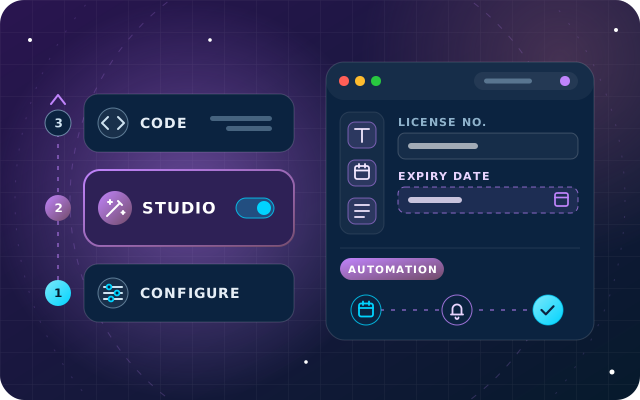
A practical rule for Odoo 18: configure first, use Studio second and write code last, with governance and upgrade tips for each layer.
· 10 min read
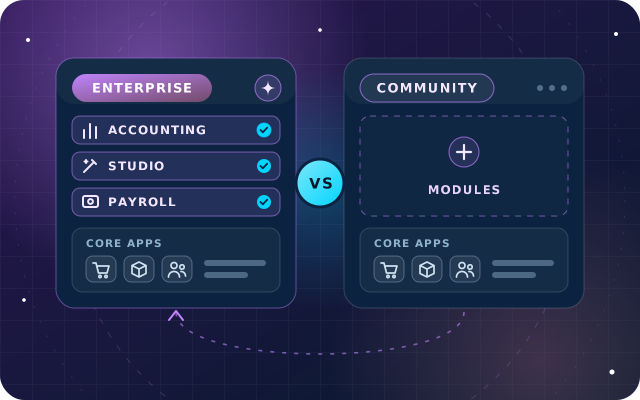
Apps, hosting, upgrades, support and total cost compared, with a decision table for growing businesses in the UAE.
· 9 min read
Yes. In Odoo 19 Enterprise each job runs as a billable project with its own analytic account. Vendor bills, timesheets and invoices linked to the project and that account feed its profitability panel, while analytic budgets compare budgeted, committed and achieved cost, so confirmed purchase orders count before the bill arrives. The real work is in designing the analytic plans and keeping purchasing disciplined, not in code.
Not as a dedicated feature. You can configure an installment plan in the payment terms so the retained share falls due later, or add a retention line that posts to its own balance-sheet account. If retention must be calculated automatically, capped, released in stages and printed on a payment application, that is a job for a custom module. Agree the VAT treatment with your tax adviser first.
Milestone invoicing bills a fixed share of the contract when a milestone is marked as reached, which suits stage payments. Progress invoicing for measured work uses service lines set to Based on Delivered Quantity (Manual): each month you enter the certified quantity, and Odoo invoices the difference since the last claim. Many contractors use both methods on the same sales order.
Projects, timesheets and purchasing exist in Odoo Community, but the pieces contractors lean on most, such as full Accounting, analytic budgets, Documents, Sign and Studio, are Enterprise apps. For most contractors Enterprise is the shorter road. If you start on Community, plan the move early, because analytic structures are easier to design once than to rebuild later.
Tell us how you estimate, buy and bill today. Our Odoo engineers will map it to projects, budgets and progress claims in Odoo 19 Enterprise.