Odoo Enterprise
Odoo Studio: When to Configure, When to Customize and When to Write Code
A practical rule for Odoo 18: configure first, use Studio second and write code last, with governance and upgrade tips for each layer.
· 10 min read
Odoo Enterprise vs Community is the first decision in any Odoo project. Here is what each edition includes on Odoo 18, how hosting, upgrades and support differ, and when each one is the right fit.
Key takeaways
Conversations about Odoo with a growing UAE business tend to reach the same question early: Odoo Enterprise vs Community, which edition should we run? Both editions come from Odoo and share the same core. The real differences sit in the apps, the hosting options, upgrades, support and the way you budget for the whole system.
This guide is based on Odoo 18, the current version, and on Odoo's own editions comparison. Our position up front: for most growing businesses that want finance, operations and HR in one system, Enterprise is the sensible default. Community is the right choice in specific situations, and we set out which ones below.
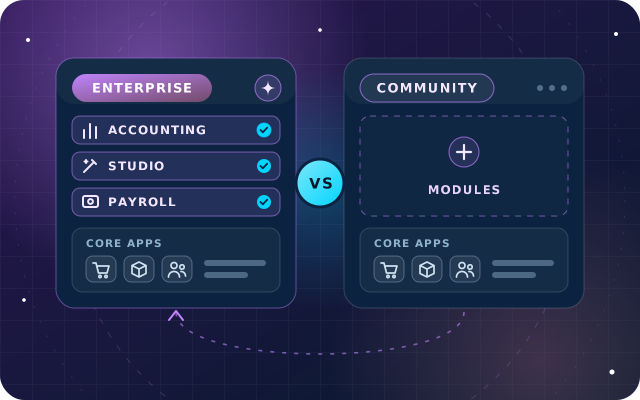
Odoo Community is the open-source core, and Odoo Enterprise is built on top of it. The shared apps work the same way in both editions, although Enterprise adds features to several of them, such as barcode scanning in Inventory. A Community database can later be switched to Enterprise without re-entering your data, and Odoo documents that switch for self-hosted databases.
Both editions include CRM, Sales, Point of Sale, Purchase, Inventory, Manufacturing, Maintenance, Project, Website, eCommerce, Email Marketing, Events, Surveys, Employees, Recruitment, Time Off, Fleet, Expenses, Discuss and Calendar. In Community, the finance app is Invoicing: customer invoices, vendor bills and payments.
The UAE accounting localization, with its chart of accounts, VAT (value added tax) rates and invoices in English, Arabic or both, installs on either edition. So the question is rarely whether Odoo can handle your sales or your stock. It is how much of the rest of the business you want inside the same system.
Enterprise adds a long list of apps and features. The table groups the ones that matter most to growing businesses, based on Odoo's editions comparison for the current release.
| Area | Both editions | Enterprise adds |
|---|---|---|
| Finance | Invoicing, payments, expenses | Full Accounting with financial reports, bank reconciliation, budgets and consolidation; OCR (optical character recognition) and AI for vendor bills and expenses; Documents, Sign and Spreadsheet |
| Sales | CRM, Sales, Point of Sale, eCommerce | Subscriptions, Rental and the Amazon connector |
| Operations | Inventory, Purchase, Manufacturing, Maintenance | Barcode, Shop Floor and work order scheduling, PLM (product lifecycle management) and Quality |
| Services | Project and basic timesheets | Helpdesk, Planning, Appointments, plus timesheet grids and validation |
| People | Employees, Recruitment, Time Off, Fleet | Payroll, Appraisals and Referrals |
| Marketing | Email Marketing, SMS Marketing, Events, Surveys | Marketing Automation and Social Marketing |
| Platform | Web access, Discuss, Calendar, To-Do | Studio, Approvals, VoIP (internet calling), IoT (Internet of Things) device connections and the Android and iOS apps |
Two rows decide many projects in the UAE. Full Accounting gives the finance team its financial statements, reconciliation and reporting inside Odoo. Payroll, which exists only in Enterprise, carries Odoo's UAE payroll localization, with UAE salary rules and an end-of-service provision calculated from each contract.
The rest of the list tends to matter as you grow: Barcode once the warehouse gets busy, Helpdesk once support outgrows a shared inbox, Studio once change requests pile up, and the mobile apps once staff work away from a desk.
Hosting is the second big difference, and it is easy to miss. Odoo runs two hosting services of its own, and both are for Enterprise only.
With Community, you or your implementation partner own everything below the application: the server, the operating system, the PostgreSQL database, security patches, monitoring and backups. That is entirely workable, but it is a recurring responsibility rather than a one-off setup task.
On Odoo's pricing page, hosting on Odoo.sh or on your own servers belongs to the Custom plan, and Odoo.sh hosting is billed separately from the subscription.
Odoo releases a new major version every year, most recently Odoo 18 in October 2024, and each major version is supported for three years. Sooner or later every database needs a newer version to stay supported, and this is where the editions differ most over the long run.
With Enterprise, upgrades are part of the subscription. According to Odoo's upgrade documentation, the upgrade service covers all standard apps and any customizations made with Studio, as long as Studio is still installed and the subscription is active. Custom modules are the exception: unless they are covered by a maintenance of customizations subscription, whoever maintains them must port them to the new version. Enterprise also includes unlimited functional support from Odoo by email.
Community has no official upgrade service and no support contract from Odoo. Upgrades run as migration projects, using community tools such as the OpenUpgrade scripts from the Odoo Community Association (OCA) where they cover your modules, and custom scripts where they do not. Support comes from your partner, your own team or the community forums.
Plan for year two, not only for go-live. The true cost of an edition shows up at the first major upgrade. Before you sign, ask any implementation partner how they will move your database, customizations and add-on modules to the next version.
Comparing a subscription fee with "free" is an easy mistake to make in this decision. Community has no license fee, but running it is not free, and an Enterprise subscription replaces some costs you would otherwise carry yourself. Build the comparison from these components:
Picture a trading company with a warehouse, a finance team that closes the books every month and staff on payroll. It needs full Accounting, Barcode and Payroll, which are all Enterprise apps. On Community, each would be a gap filled with add-on modules, each with its own maintenance and upgrade effort. Enterprise is the shorter and safer road.
Now picture a small consultancy that needs CRM, quotations, invoicing, projects and a website, with an external accountant who works from exported reports and a developer on call. Everything it needs sits in the shared core, so Community can serve it well, with a planned switch to Enterprise if it later needs payroll or full accounting.
Community is a capable platform, and plenty of businesses run it well. It tends to fit when most of these statements are true:
Free modules deserve the same scrutiny as paid software. Check who maintains a module, whether it is published for your Odoo version, which modules it depends on and how it behaves alongside your other add-ons. Every module you install is one more thing to test and port at each upgrade.
Use this table as a first pass. If several of your requirements land in the Enterprise column, Enterprise is usually the better value, even before you count upgrades and support.
| Your requirement | Odoo Enterprise | Odoo Community |
|---|---|---|
| Financial statements, bank reconciliation and budgets inside Odoo | Included in Accounting | Invoicing only; add-on modules needed |
| Payroll with UAE salary rules | Payroll with the UAE localization | Not included |
| Odoo runs the servers for you | Odoo Online or Odoo.sh | Self-hosted only |
| Custom modules | On Odoo.sh or on-premise | On your own server |
| No-code changes by your administrator | Studio | No Studio; most changes need code |
| Barcode scanning, quality checks and a helpdesk | Included | Not included |
| Version upgrades | Odoo's upgrade service | A migration project |
| No subscription fee | Per-user subscription | No license fee |
| Hosting fully under your control | On-premise | Always |
If most rows favor Enterprise, start with the apps you need at go-live and add the rest later. If most favor Community, it is a sound start, and you can treat the switch to Enterprise as a planned future step: keep customizations in separate modules, avoid changing Odoo's own code and document every add-on you install.
Through OdooStar, our Odoo practice, we implement both editions and recommend on the merits. For most growing businesses that means Odoo Enterprise implementation: choosing apps, users and hosting before you subscribe, then configuration, Studio, data migration, training and support. Where Community fits better, we implement it with the same method and plan for a later move to Enterprise.
If you are also weighing what an ERP should do beyond bookkeeping, read what an AI-driven ERP actually does for a growing UAE business. Trading and distribution companies can see how we approach their processes on our industries page.
Tell us how your teams work through the contact page, call +971 55 973 4524 or email [email protected]. An engineer will recommend an edition, with reasons, and outline the next steps.

Star Bit Solutions is a software company in Ajman, UAE, founded in 2014. We implement and customize Odoo Enterprise and Odoo Community, and build StarBiz (AI-driven ERP), StarHub (life super app), StarBot (conversational AI), StarLearn (adaptive learning) and StarSense (AI and IoT platform). About us
Licensing consultation, Studio configuration, data migration, training and support for Odoo Enterprise projects.
Learn MoreEnterprise and Community implementation, customization, integration, upgrades and support from one team.
Learn MoreHow we approach price lists, margins, returns and landed costs for trading companies.
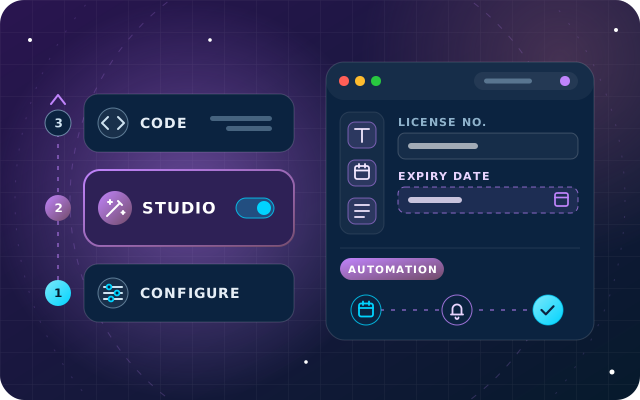
Learn MoreA practical rule for Odoo 18: configure first, use Studio second and write code last, with governance and upgrade tips for each layer.
· 10 min read
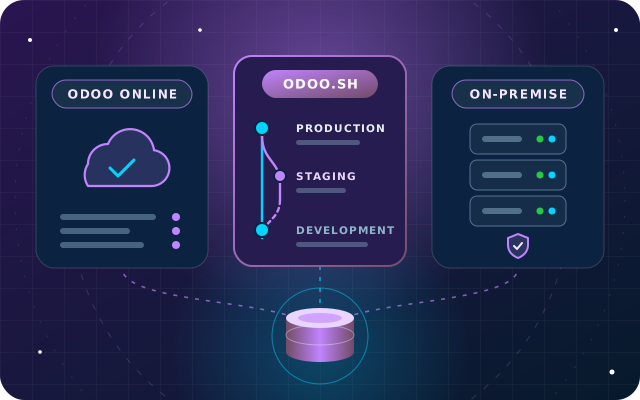
Custom modules, staging, upgrades, backups, data location and cost structure compared, with a hosting decision table for UAE businesses.
· 9 min read
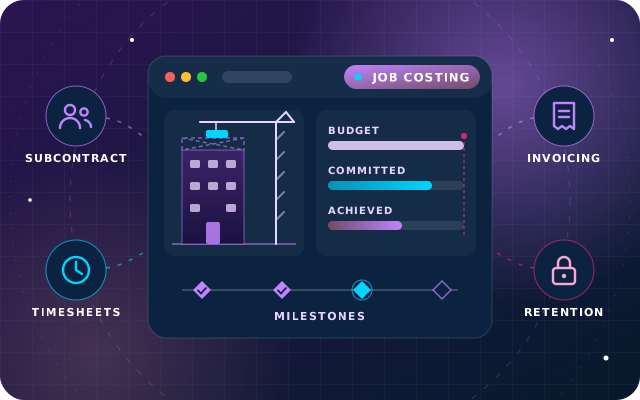
Job budgets with committed cost, purchasing against a job, subcontractor bills, milestone and progress claims, and an honest look at retention in Odoo 19.
· 11 min read
The software has no license fee, and you can download, use and modify it. Running it is not free: you pay for hosting, implementation, any custom or third-party modules, backups, security and upgrades, and there is no official support or upgrade service from Odoo. Put those costs next to an Enterprise subscription before you compare the two editions.
Community includes Invoicing, which covers customer invoices, vendor bills and payments, and the UAE localization adds its chart of accounts and VAT rates. Full Accounting, with financial reports, bank reconciliation, budgets and consolidation, is an Enterprise app. On Community, those reports come from add-on modules or spreadsheet exports, so check what your finance team and auditors expect before you choose an edition.
Yes. Odoo documents the switch for self-hosted databases: back up the database, add the Enterprise code for the same Odoo version, install the web_enterprise module and enter your subscription code. Plan it as a small project: review add-on modules that overlap with Enterprise apps, rehearse on a copy of the database and train users on the new apps before the real switch.
No. Odoo Online and Odoo.sh are Odoo's own hosting services, and both run Odoo Enterprise. Community runs on a server that you or a hosting provider manage, on-premise or in a private cloud. Keep in mind that Odoo Online also cannot install custom modules or Odoo App Store apps, while Odoo.sh and on-premise servers can.
If you need full accounting, payroll with UAE salary rules, warehouse barcode scanning or a helpdesk in one system, Enterprise is usually the shorter road, because those apps are Enterprise-only and upgrades are included. Community suits smaller teams whose processes fit the shared core apps and who have reliable technical support for hosting, backups and upgrades.
Tell us how your teams work and which apps you need. An engineer will recommend Enterprise or Community with reasons, and outline hosting and next steps.