Odoo Enterprise
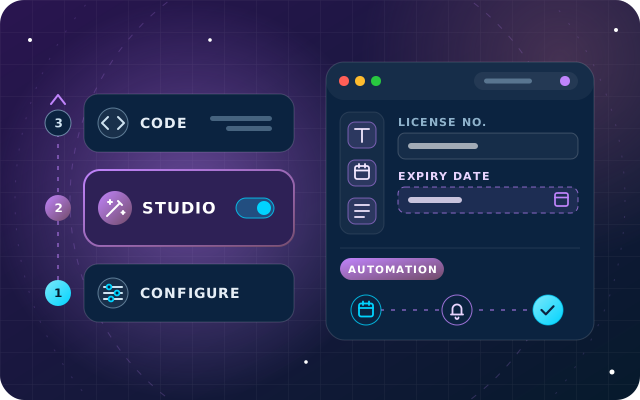
Odoo Studio: When to Configure, When to Customize and When to Write Code
A practical rule for Odoo 18: configure first, use Studio second and write code last, with governance and upgrade tips for each layer.
· 10 min read
Odoo Online vs Odoo.sh is really a question about code, control and responsibility. This guide compares both with running Odoo on your own server: modules, testing, upgrades, backups, data location and cost.
Key takeaways
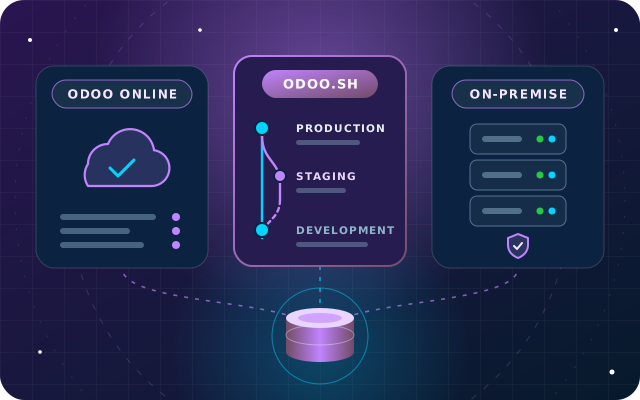
Once you have chosen Odoo Enterprise, the next decision is where it runs. Odoo Online vs Odoo.sh is often the first comparison buyers make, and running Odoo on your own server is the third option. All three run the same Odoo software. What changes is who manages the servers, whether custom code is allowed, how upgrades and backups work and where your data lives.
This guide compares the three options as they stand in mid-2025, on Odoo 18. If you are still choosing an edition, read our Odoo Enterprise vs Community guide first: Odoo Online and Odoo.sh run Enterprise only, so Community always runs on a server of your choosing.
The first question is not about servers at all. It is whether your Odoo needs code that Odoo did not write.
On Odoo Online, the answer has to be no. You can configure every standard app and customize with Studio, but you cannot install custom Python modules, and Odoo's App Store FAQ rules out App Store apps unless they are data-only modules with no Python code. If a later requirement needs a module, such as an integration with a local bank or logistics platform, you will have to move hosting first.
Odoo.sh accepts custom and third-party modules from your repository and installs the Python dependencies listed in a requirements.txt file. It has limits worth knowing: you cannot install system packages or PostgreSQL extensions, long-running background processes are not supported, and Odoo lists the modules it knows to be incompatible with the platform, such as queue_job.
On your own server there are no platform limits. Anything Odoo can run, you can install, which is exactly why the quality of what you install becomes entirely your responsibility.
The way you test changes is where Odoo.sh earns its place.
Odoo releases a major version every year and, on Odoo Online only, intermediary Online versions roughly every two months. Since Odoo 18 arrived in October 2024, Odoo Online has received several of them, starting with Odoo 18.1 in January 2025, and none is released for Odoo.sh or on-premise installations.
One consequence is easy to miss. If you start on Odoo Online and later move to Odoo.sh or your own server, a database running an Online version must first be upgraded to the next major version, waiting for its release if necessary, because only major versions run on the other two platforms. Odoo's hosting documentation describes each transfer.
For Odoo Online, Odoo's Cloud Hosting SLA (service level agreement) describes 14 full backups kept for at least three months: one a day for seven days, one a week for four weeks and one a month for three months or more. Backups are replicated across machines in data centers in Europe and Canada, and you can download a backup of your database at any time.
Odoo.sh follows the same pattern for production databases, with daily backups kept as seven daily, four weekly and three monthly copies. Staging and development databases on Odoo.sh are not backed up.
On your own server, backups are your job, and a backup is only as good as your last successful restore. A sound routine covers these points:
On Odoo Online, performance is Odoo's concern and there is nothing to tune. That suits most standard deployments, as long as usage stays within Odoo's acceptable use policy.
On Odoo.sh, you choose the resources: the number of workers, the storage and whether hosting is shared or dedicated. Staging and development builds run on a single worker, scheduled actions have a time limit per run, and read-only PostgreSQL access for reporting tools is only available on dedicated hosting.
On-premise, you size everything yourself: workers, memory, PostgreSQL settings and the network between them. That gives you the most room for heavy workloads, such as large imports or busy point-of-sale sites, and the most ways to get it wrong without an experienced administrator.
Where data lives is a frequent question from UAE finance teams, auditors and regulated sectors. Each option answers it differently.
Before you choose, write down which rules actually apply to you: your sector's regulator, contracts with your own clients, group IT policy and any requirement on where backups may be stored. If a rule says data must stay in the UAE, on-premise or a UAE-based private cloud is the straightforward answer. This is general guidance rather than legal advice, so check with your legal adviser before you subscribe.
Prices change, so compare the structure rather than the numbers.
Whichever you choose, in-app purchase credits for services such as SMS and vendor bill scanning are billed separately, and so are implementation and the maintenance of any custom code.
Read across each row and note which column matches your requirement. One "must have" in the first two rows usually settles the choice on its own.
| Question | Odoo Online | Odoo.sh | On-premise |
|---|---|---|---|
| Custom Python modules | Not supported | From your GitHub repository | No platform limits |
| Odoo App Store apps | Data-only modules, no Python code | Supported, with a few exceptions | Supported |
| Studio | Available | Available | Available on Enterprise |
| Odoo Community | Not available | Not available | Available |
| Who runs the servers | Odoo | Odoo | You or your provider |
| Testing before production | Test duplicates | Development and staging branches | Whatever you build |
| Automatic backups | Daily, kept for months | Daily for production | Your responsibility |
| Upgrade timing | Odoo's schedule, with deadlines | Your choice, within Odoo's support policy | Your choice |
| Data location | Chosen region, backups in Europe and Canada | Chosen zone, including the Middle East | Wherever you host |
| Server access | None | Shell and SSH | Full |
Choose for the next two years, not the first month. Moving hosting later is possible, but it means a backup, an import, retesting and sometimes an upgrade. If an integration or a custom module is likely, start on Odoo.sh or your own server.
Through OdooStar, we implement Odoo on all three platforms and settle hosting with you before you subscribe, because it decides whether custom code is possible. On every Odoo Enterprise implementation, we match your apps, users, code and data location rules to Odoo Online, Odoo.sh or your own servers.
Planning customizations as well? Our guide to Odoo Studio, configuration and custom code explains what each layer needs from your hosting. For businesses with strict document and audit requirements, our Financial Services page shows how we approach them.
Ask for a hosting recommendation through the contact page, call +971 55 973 4524 or email [email protected].

Star Bit Solutions is a software company in Ajman, UAE, founded in 2014. We implement and customize Odoo Enterprise and Odoo Community, and build StarBiz (AI-driven ERP), StarHub (life super app), StarBot (conversational AI), StarLearn (adaptive learning) and StarSense (AI and IoT platform). About us
Hosting and licensing settled before you subscribe, then implementation on Odoo Online, Odoo.sh or your servers.
Learn MoreImplementation on Odoo Online, Odoo.sh or your own servers, plus support and maintenance from one team.
Learn MoreHow we approach multi-company finance, document requests and audit trails for Financial Services firms.
Learn MoreA practical rule for Odoo 18: configure first, use Studio second and write code last, with governance and upgrade tips for each layer.
· 10 min read
Apps, hosting, upgrades, support and total cost compared, with a decision table for growing businesses in the UAE.
· 9 min read
Job budgets with committed cost, purchasing against a job, subcontractor bills, milestone and progress claims, and an honest look at retention in Odoo 19.
· 11 min read
No. Odoo's documentation states that Odoo Online is incompatible with custom modules and the Odoo App Store. You can still configure every standard app and customize with Studio. If you need custom Python modules, third-party apps or integrations built as modules, choose Odoo.sh or your own server, ideally before go-live rather than after.
No. Business users work in the same Odoo interface on any hosting. Odoo.sh adds tools for the people who maintain your code: deployment from GitHub, development and staging branches, automated tests, logs and shell access. If nobody needs to maintain custom modules for you, Odoo Online is usually the simpler choice.
Yes. Download a backup from the Odoo Online database manager and import it on the new platform. If the database runs an intermediary Online version, such as 18.2, it must first be upgraded to the next major version, because Odoo.sh and on-premise installations only run major versions. Plan the move around a major release.
Odoo's Cloud Hosting SLA says databases are hosted in the hosting region you choose, with regions including Europe, the Americas, Asia-Pacific, the Middle East and Northern Asia, and Oceania. Backups are replicated in data centers in Europe and Canada, and those locations cannot be restricted. Check the current SLA before you subscribe.
Tell us about your apps, custom code and data rules. We will recommend Odoo Online, Odoo.sh or your own servers, with reasons.