UAE VAT Return: A Quarter-End Workflow Your ERP Should Support
Star Bit Solutions10 min read
A UAE VAT return is only as good as the transactions behind it. This quarter-end workflow sets out the checks to run before you file on EmaraTax, and what your ERP should do at each step.
The VAT return is a summary of your ledger, so most errors start as a missing or wrong tax code on an invoice, bill or journal line.
Self-account for imported services in Box 3 and Box 10, and treat the pre-filled Box 6 as a reconciliation against your customs declarations.
Reconcile the VAT output and input accounts to the tax report before filing, then lock the period so nothing moves afterwards.
File and pay on EmaraTax by the 28th day after the period ends, and keep the evidence for every figure and adjustment.
The last week before a VAT deadline often follows the same script: export the ledger, rebuild the boxes in a spreadsheet, chase missing bills and hope the numbers agree. A UAE VAT return should not need any of that. It is a summary of transactions already in your accounting system, so the real work is making sure those transactions are coded correctly long before the 28th.
This guide sets out a quarter-end workflow in five steps, with the checks to run at each one and what your ERP should do to support them. The examples use Odoo with its UAE localization, but the same logic applies to any well-configured system.
Not tax advice: this article reflects Federal Tax Authority guidance available in May 2025. Confirm specific treatments with a registered tax agent, and check the latest guidance from the Federal Tax Authority before you file.
What the UAE VAT Return Asks for
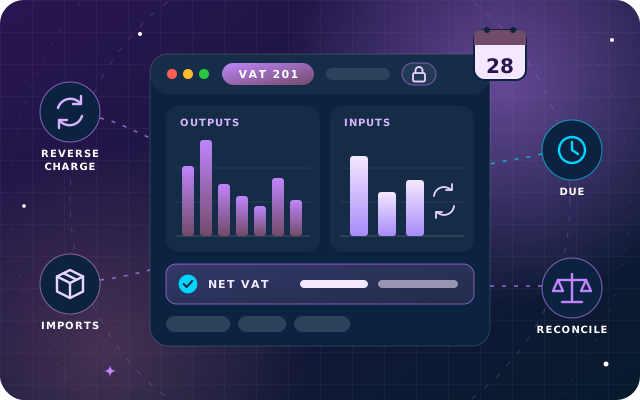
The VAT 201 return on EmaraTax has three parts: VAT on sales and other outputs, VAT on expenses and other inputs, and the net VAT due. The table follows the box numbers on the form, as described in the Federal Tax Authority's VAT guides. Boxes 8 and 11 are totals that the form calculates.
Box
What goes in
Where it comes from
1a to 1g
Standard-rated supplies, split by emirate
Sales invoices and credit notes at 5%
2
Tax refunds provided to tourists
Pre-filled for retailers in the Tax Refunds for Tourists Scheme
3
Supplies subject to the reverse charge
Imported services and other reverse charge purchases
4 and 5
Zero-rated and exempt supplies
Sales at 0% and exempt sales, net amounts only
6 and 7
Goods imported into the UAE, and adjustments to them
Pre-filled from customs declarations, corrected in Box 7
9
Standard-rated expenses
Purchases with recoverable VAT
10
Reverse charge inputs
Recoverable VAT on reverse charge purchases and imports
12 to 14
Total output tax, total recoverable tax and the net amount
Calculated by the form
The return, and any payment, must reach the authority by the 28th day after the end of the tax period. If that day falls on a weekend or public holiday, the deadline moves to the next business day, and a business with nothing to declare still files a nil return.
One practical point for Odoo users: its UAE tax report follows the same sections but numbers some lines differently from the form. It adds an out-of-scope line, for example, so goods imported appear as line 7 rather than Box 6, and standard-rated expenses as line 10 rather than Box 9. Transfer the figures by description rather than by box number, and keep a one-page mapping in your quarter-end file.
Step 1: Check the Tax Code on Every Line
Every figure in the return comes from a tax code on an invoice, bill or journal line. A line without a tax code simply does not appear, which is why missing codes are a common cause of understated returns.
List the lines with no tax. Filter posted journal items on revenue and expense accounts that carry no tax, and decide for each one whether it is genuinely out of scope.
Check the emirate split. The FTA guide asks a business with a fixed establishment to report each supply in the emirate of the establishment most closely connected to it, so a company whose only establishment is in Ajman reports its sales to Dubai customers in the Ajman box. Odoo's UAE localization picks the emirate tax from the customer's address through fiscal positions, so review the default sales tax and the emirate mappings against where your establishments are.
Complete every address. In Odoo, a UAE customer or vendor saved without an emirate falls back to the Non-UAE fiscal position, which zero-rates sales and treats purchases as reverse charge. Make the emirate part of your partner set-up.
Separate blocked input tax. VAT on costs such as entertainment and motor vehicles available for private use cannot be recovered, so it must not reach Box 9. Give those costs a non-recoverable tax.
Confirm zero-rated and exempt sales. Exports and certain education and healthcare supplies belong in Box 4, and exempt supplies, such as residential leases, in Box 5. Keep the evidence, such as export documents, with each invoice.
Step 2: Account for Reverse Charge and Imports
When you buy services from a supplier outside the UAE, you account for the VAT yourself. The value and VAT go in Box 3 as output tax, and the part you can recover goes back in Box 10. Certain domestic supplies, such as specified supplies of gold, diamonds, hydrocarbons and electronic devices to registered buyers, follow the same reverse charge logic under conditions set in the legislation.
Goods imported through UAE customs work differently. Box 6 is pre-filled from the customs declarations made under your customs registration number, which should be linked to your TRN. The value includes customs duty and any excise tax paid, and the form applies 5% to it by default.
That makes Box 6 a reconciliation, not a data entry. Compare it with your own record of import declarations, and use Box 7 for anything missing, wrong or not taxable at 5%, keeping the evidence in case the authority asks. You then claim the recoverable import VAT in Box 10.
In Odoo: the UAE localization includes a reverse charge purchase tax that posts the output VAT and the recoverable input VAT on the same bill line, and the Non-UAE fiscal position switches foreign vendors to it automatically. A separate import tax lets you record the VAT on each customs declaration, so the ERP total can be checked against Box 6.
Have a question about this guide? Ask the engineers who wrote it.
Step 3: Post Adjustments and Credit Notes in the Right Period
Credit notes reduce the value and VAT in the boxes where the original supply was reported, in the return for the period in which you issue them. A credit note should reference the original invoice and carry the same tax, which is what you get when you create it from the invoice in Odoo rather than as a free-standing document.
Some adjustments go in the separate Adjustment column instead:
Bad debt relief on output tax, once the conditions in the VAT legislation are met.
Repaying input tax on purchases you have not paid for more than six months after the due date, because your supplier may claim bad debt relief.
The annual input tax apportionment adjustment, for businesses that also make exempt supplies, in the first return after the tax year end.
Capital Assets Scheme adjustments for qualifying high-value assets, made each year over five or ten years.
Errors in earlier returns follow a rule set in the Tax Procedures Executive Regulation and explained in the FTA's guidance. If an error changed the tax due by AED 10,000 or less, correct it in the next return you file. If it is more, submit a voluntary disclosure instead, and where the error understated the tax, do so within 20 business days of discovering it.
Step 4: Reconcile Your VAT Accounts to the Return
The tax report and the general ledger should tell the same story. Before filing, compare the output and input VAT on the report with the balances of your VAT output and VAT input accounts for the period. Differences usually come from manual journals posted to a VAT account without a tax, entries dated in the wrong period or VAT booked to an expense account.
A worked example shows the idea. In one quarter, a company makes AED 2,000,000 of standard-rated sales, buys AED 200,000 of services from a supplier abroad and incurs AED 800,000 of standard-rated expenses with recoverable VAT.
Item
Box
Amount (AED)
VAT (AED)
Standard-rated sales
1
2,000,000
100,000
Imported services under the reverse charge
3
200,000
10,000
Standard-rated expenses
9
800,000
40,000
Reverse charge VAT recovered
10
200,000
10,000
Total output tax
12
110,000
Total recoverable tax
13
50,000
Payable tax
14
60,000
The VAT output account should show AED 110,000 for the quarter and the VAT input account AED 50,000. In Odoo, the closing entry created from Accounting > Reporting > Tax Return moves both balances to the VAT payable account, leaving AED 60,000 for the payment to clear, provided the payable and receivable accounts are set on the 5% tax group, as Odoo's UAE documentation advises. If either account disagrees with the report, find the difference before you file.
If you have not set the tax lock date yourself, Odoo sets it to the date of the closing entry, which stops new entries with VAT from landing in the closed period, so the figures you filed stay put.
Step 5: File, Pay and Keep the Evidence
File on EmaraTax by the 28th day after the period ends, and make sure the payment reaches the authority by the same date. Keep the report you filed from, the reconciliation, the Box 6 comparison and the support for every adjustment together in one quarter-end file.
The tax procedures rules require records to be kept for at least five years after the tax period, with longer periods for real estate records and where an audit or dispute is open. Corporate Tax records must be kept for seven years, so many businesses simply apply seven years to everything, as our Corporate Tax bookkeeping checklist explains.
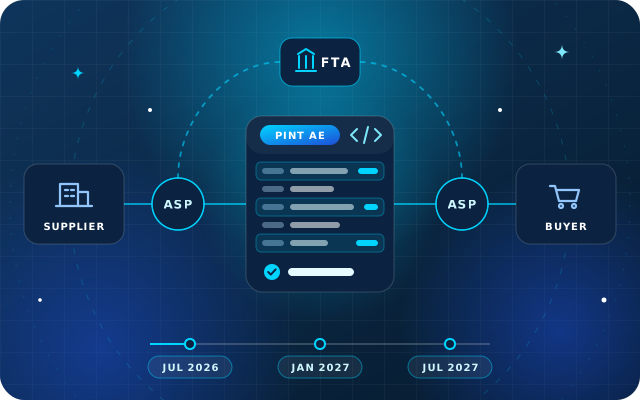
It is also worth looking ahead. In October 2024, the VAT and Tax Procedures laws were amended to support a national e-invoicing system, which the Ministry of Finance plans to run through accredited service providers. Clean tax codes and complete partner records now will make that move far easier.
A Quarter-End VAT Checklist
Run this before every filing
Post every sales invoice, vendor bill and credit note dated in the period.
List revenue and expense lines with no tax, and fix them.
Check that every UAE customer and vendor has an emirate on its address.
Review blocked input tax, and zero-rated and exempt sales.
Self-account for imported services and other reverse charge purchases.
Compare your import declarations with the pre-filled Box 6.
Post bad debt, apportionment and capital asset adjustments where they apply.
Reconcile the VAT output and input accounts to the tax report.
Post the closing entry and confirm the tax lock date.
File and pay on EmaraTax by the 28th, then archive the quarter-end file.
How Star Bit Solutions Can Help
OdooStar, the Odoo practice of Star Bit Solutions, implements Odoo Enterprise Accounting for UAE businesses. We configure the UAE taxes and fiscal positions, including the emirate mapping, set up reverse charge and import VAT handling, test the tax report on your own transactions and train your team on the closing routine.
If you run Odoo Community or another system, our wider Odoo services cover implementation, migration and support. StarBiz, our AI-driven ERP, includes VAT and tax reporting with configurable rates in its finance core.
Tell us how you prepare your return today through the contact page, or call +971 55 973 4524, and we will point out where your setup is most likely to let errors through.
Written by the Star Bit Solutions team
Star Bit Solutions is a software company in Ajman, UAE, founded in 2014. We implement and customize Odoo Enterprise and Odoo Community, and build StarBiz (AI-driven ERP), StarHub (life super app), StarBot (conversational AI), StarLearn (adaptive learning) and StarSense (AI and IoT platform). About us
Chart of accounts mapping, non-deductible costs, related parties, seven-year records and the year-end routine that gets your books ready for Corporate Tax.
The return and any payment must reach the Federal Tax Authority by the 28th day after the end of the tax period. If that day falls on a weekend or public holiday, the deadline moves to the next business day. Your tax periods depend on the stagger the FTA assigned, and EmaraTax shows the due date for each return.
Where do imported services go on the UAE VAT return?
Services bought from suppliers outside the UAE fall under the reverse charge. You report the value and the VAT as output tax in Box 3, then claim the recoverable part in Box 10. If you can recover all of it, the two amounts cancel out, but both must still be reported.
What should I do if Box 6 does not match my import records?
Box 6 is pre-filled from customs declarations made under your customs registration number. Compare it with your own import records and use Box 7 to correct imports that are missing, wrong or not taxed at 5%, keeping the declarations and your workings in case the authority asks you to justify the adjustment.
How do I correct a mistake in a VAT return I have already filed?
Under the Tax Procedures Executive Regulation and the FTA's guidance, an error that changed the tax due by AED 10,000 or less can be corrected in the next VAT return you file. Larger errors need a voluntary disclosure, and where the error understated the tax, the disclosure is due within 20 business days of finding it. Check the latest guidance from the Federal Tax Authority before you make the correction.
Do I have to file a VAT return if there were no transactions?
Yes. A VAT-registered business with no transactions in a tax period still submits a nil return by the normal due date. The FTA guide asks you to enter 0 where there is nothing to declare, rather than leaving boxes blank, so keep the filing reminder running even in quiet quarters.
OdooStar by Star Bit Solutions
File Your VAT Return from a Ledger You Trust.
We configure Odoo Enterprise taxes, reverse charge and closing entries for the UAE, then train your team to run the quarter-end routine.