WhatsApp Order Updates for Business: Opt-in, Templates and Automation
Star Bit Solutions10 min read
WhatsApp order updates spare your team the same delivery questions again and again, but only when they follow Meta's rules. Here is how to choose between the Business app and the Business Platform, collect opt-in, get templates approved and trigger each message from your ERP.
Automatic order updates need the WhatsApp Business Platform, a recorded opt-in that names your business and message templates approved by Meta.
Confirmations, delivery notices and payment reminders are utility templates; add a promotion and Meta treats the message as marketing.
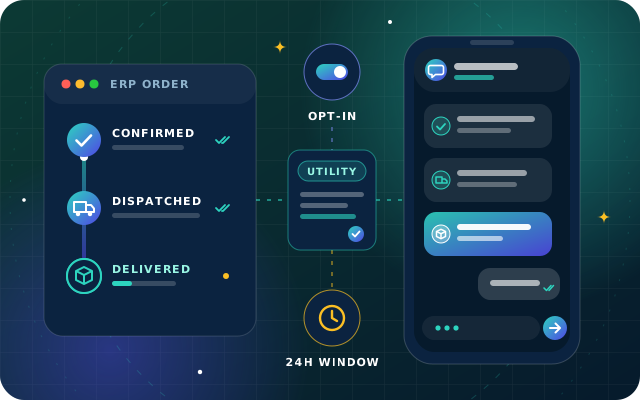
Free-form replies are only possible within 24 hours of the customer's last message, so every message your ERP starts must be a template.
Tie each update to one ERP event, send only what customers value, and give every reply a clear route to a person.
A customer who can see where their order is does not need to call and ask. That is the case for WhatsApp order updates: a short message when the order is confirmed, another when it leaves the warehouse and a last one when it arrives, on the app the customer already uses to talk to you.
Doing it well takes more than a phone and a broadcast list. Meta, which runs WhatsApp, sets rules on consent, templates and timing, and updates that ignore them get rejected, charged as marketing or reported. This guide covers those rules, the ERP events that should send each message, handover and measurement.
WhatsApp Business App or Business Platform?
WhatsApp offers businesses two products, and only one of them can send updates automatically.
The WhatsApp Business app is a free app for small businesses. It runs on a phone, plus a few linked devices, and adds a business profile, a catalog, quick replies, labels and greeting and away messages to ordinary chat. It has no interface your ERP can call, and its broadcast lists only reach contacts who have saved your number, so every update is typed or forwarded by hand.
The WhatsApp Business Platform is built for businesses that message customers from their own systems. Software connects through an API (application programming interface), usually Meta's Cloud API, which Meta hosts and where new features arrive. You can connect directly or through a solution provider that supplies the inbox, the integrations or both.
Question
WhatsApp Business app
WhatsApp Business Platform
Best for
Owner-run businesses chatting from a phone
Businesses sending messages from an ERP, online store or helpdesk
Connects to your ERP
No
Yes, through the Cloud API or a provider
Messages you start
Manual chats and broadcast lists
Approved message templates, sent automatically
Cost
Free app
Meta charges for conversations you start with templates
Order updates, delivery notices and payment reminders all need the Platform. If you run Odoo Enterprise, its WhatsApp app connects to a Platform account and sends approved templates from records and automated actions; our Odoo Enterprise team sets it up.
Opt-in: Permission You Can Prove
Meta's rule is that you may only message people on WhatsApp who have given you their mobile number and agreed to receive messages from your business. Since Meta's November 2024 policy update, that permission can be general rather than specific to WhatsApp, as long as it meets local law. Its opt-in guidance asks that the wording a customer agrees to makes two things clear:
That they are opting in to receive messages from your business.
The name of your business, so they know who will be writing.
Opt-in can be collected on your website or checkout, by SMS, through a phone menu, on paper or in person. What matters for automation is where the answer is kept. Record it on the customer in your ERP, with the date, the source, the phone number and the kind of messages it covers, and let every automated send check it.
Keep order updates and offers apart. Meta suggests either one opt-in that lists the kinds of message a customer will receive or a separate opt-in for each kind. A customer who agreed to delivery notices has not agreed to promotions.
Opting out must be just as easy. Tell customers how to stop, for example by replying STOP, and honor it everywhere, not only on WhatsApp. People can also block or report a business, and sustained low quality can limit how many customers you are allowed to message.
Tip: Write the opt-in sentence so a customer could repeat it back, for example: "Send updates about my orders from [your company name] on WhatsApp." Use a box the customer ticks, not one ticked for them, and never bury consent in your terms and conditions.
Message Templates: Categories and Approval
Every message your business starts, as opposed to a reply, must use a template that Meta has approved. A template has a body plus an optional header, such as an image or a PDF invoice, a footer and buttons. Variables such as {{1}} and {{2}} are filled with the customer's name, the order number or a date when the message is sent. Each language version is reviewed on its own, so Arabic and English dispatch notices are two approvals.
Utility, Marketing and Authentication
Meta sorts templates into three categories, and the category decides how a message is treated and charged:
Utility: non-promotional messages about a specific transaction, account or request, such as order confirmations, delivery updates, payment reminders and feedback surveys about a purchase.
Marketing: promotions, offers, product news and anything that is neither utility nor authentication.
Authentication: one-time passcodes for logging in or confirming an action.
An order update stays utility only while it stays about the order; add a discount code or a product suggestion and it becomes marketing. Since 9 April 2025, if you submit a template as utility and Meta decides it is marketing, Meta approves it as marketing, and it can also change the category of approved templates later. Meta's template category guidelines give examples of each.
Getting Templates Approved
Meta reviews each template you submit, with automated checks and manual review, and a decision can take up to 24 hours. A rejected template can be edited and resubmitted, or the decision appealed. The usual causes are badly formed variables, such as mismatched braces, numbers out of sequence or a variable at the very start or end, content that breaks WhatsApp's policies and duplicates of templates you already have.
Approved templates also earn a quality rating from customer feedback, and one that keeps drawing blocks can be paused.
Have a question about this guide? Ask the engineers who wrote it.
When a customer messages you, a 24-hour customer service window opens, and every new message from them starts it again. Inside the window you can reply freely with text, images, documents and buttons. Once it closes, the only thing you can send is an approved template.
For order updates this has two consequences. Anything your ERP sends on its own schedule, such as a dispatch notice or a payment reminder, must be a template. And a customer who replies to an update opens a window, so whoever answers can share a proof of delivery, a payment link or a new slot without another approval.
The window also shapes cost. Conversations you start with templates are charged by category and by the customer's country, while service conversations, where you answer a customer, have been free since 1 November 2024. Meta has announced that from 1 July 2025 it will charge per delivered template message instead of per conversation, so check Meta's pricing page before you plan volumes.
Which ERP Events Should Trigger WhatsApp Order Updates
A good update answers the question a customer would otherwise phone about, at the moment the answer changes. In an ERP that moment is an event, so tie each message to one event and build it from data the system already holds.
ERP event
What the update says
Useful button
Sales order confirmed
Order number, a short summary and the expected delivery date
View order
Delivery dispatched
Driver or courier, delivery window and tracking link
Track delivery
Delivery date changed or stock short
The new date, or what ships now and what follows
Talk to us
Delivery confirmed
A delivered notice, with a way to report damage or a missing item
Report a problem
Invoice posted
Invoice number, amount and due date, with the PDF attached
Pay now
Due date approaching
A polite reminder with the amount and a payment link
Pay now
All of these stay utility messages while they carry no promotion. A few rules keep them useful:
Send once per event. Store the template, time and message ID against the document, so a delivery validated twice does not send two notices.
Skip steps customers do not care about. Picked and packed matter to the warehouse; dispatched matters to the customer.
Respect quiet hours. Queue anything generated overnight until morning.
Use the right contact and language. Delivery notices go to the delivery contact and invoices to accounts, in the customer's language.
Check consent at send time, and stop reminders once the payment is recorded.
A Worked Example: One Order, Five Templates
Here is how one order might flow for a distributor selling to retailers:
Order placed. A retailer orders 40 cartons through your web portal and ticks "Send updates about my orders from [your company name] on WhatsApp". The ERP saves that consent on the contact with the date and source.
Order confirmed. When sales confirms the order, a utility template goes out: "Hello {{1}}, order {{2}} is confirmed. Expected delivery: {{3}}." A View order button links to the portal.
Dispatched. The next morning, validating the delivery sends the dispatch template with the delivery window and the driver's number.
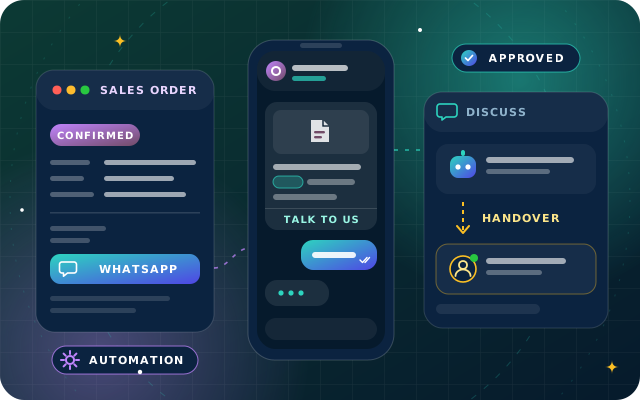
The customer replies. The retailer asks "Can you come after 4 pm?", which opens the 24-hour window. The chatbot passes the request to dispatch with the order number attached, and the dispatcher replies freely.
Delivered. The driver confirms delivery, and the ERP sends a delivered notice with a Report a problem button.
Invoiced and reminded. The invoice template carries the PDF in its header. A reminder is scheduled a few days before the due date and canceled automatically if the payment arrives first.
Handover: When a Reply Needs a Person
Replies to order updates are often questions only a person can settle: a different delivery time, a damaged carton, an invoice that does not match the order. WhatsApp's business policy allows automated replies inside the customer service window, but it also requires prompt, clear and direct escalation paths, such as transfer to a human agent, a phone number or email.
Route by topic. Delivery questions go to logistics, invoice questions to accounts and new orders to sales.
Pass the context. The agent should see the order, the message the customer replied to and what the bot already tried.
Cover the night. Outside working hours, say when someone will reply and put the request first in the morning queue.
Measuring Whether Your WhatsApp Order Updates Work
Meta reports a status for every message: sent, delivered, read or failed. Store it against the order and review these every week:
Failed messages by reason, such as numbers that are not on WhatsApp or a paused template.
Replies per template: many asking the same question usually mean the message is unclear.
Opt-outs, blocks and template quality ratings in WhatsApp Manager.
Calls and emails asking where an order is, compared with the weeks before launch.
Handover volume and the time to a first human reply.
A Launch Checklist for WhatsApp Order Updates
WhatsApp Business Platform account connected, with the display name approved and Meta business verification under way.
Opt-in wording live everywhere you collect phone numbers, with consent and opt-outs stored in the ERP.
Utility templates approved in Arabic and English for each event you chose.
Triggers tested on real scenarios, including cancellations, partial deliveries and changed dates.
Handover rules, a team inbox and an out-of-hours reply in place.
How Star Bit Solutions Can Help
StarBot, our conversational AI chatbot, handles WhatsApp business messaging with template and opt-in support. We connect your business WhatsApp number, set up message templates and opt-in flows and test every channel with you before launch. When customers reply, StarBot answers in Arabic or English, checks orders and deliveries in your ERP and hands anything complex to your team with the full transcript attached.
StarBiz, our AI-driven ERP, keeps orders, deliveries, invoices and stock in one system, with email and WhatsApp follow-ups through StarBot. If you run Odoo, our OdooStar team configures the Odoo Enterprise WhatsApp app and the automated actions behind it. Contact us, call +971 55 973 4524 or email [email protected], and we will map your order events to messages customers are glad to receive.
Written by the Star Bit Solutions team
Star Bit Solutions is a software company in Ajman, UAE, founded in 2014. We implement and customize Odoo Enterprise and Odoo Community, and build StarBiz (AI-driven ERP), StarHub (life super app), StarBot (conversational AI), StarLearn (adaptive learning) and StarSense (AI and IoT platform). About us
Connecting Meta, building templates, sending from records and automation rules and handling replies in Discuss, plus where StarBot adds AI and handover.
Can I send automatic order updates from the WhatsApp Business app?
No. The WhatsApp Business app is designed for one-to-one chats from a phone and has no interface that an ERP or online store can use, and its broadcast lists only reach contacts who have saved your number. Automatic order updates need the WhatsApp Business Platform, connected through Meta's Cloud API or a solution provider, with message templates approved by Meta.
Do customers need to opt in before I send WhatsApp order updates?
Yes. Meta only allows businesses to message people who have given their mobile number and agreed to receive messages from that business. The permission does not have to mention WhatsApp, but it must make clear that the person is agreeing to messages from your business, it must name the business and it must meet local law. Store the consent in your ERP and check it before every automated send.
Are order updates utility or marketing messages on WhatsApp?
Order confirmations, shipping and delivery updates and payment reminders are utility messages when they are about a specific order and contain nothing promotional. Adding an offer, a discount code or product recommendations turns them into marketing. Since 9 April 2025, if Meta decides that a template submitted as utility is really marketing, it approves the template as marketing.
What is the WhatsApp 24-hour customer service window?
It is the 24 hours after a customer's last message to your business. During that time you can reply with free-form messages, including text, images, documents and buttons, without a template. Once the window closes, you can only send approved message templates, so notifications your system sends on its own schedule should always use templates.
How long does WhatsApp template approval take?
Meta reviews each template you submit, with automated checks and manual review, and an approval decision can take up to 24 hours. If a template is rejected, you can edit it and submit it again, or appeal the decision. Common causes of rejection are badly formed variables, content that breaks WhatsApp's policies and duplicates of templates you already have.
StarBot by Star Bit Solutions
Tell Customers Where Their Order Is before They Ask.
Share your order flow and channels with us. We will map each ERP event to a WhatsApp update, set up templates and opt-in, and plan the handover to your team.