WhatsApp for Hotels and Restaurants: Bookings, Reminders and Guest Feedback
Star Bit Solutions10 min read
WhatsApp for hotels and restaurants works best as a service channel: confirmations and reminders guests expect, requests answered at any hour, offers only with consent and a person ready when it matters. Here is how to design it and connect it to your reservation and POS systems.
Confirmations, reminders, bills and feedback tied to a stay or a table are utility messages; upgrades and offers are marketing and need their own consent.
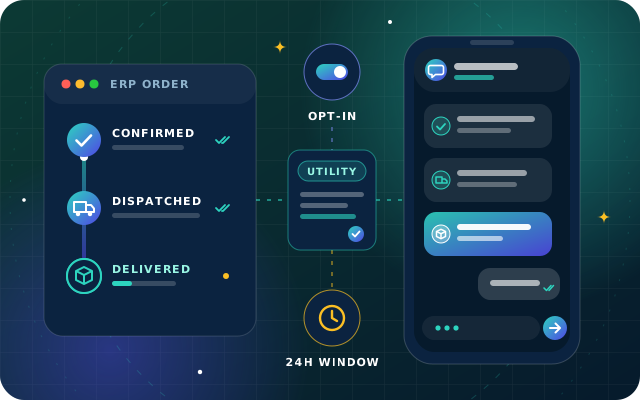
Anything the hotel or restaurant starts needs an approved template, but once a guest writes, staff and chatbots can reply freely for 24 hours.
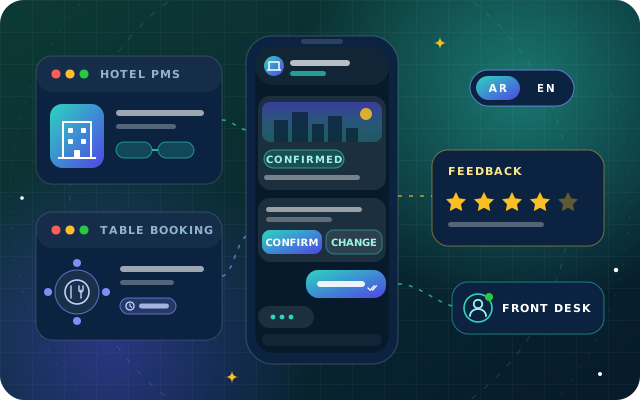
Connect WhatsApp to the PMS, the reservation book and the POS, so messages carry real booking data and requests reach the right desk.
Answer in the guest's language, keep complaints, allergies, payments and safety with people, and hand over with the conversation attached.
Guests already write to hotels and restaurants on WhatsApp. They ask about parking before they book, send a late-arrival note from the airport and want a table for six at eight tonight. For most operators the question is no longer whether to use WhatsApp, but how to run it as a proper service channel instead of a phone at the front desk that whoever is on shift picks up.
WhatsApp for hotels and restaurants works when three things are designed together: the messages you start, such as confirmations and reminders; the conversations guests start, from towel requests to table changes; and the systems behind both, from the property management system (PMS) to the reservation book and the point of sale (POS). This guide covers each one, with Meta's rules as they stand in mid-2026.
WhatsApp for Hotels and Restaurants: The Guest Journey
Map the journey before you write a single template. Each moment is either a message you start, which needs a template approved by Meta, or a conversation the guest starts, which opens a 24-hour customer service window for free-form replies.
Moment
Who starts it
Message type
Booking or table confirmed
Hotel or restaurant
Utility template
Pre-arrival: check-in time, directions, parking
Hotel
Utility template
Table reminder with confirm and cancel buttons
Restaurant
Utility template
Room upgrade, spa or dinner offer
Hotel or restaurant
Marketing template, with consent
In-stay requests and table changes
Guest
Free-form replies inside the window
Bill or receipt
Hotel or restaurant
Utility template
Feedback after the stay or the meal
Hotel or restaurant
Utility template, if it has no promotion
Opt-in and Consent for Guest Messages
Meta allows businesses to message only people who have given their mobile number and agreed to receive messages from that business. Its opt-in guidance asks for wording that names the business, and local law applies on top. In hospitality that agreement is easiest to collect at three points:
When guests book direct. A clear checkbox on the booking engine or reservation form: "Send my booking details and reminders from [hotel name] on WhatsApp."
At check-in or at the host stand. A line on the registration card, or a QR code that opens a chat with your number.
In the first conversation. A guest who writes to you first can be asked whether they would like updates about their stay.
Bookings from online travel agencies and other third-party channels need extra care. The contact details you receive, and what you may use them for, depend on that channel's terms, so check them before adding those guests to any automated flow.
Offers need their own consent. A guest who agreed to booking messages has not agreed to promotions, and marketing templates carry extra limits. Meta caps how many marketing templates each person receives from all businesses, adjusting the cap to how engaged they are, and it does not currently deliver marketing templates to users with United States numbers. Offers sent while a guest's customer service window is open do not count towards that cap, which is one more reason to make offers in conversation rather than out of the blue.
Templates for Confirmations, Reminders and Offers
Every message you start needs a template in each language you use. In hospitality the category line is usually clear:
Utility: booking and table confirmations, changes and cancellations, pre-arrival information, reminders, bills, receipts and feedback requests about a specific stay or meal.
Marketing: upgrades, packages, spa and dining offers, seasonal menus, loyalty news and anything else that tries to sell.
Mixing the two makes the whole message marketing, and if Meta decides that a template submitted as utility is promotional, it approves it as marketing. Keep confirmations clean and send offers separately, to guests who said yes to them. Since 1 July 2025 Meta has charged per delivered template, with rates by category and country, and utility templates sent while a customer service window is open are currently free. Meta announced on 1 July 2026 that from 1 October 2026 it will charge for those and for free-form service replies as well, so check its pricing page before you plan volumes.
Write templates for a quick glance: the booking reference and date first, then one action. Quick reply buttons such as Confirm, Change and Cancel let a guest answer a reminder in one tap, and each tap opens a customer service window your team or chatbot can use. Send at sensible local hours, remember that international guests may still be in another time zone, and during Ramadan, schedule restaurant reminders around iftar and suhoor bookings rather than at a fixed hour.
Tip: If you hold tables or rooms for a limited time, say so kindly in the reminder and give the guest a one-tap way to say they are running late. A reminder that frees an unwanted table is as valuable as one that confirms a booking.
Have a question about this guide? Ask the engineers who wrote it.
Once a guest writes, you can reply freely for 24 hours with text, images, documents, buttons and links. Most questions repeat: Wi-Fi, breakfast and pool hours, parking, late check-out, menus, opening times and directions. A chatbot can answer these instantly from approved content, and capture requests such as extra towels, a cot, a maintenance issue or a change to tonight's table, then route each one to the right desk.
Some messages should always reach a person quickly:
Complaints and anything with negative sentiment.
Allergies and dietary needs, where a wrong answer is a safety issue.
Payment disputes, refunds and deposits.
Medical, security or safety concerns.
Group bookings, private events and VIP requests.
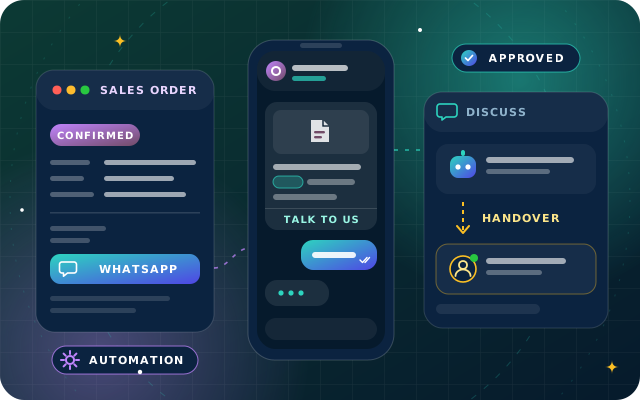
WhatsApp's business policy also requires clear escalation paths whenever you automate replies, such as transfer to a human agent or a phone number. Route by topic, language and time of day, pass the transcript and booking reference with the handover, and outside staffed hours tell the guest when someone will reply. Our article on chatbot human handover covers the triggers and routing in detail.
Arabic, English and Every Other Language
Hotels and restaurants in the UAE serve guests in Arabic, English and many other languages. Two rules keep this manageable. First, store each guest's preferred language in the PMS or reservation profile and use it to pick the template, since each language version is approved separately. Second, let the conversation follow the guest: StarBot detects whether each message is written in Arabic or English and replies in the same language, from answers your team has approved in both.
For other languages, decide in advance what happens, such as a polite holding reply and a handover to a colleague who speaks the language, or an offer of a call. Our guide to designing an Arabic chatbot covers dialect, Arabizi, right-to-left layout and tone.
Feedback That Reaches a Manager First
A feedback request after check-out or after the bill is paid is a utility message as long as it is about that stay or meal and carries no promotion. Keep it short: one question with quick replies such as Great, Good and Not good, then an optional comment. A low score should go straight to the duty manager, who can reply while the guest still cares; a high score deserves a personal thank you.
Tie the request to the event that triggers it. The POS closes the bill or the PMS checks the guest out, and the request goes a few hours later or the next morning, never at midnight after a late dinner. Keep discount codes out of it, or it becomes a marketing message.
Connecting WhatsApp to Your PMS, Reservation Book and POS
Messages are only as good as the data behind them. These are the events that usually drive guest messages, and where they come from:
System
Event
Message or action
PMS
Reservation created, changed or canceled
Confirmation, change or cancellation notice
PMS
Arrival approaching
Pre-arrival information and check-in time
PMS
Guest checked out
Bill and feedback request
Reservation book
Table booked or changed
Confirmation with change and cancel buttons
Reservation book
Day of the booking
Reminder; a cancel reply frees the table
POS
Bill closed
Receipt and feedback request
POS or kitchen display
Takeaway order ready
Pick-up notice
Each connection should work both ways where it matters. A guest who cancels with one tap should free the table in the reservation book, and a late check-out request should reach the front desk, not a phone nobody checks. Store the consent flag and preferred language on the guest profile, and pass each message only the fields it needs.
StarBot connects to calendars and booking systems, ticketing tools and payment links, to StarBiz and, through OdooStar, to Odoo for orders, invoices and stock, and to custom back-ends through a REST API and webhooks. For the back office, StarBiz adds POS integration, daily cash and card reconciliation and multi-outlet reporting. Venues on Odoo 19 Enterprise can also send POS receipts by WhatsApp and order-ready notices from the preparation display, as our guide to WhatsApp in Odoo explains.
A Worked Example: One Stay, End to End
Booking. A guest books two nights on the hotel website and ticks the WhatsApp box. The PMS records the consent, its date and the guest's language.
Confirmation. A utility template confirms the dates, room type and booking reference, with a Directions button.
Pre-arrival. Two days before arrival, a second utility template shares the check-in time and parking details and asks for the arrival time with quick replies.
An offer, with consent. The guest also ticked the offers box, so a separate marketing template offers an airport transfer. Guests who did not tick it never see one.
In-stay requests. On the first evening the guest asks for an extra pillow and a late check-out. The chatbot logs the pillow for housekeeping and hands the late check-out to the front desk, which replies inside the open window.
Feedback. The morning after check-out, a utility template asks one question. The guest taps Not good and mentions noise, and the duty manager, who receives the whole conversation, calls the same day.
A Launch Checklist for Hotels and Restaurants
A business number on the WhatsApp Business Platform for each property or brand, with a clear display name.
Opt-in wording on the booking engine, reservation form, registration card and host stand, with separate consent for offers.
Utility templates approved in Arabic and English for confirmations, reminders, bills and feedback.
PMS, reservation book and POS events connected, with cancellations flowing back.
Handover rules for complaints, allergies, payments and safety, plus an out-of-hours reply.
Personal phones retired from guest messaging, with retention rules for transcripts.
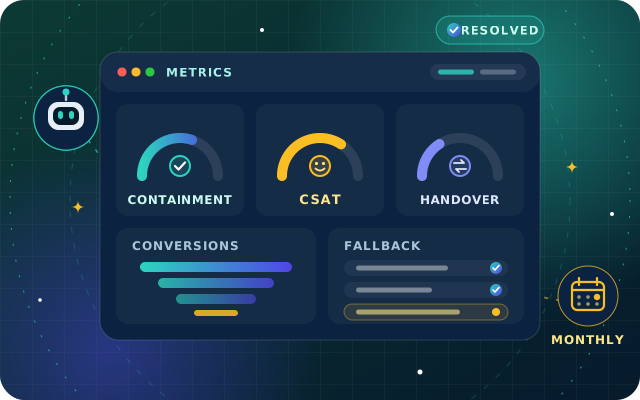
A monthly review of opt-outs, template quality, handover times and feedback scores, using the chatbot metrics that matter.
How Star Bit Solutions Can Help
StarBot is built for this: one assistant on your website, WhatsApp and social inboxes, answering in Arabic and English, capturing room and table requests and routing them to the right desk with the context intact. We connect your business WhatsApp number, set up message templates and opt-in flows and test every channel with you before launch. See how we approach Hospitality and Tourism and Restaurants and Food Services.
Star Bit Solutions is a software company in Ajman, UAE, founded in 2014. We implement and customize Odoo Enterprise and Odoo Community, and build StarBiz (AI-driven ERP), StarHub (life super app), StarBot (conversational AI), StarLearn (adaptive learning) and StarSense (AI and IoT platform). About us
Connecting Meta, building templates, sending from records and automation rules and handling replies in Discuss, plus where StarBot adds AI and handover.
Containment, resolution, satisfaction, handover, first response, fallback and conversions defined, with vanity metrics to drop and a monthly review routine.
Can hotels send WhatsApp booking confirmations without opt-in?
No. Meta only allows businesses to message people who have given their mobile number and agreed to receive messages from that business, and local law applies as well. Ask for consent on the booking engine or reservation form, at check-in or in the first conversation, name the hotel in the wording and record it on the guest profile in your PMS or CRM.
Are WhatsApp upsell offers allowed for hotel guests?
Yes, as marketing templates sent to guests who agreed to receive offers. Keep them separate from confirmations, because promotional content turns a utility message into marketing. Meta also limits how many marketing templates each person receives from all businesses, does not currently deliver them to United States numbers, and does not count offers sent inside an open customer service window towards that limit.
Can a chatbot take restaurant reservations on WhatsApp?
Yes, if it can check availability in your reservation book or booking calendar before it confirms. A good flow asks for the date, time, party size, name and special requests, sends a confirmation with change and cancel buttons and a reminder before the visit. Large parties, private events and allergy questions should still be handed to a person.
How should hotels handle WhatsApp messages in other languages?
Store each guest's preferred language in the PMS profile and use it to choose the template, because each language version is approved separately. StarBot detects Arabic and English and replies in the same language. For other languages, agree a polite holding reply and hand the conversation to a colleague who speaks the language, or offer a call.
What does a hotel need to connect WhatsApp to its PMS?
An integration that reads reservation events and guest details, such as dates, room type, language and consent, and writes back changes the guest makes in chat. Depending on the PMS, that runs through its API, webhooks or scheduled exports. Send each message only the fields it needs, and test cancellations, changes and early departures before launch.
StarBot by Star Bit Solutions
Answer Every Guest in Seconds, and Keep a Person Close.
Send us your most common guest questions and your booking channels. We will show you how StarBot would answer them on WhatsApp in Arabic and English.