Why Super Apps Are Winning: One Place for Plans, Notes, Expenses and Health
Star Bit Solutions8 min read
A super app replaces a phone full of single-purpose apps with one place for your plans, notes, money and health. Here is why that helps your focus, what a personal super app should bring together, the privacy questions to ask first and how families and teams use one.
Every extra app adds a login, a stream of notifications and another copy of your data, and switching between them costs attention.
A personal super app earns its place when planner, notes, money and health share one record, so a bill, a task and a reminder are one item.
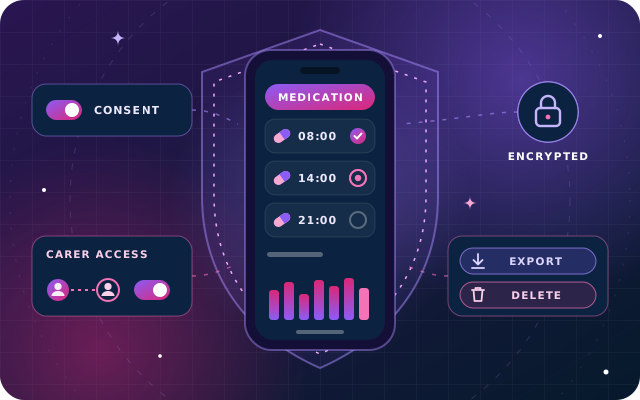
Before you move your life into one app, check who owns the data, how it is encrypted, how you export or delete it and what any AI reads.
Families and teams gain shared lists and plans, but private notes, expenses and health records must stay private by default.
Think about the apps that carry an ordinary day. One holds the meetings, another the shopping list and a third the notes from yesterday's call. Spending lives in a banking app or a spreadsheet, medication reminders in a separate pill app, and the calculator is three swipes away. Each app is fine on its own. Together they spread your day across logins, notifications and scattered copies of your own information.
That is why the super app keeps gaining ground. A super app brings many everyday jobs into one place, with one account, one set of notifications and one view of the day. This article looks at why that helps, what a personal super app should bring together, the privacy questions to ask before you trust one with your life, and how families and teams use them.
What Is a Super App?
The term first became popular for consumer platforms that started with one service and kept adding more. WeChat in China grew from messaging into payments and mini programs, and ride-hailing apps in Asia and the Gulf added food delivery, groceries and payments under the same login.
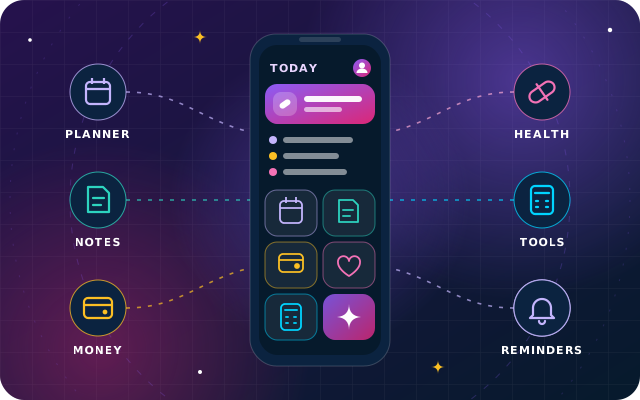
A personal super app, sometimes called a life super app, applies the same idea to your own day rather than to a marketplace of services. Instead of rides and food orders, it brings together the tools you use to run your time, money and health:
A planner, calendar and task list.
Notes, voice memos and recordings.
Expenses, budgets, bills and financial records.
Medication schedules, health records and wellbeing logs.
Everyday calculators and converters.
Reminders, and increasingly an assistant that summarizes and suggests.
App Fatigue and the Cost of Context Switching
App fatigue is the weariness of managing too many apps: another password to reset, another set of notification settings, another place where something important might be hiding. It is easy to dismiss as a small annoyance, but it has a real cost in attention.
Psychologists have studied that cost for decades. In a well-known set of experiments, Rubinstein, Meyer and Evans found that switching between tasks carries a time cost that grows with the complexity of the rules involved, as the mind shifts goals and then loads the rules for the new task. Those experiments used shape-classification and arithmetic tasks rather than apps, but moving from a calendar to a banking app to a medication tracker asks for the same kind of shift, because each app has its own layout, logic and vocabulary.
A super app reduces those switches in three ways:
One layout and one logic. Once you know how to add, find and share in one module, you know how to do it in all of them.
One timeline. Meetings, tasks, bills and doses sit in the same view, so planning the day takes one look.
One reminder engine. Nudges for a meeting, a bill and a tablet come from one place, timed against each other instead of competing on the lock screen.
What a Personal Super App Should Bring Together
Job
With separate apps
In a personal super app
Planning the day
Calendar and to-do list in different apps
One timeline of events, tasks and reminders
Capturing ideas
Notes, a voice recorder and a screen recorder, all separate
Notes with voice memos and recordings attached to the task or meeting
Money
A banking app, a spreadsheet and a folder of receipts
Expenses, budgets, bills and receipts stored together
Health
A pill reminder, a step counter and paper records
Medication schedules, adherence history, records and activity in one private space
Quick sums
A calculator and a currency converter
Calculators whose results can be saved into a note or an expense
The value is in the connections, not the list. A school fee is a task with a due date, an expense when it is paid and a reminder before it falls due, and in a super app it can be one record instead of three copies. A voice memo recorded after a meeting belongs next to that meeting. A currency conversion done in a shop abroad belongs in the expense it explains.
Connected records also make insight possible. When plans, spending and health live together, an assistant can point out patterns a single-purpose app never sees, such as late meetings that keep colliding with an evening dose. The test is whether it explains what each suggestion is based on and lets you switch it off.
Have a question about this guide? Ask the engineers who wrote it.
Putting plans, money and health in one app concentrates some of your most personal data in one place. That is a reason to ask harder questions, not a reason to avoid the idea. Before you commit, check the answers to these:
Who owns the data? Your records should be used only to provide the service to you, and not sold or shared with third parties for their own purposes.
How is it protected? Look for encryption in transit and at rest, on every device and on the web.
Can you take it with you? Notes, expenses and health records should export in standard formats whenever you like.
Does deleting really delete? Removing a record or your account should remove it from every synced device, not just hide it.
Who sees what when you share? Sharing should be per item and per person, so a shared shopping list never exposes your notes.
Can you control your devices? You should see where you are signed in and be able to sign out a lost phone remotely.
What does the AI read? An assistant should read only your own data, show the basis of each suggestion and be easy to switch off.
In the UAE, personal data is also protected by Federal Decree-Law No. 45 of 2021 on the Protection of Personal Data, which came into force on 2 January 2022 and is summarized on the UAE government portal. The same page lists Federal Law No. 2 of 2019 on the use of information and communication technology in health fields, so ask any provider which rules it follows for health records. If you are rolling an app out to staff or members, ask where the data is hosted as well.
Tip: Test the exit before you move in. During a trial, export a few records and delete a test entry, then check that both behave as the app promises. It is the quickest way to learn how seriously a provider treats your data.
Super Apps for Families and Teams
A super app is personal first, but life is shared. The best ones let you share precisely, item by item, while everything else stays private by default.
Families
Households share shopping lists, school schedules and bills, and many people manage medication for a child or an elderly parent. Profiles for dependants, set up with consent, let one person keep track of doses and appointments for the family, while each adult's own notes and expenses stay their own.
Teams and Organizations
Employers, schools, clubs and residential communities can deploy a super app as a branded companion for their people: shared plans and team spaces beside private personal modules, wellbeing programs with activity goals and check-ins, and notices for members. The rule that makes this trustworthy is simple: dashboards show participation and overall trends, never an individual's records. Where the organization runs an ERP, the app can also become each employee's front door to it, with leave balances, attendance and announcements.
Moving Your Day into a Super App, Step by Step
Switching everything at once is how new apps get abandoned. A gradual move works better:
Week one: plans and reminders. Move your calendar and tasks, and let one reminder engine take over from the rest.
Week two: money. Add recurring bills and subscriptions with their due dates, then log expenses as they happen.
Week three: notes. Bring over the notes you actually use, and attach voice memos to the meetings they belong to.
Week four: health. Add medication schedules and the records you would want at a doctor's appointment, then retire the old pill reminder.
Then share. Invite family members or colleagues to the lists and plans you share, and check the permission on each.
Finally, tidy up. Delete the apps you no longer open, along with their notifications.
How Star Bit Solutions Can Help
StarHub is the life super app we design and build in the UAE. It brings a planner and tasks, notes with voice memos and screen recording, expenses and budgets, medication schedules and health records, and everyday calculators, from a unit converter to an EMI (equated monthly installment) calculator, into one private, connected experience on phone, tablet and web. AI-assisted reminders and summaries keep the day organized, and every suggestion can be dismissed or switched off per module. Your records sit in an encrypted personal vault, encrypted in transit and at rest, and you can export or delete them at any time.
For organizations, StarHub runs as a branded wellbeing and productivity app, with team spaces beside each person's private modules, integration with StarBiz HR for leave, attendance and employee records, and conversational help inside the app through StarBot. Read our privacy policy, then contact us or call +971 55 973 4524 to book a free walkthrough built around the way you live or work.
Written by the Star Bit Solutions team
Star Bit Solutions is a software company in Ajman, UAE, founded in 2014. We implement and customize Odoo Enterprise and Odoo Community, and build StarBiz (AI-driven ERP), StarHub (life super app), StarBot (conversational AI), StarLearn (adaptive learning) and StarSense (AI and IoT platform). About us
Why health data is sensitive, and the privacy questions to ask a medication or health tracking app about consent, encryption, storage, sharing and deletion.
Language switching, Gulf dialect, Arabizi, right-to-left layouts, tone and bilingual handover: a practical design guide for Arabic and English chatbots.
A super app brings many everyday jobs into one app, with one account, one set of notifications and one place for your information. Consumer super apps combine services such as messaging, payments, rides and food delivery. A personal or life super app does the same for your own day, bringing together a planner, notes, expenses, health records and everyday tools.
Is a super app better than using separate apps?
For many people it is, because there are fewer logins, one timeline for the day and one source of reminders, and records can be linked, such as a bill that is also a task and an expense. It only works if each module is good enough for daily use, so try the features you rely on most before you move everything across.
Is it safe to keep health and money records in one app?
It can be, if the provider treats that data seriously. Look for encryption in transit and at rest, data used only to provide the service to you, export in standard formats, deletion that removes records from every device, per-item sharing and control over signed-in devices. Check what any AI assistant reads, and test export and deletion during a trial.
Can families or teams share one super app?
Yes, when sharing is set per item and per person. Families can share shopping lists, school schedules, bills and medication schedules for dependants, while each adult keeps private notes and expenses. Organizations can deploy a branded super app with team spaces and wellbeing programs, where dashboards show participation and overall trends rather than any individual's records.
What does StarHub include?
StarHub combines a planner with tasks and reminders, notes with voice memos and screen recording, expenses, budgets and bills, medication schedules and health records, and calculators such as a unit converter, a loan installment calculator and a currency calculator. An AI assistant times reminders and summarizes your plans. It works on phone, tablet and web, for individuals, families and organizations.
StarHub by Star Bit Solutions
Put Your Plans, Notes, Money and Health in One Place.
Book a free walkthrough of StarHub. We will show you the modules that matter to you, your family or your team, and answer every question about your data.