The Challenge
The group had grown branch by branch, and each branch had kept its own habits. Stock was held in a retail system that knew products but not batches, so a medicine's expiry date existed only on the pack. Pharmacists walked the shelves to find short-dated stock whenever the branch was quiet enough, which in a busy branch was rare. Too often an expired pack was found during a count rather than in time to sell it first or send it back to the supplier, a common Healthcare problem wherever batches are not recorded in the system.
Medicine records were just as uneven. The same product appeared under different names in different branches, active ingredients and strengths sat in free-text descriptions, and a pharmacist looking for an alternative brand had to rely on memory. Each branch also ordered from suppliers directly, so head office learned what had been bought only when the invoice arrived.
At closing, branch managers totalled cash, card and account sales on paper, and finance rebuilt the group picture the next morning. The owners wanted a simple daily answer: how much each branch had taken, and which stock was about to expire.
- No batch numbers or expiry dates in the system, so short-dated stock was found late
- Duplicate and incomplete medicine records across branches
- Branch-level purchasing with no central view of what was ordered
- Daily takings counted on paper and consolidated by hand the next morning
Our Approach
Our OdooStar team began with discovery visits to the central store and to branches of different sizes. We followed a medicine from the supplier's delivery note to the shelf, across the counter and, when needed, back to the supplier as a return, and we mapped how each branch counted and reported its takings at closing.
The fit-gap was short. Odoo Enterprise already covers lots, expiry dates, removal strategies, barcode receiving and point of sale, so the main gap was medicine details on the product form. We agreed a simple rule: configure first, use Studio where fields are needed and write no custom code, which keeps future upgrades predictable.
The rollout was phased: master data and the central store first, then a pilot branch, then the remaining branches in small groups. Data migration was the heaviest step. We merged duplicate products, mapped each medicine to its active ingredient and strength, and loaded opening stock by lot after a full count in which staff recorded the batch and expiry date of every pack, so the dates came from the packs themselves. Each branch ran a test day on a copy of the database, closing included, before going live.
Training was role-based: Barcode receiving for store staff, lot checks at the counter and closing the register for cashiers and pharmacists, and replenishment and expiry reviews for the purchasing lead and branch managers.
The Solution
Lots, Expiry Dates and FEFO from Receipt to Sale
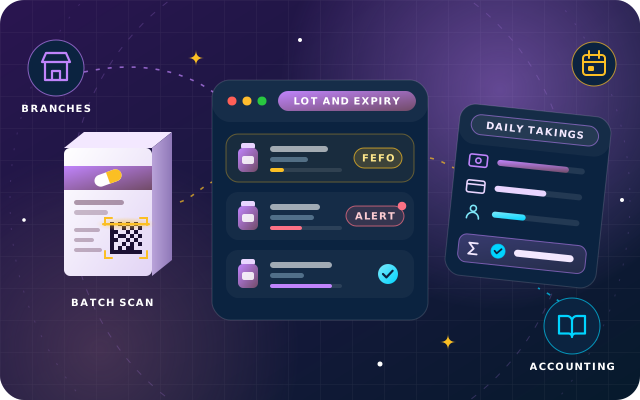
Every medicine is tracked by lot in Odoo Inventory with the Expiration Dates setting switched on. At receipt, staff scan packs with the Barcode app, and for packs that carry GS1 codes the GS1 barcode nomenclature reads the batch number and expiry date straight from the code, so neither is typed by hand. Removal and alert dates are calculated from the expiry date, and stock locations use the first expiry, first out (FEFO) removal strategy, so deliveries and transfers reserve the lot that expires soonest. At the counter, Point of Sale attaches a lot to every tracked medicine added to the order, and the cashier can change it to match the pack in hand, so each sale is recorded against its batch.
- When a lot in stock reaches its alert date, Odoo schedules an activity for the person responsible for that product.
- The Expiration Alerts filter lists every lot that needs attention, and lots can be grouped by expiry date for review.
- Branch managers decide early: sell it first, move it to a busier branch or return it to the supplier while a return is still accepted.
Medicine Details on the Product Form
We used Studio to add a Medicine tab to the product form with the active ingredient, strength, dosage form, pack size, manufacturer and prescription requirement. Ingredients and manufacturers are chosen from maintained lists rather than typed freely, and the active ingredient was added to the product search, so a pharmacist can quickly find every brand that contains it.
Central Purchasing and Branch Resupply
Suppliers deliver to the central store, which resupplies the branches through reordering rules and inter-warehouse transfers. Purchase orders are raised from the replenishment view, with vendor prices and lead times on each product, and branch licenses and supplier certificates are filed in the Documents app.
Daily Takings Closed in One Report
Each branch runs its own Point of Sale shop with cash, card and customer account payment methods, and UAE VAT is set on each product, so medicines on the zero-rated list and standard-rated items are taxed correctly. At closing, the Closing Register screen shows the expected amount for each payment method, the cashier counts the cash drawer, and closing the register posts the session to Odoo Accounting. Each shop has a maximum authorized difference, so a cash gap above that limit needs a manager's approval before the register can close. The Sales Details report, run for the day across all branch shops, gives the owners one view of sales, payments by method, taxes, refunds and cash differences, and card settlements are matched to bank statement lines in Accounting.