
SBS Employee Master Extension: the HR details behind proper access
Passport numbers, next of kin, nominees, bank accounts and work history usually end up in an unsecured spreadsheet. This module puts them on the Odoo employee record, behind three access tiers, with a read-only My Profile view for staff.
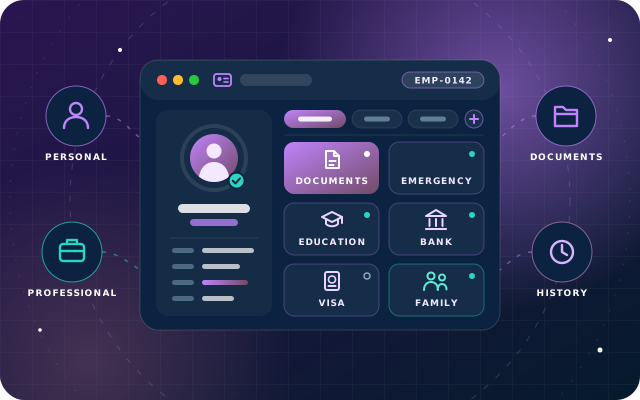
Why teams install Employee Master Extension
Odoo's employee record holds the basics, such as identification and passport numbers, an emergency contact and bank account details, but not everything many HR departments keep: parents' details, benefit and bank nominees, present and permanent addresses, birth certificate and driving licence numbers, and references. That data ends up in an unversioned, unsecured spreadsheet. This module puts it on the employee record, with qualification and employment-history tables, behind real access control.
Who it is for: HR departments running Odoo 19 Community that need to hold passport and identity numbers, next of kin, emergency contacts, nominees, bank details and education or employment history on the employee record with tiered access instead of a spreadsheet.
Retire the HR spreadsheet
Identity, family, contact, bank and history details live on the employee record in one Extras tab, instead of an unversioned file on somebody's drive.
Sensitive data stays protected
Emergency contact, nominee, reference and bank details are gated behind the higher tiers, so a line manager can see a home address without seeing a salary account number.
Staff check their own record
Employees open My Profile to see what is held about them, read-only, under My Info, Work and Resume, without making an HR request.
What Employee Master Extension adds to Odoo 19
The HR details Odoo forgot, on the employee record and behind three access tiers
One Extras tab on the employee form
The employee form gains an Extras tab organised into labelled groups, sitting alongside Odoo's own tabs rather than replacing them, so finding a passport number does not mean scrolling past bank details.
75 added fields in eleven groups
75 added fields across eleven groups of detail on one tab, covering family, citizenship, contact, emergency, nominee, reference, bank, qualifications and employment history.
Personal and family details
Full name parts, date of birth, gender, blood group, marital status, parents, spouse and number of children.
Citizenship and identity documents
Nationality, national identity number, passport, birth certificate and driving licence recorded on the employee.
Present and permanent contact details
Present and permanent addresses, personal mobile and email, WhatsApp and social links.
Emergency contact and benefits nominee
Who to contact in an emergency, and the nominee named for benefits, each with relationship and contact details.
Bank details with a separate bank nominee
Payment type, bank, account holder, account number and type, plus a separate bank nominee block.
Reference details
Reference details are grouped with the emergency contact, nominee and bank information as part of the sensitive half of the record.
Academic qualifications as a table
Academic qualifications are captured as a proper table rather than free text.
Previous employment history as a table
Previous employment is captured as a proper table rather than free text, so work history is structured on the record.
Three access tiers
Own Data Only, HR User and Sensitive HR Manager separate what a line manager may see from what only sensitive HR staff should see, rather than treating HR data as one permission.
Sensitive data gated behind higher tiers
Emergency contact, nominee, reference and bank details are grouped together and gated behind the higher access tiers; only Sensitive HR Manager sees the bank and nominee information.
Read-only My Profile self-service
A My Profile entry gives each employee a read-only view of what is held about them, split into My Info, Work and Resume, without an HR request and without letting anyone edit their own passport number.
Job responsibilities on the record
Bank information and job responsibilities are captured together on the employee record.
SBS Document Management integration
Where SBS Document Management is installed, the employee record shows how many documents are filed against that person, putting a passport number and the passport scan with its expiry date one click apart.
Built for Odoo 19 Community
Built for Odoo 19 and free to install. We tested it on Odoo 19 Community Edition.
From install to everyday use
Install the module on Odoo 19 with its dependencies (hr, hr_attendance, hr_holidays, hr_maintenance, hr_org_chart, hr_skills, mail) in place.
On each user record, assign one of the three access groups: Own Data Only, HR User or Sensitive HR Manager.
HR opens an employee record and fills in the Extras tab: personal and family, citizenship, contact, and the qualifications and employment history tables.
A Sensitive HR Manager completes the gated sensitive half: emergency contact, nominee, reference and bank details, including the separate bank nominee block.
Employees open My Profile to check what is held about them, read-only, under My Info, Work and Resume.
Where SBS Document Management is installed, the employee record shows how many documents are filed against the person, one click from the related numbers.
What you will see in Odoo
- An employee record with the Extras tab
- The Extras tab: personal, family, citizenship, contact, qualifications and employment history
- Emergency contact, nominee and reference details
- Bank information and job responsibilities
- The three access groups on a user record
- The self-service My Profile view
SBS Employee Master Extension explained
The employee details HR actually keeps, inside Odoo. Family, citizenship, contact, emergency, nominee, reference and bank details, plus academic qualifications and employment history - on the employee record, behind three levels of access, with a read-only self-service view for staff.
The spreadsheet nobody admits to. Odoo's employee record covers the working relationship and the basics, such as identification and passport numbers, an emergency contact and bank account details. It does not cover the rest of what many HR departments keep: parents' details, the nominee on the pension, a separate bank nominee, present and permanent addresses, birth certificate and driving licence numbers, and references.
That information ends up in a spreadsheet on somebody's drive - unversioned, unsecured, and stale the moment someone moves house. This module puts it on the employee record, where it belongs, and puts real access control around it.
Three tiers, because not all of it is equal. Emergency contact, nominee, reference and bank details are the parts that most need to exist and most need protecting. A line manager may legitimately need a home address. They have no business seeing a salary account number. The module separates those rather than treating “HR data” as one permission. Own Data Only sees their own details, read-only, through the self-service profile, with no access to anyone else's. HR User sees the extended details of employees generally - the day-to-day HR view. Sensitive HR Manager sees everything, including the bank and nominee information.
Staff can see their own record. A My Profile entry gives each employee a read-only view of what is held about them, split into My Info, Work and Resume. It answers “what have you got on file for me?” without an HR request, and because it is read-only, nobody edits their own passport number.
It works with the rest of the suite. Where SBS Document Management is installed, the employee record shows how many documents are filed against that person - so a passport number and the scan of the passport, with its expiry date, are one click apart rather than in two different systems.
This module holds personal data. Identity numbers, home addresses, next of kin and bank details are all covered by data protection law wherever you operate. Grant the Sensitive HR Manager tier sparingly, keep a note of who holds it, and make sure your retention practice matches your obligations. The module gives you the controls; using them is a decision for your organisation.
Requirements and compatibility
Everything your Odoo administrator needs to know before installing SBS Employee Master Extension.
- Technical name
sbs_employee_master_extension- Odoo version
- 19.0, built and tested on Community Edition
- Price
- Free
- Hosting
- Odoo.sh, On Premise (not available on Odoo Online)
- Required Odoo apps
- Attendances (hr_attendance), Discuss (mail), Employees (hr), Skills Management (hr_skills), Time Off (hr_holidays), Maintenance (maintenance), Calendar (calendar)
- Module dependencies
hr, hr_attendance, hr_holidays, hr_maintenance, hr_org_chart, hr_skills, mail- Access roles
- Own Data Only; HR User; Sensitive HR Manager
Installation
Download SBS Employee Master Extension from the Odoo App Store, or add it to your Odoo.sh repository or on-premise addons path.
In Odoo, activate developer mode, open Apps, choose Update Apps List and search for
sbs_employee_master_extension.Install the module. Odoo installs the required apps listed above automatically.
Assign the access roles to the right users, then follow the configuration notes.
Configuration and requirements
- Assign the access group on each user record: Own Data Only for staff self-service, HR User for the day-to-day HR view, Sensitive HR Manager for bank and nominee information.
- Grant the Sensitive HR Manager tier sparingly and keep a note of who holds it.
- Make sure your data retention practice matches your data protection obligations; the module gives you the controls, using them is your organisation's decision.
Odoo 20 or Odoo Enterprise? Check the Odoo App Store for the Odoo versions SBS Employee Master Extension is available for. When we upgrade a database to Odoo 20 we port the SBS modules and other customisations it uses, and we implement Odoo Enterprise as well as Community. See what Odoo 20 changes.
Need help setting up employee master data?
The engineers who wrote SBS Employee Master Extension can install it, configure it for your processes, extend it and support it. The module is free; you only pay for the help you choose.
- Installation on Odoo.sh or your own servers
- Configuration, data migration and user training
- Custom changes and integration with your other modules
- Support from the team that maintains the code
- Running Odoo Enterprise? We implement Enterprise too, and will tell you whether this module or a standard Enterprise app fits better
- Moving to Odoo 20? We port this module and your other customisations as part of the upgrade
Get help with Employee Master Extension
Tell us about your Odoo setup and what you need. We reply within one business day.
Employee Master Extension, answered
Does SBS Employee Master Extension work on Odoo Community?
Yes. It is built for Odoo 19 and we tested it on Odoo 19 Community Edition.
Can employees edit their own details through My Profile?
No. My Profile is a read-only view of what is held about the employee, split into My Info, Work and Resume, so nobody edits their own passport number.
Who can see bank account and nominee information?
Only the Sensitive HR Manager tier sees everything, including bank and nominee information. HR User sees the extended details generally, and Own Data Only sees only their own details, read-only.
Which Odoo modules does it depend on?
It depends on hr, hr_attendance, hr_holidays, hr_maintenance, hr_org_chart, hr_skills and mail.
Does it replace Odoo's existing employee tabs?
No. It adds one Extras tab organised into labelled groups that sits alongside Odoo's own tabs rather than replacing them.
Can Star Bit Solutions install and customise SBS Employee Master Extension for us?
Yes. The engineers who wrote SBS Employee Master Extension can install it on Odoo.sh or your own servers, configure it for your processes, extend it and support it. The module itself is free; you only pay for the implementation or support you choose. Call or WhatsApp +971 55 973 4524 or email info@starbitsolutions.com.
Put Employee Master Extension to work in your Odoo.
Install it free from the Odoo App Store, or let our engineers deploy, configure and support it alongside the rest of your Odoo setup.