
SBS Document Management: organised, shared and renewed on time
Knowing where a file lives and who may open it is one problem; renewing a licence or passport before it expires is another. This module solves both with a permissioned repository of workspaces and business documents that work out their own reminder dates.
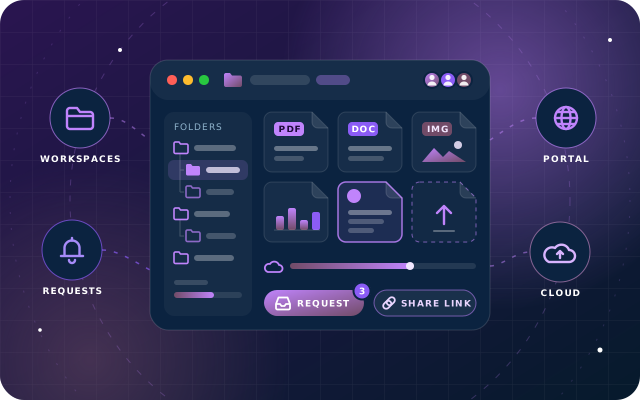
Why teams install Document Management
Businesses treat two separate document problems as one: storage (where a file lives, who may open it, and how someone outside Odoo gets a copy) and obligation (a trade licence or passport that expires, with somebody who must be told before it happens rather than after). This module solves both together: a permissioned repository with workspaces and access levels, alongside business documents that work out their own reminder dates.
Who it is for: HR, administration and operations teams on Odoo Community that must keep employee, customer and supplier paperwork organised, correctly permissioned, safely shareable and renewed before it expires.
Renewals chased before expiry
Each licence, passport or certificate carries an expiry date and lead time, so Odoo shows when to act and how many days are left.
The right people see each file
Workspace privacy and four per-file access levels decide who can open a document, from the owner only to any internal user.
Share safely outside Odoo
Protected links expire, can be revoked at any moment and need no Odoo account, with downloading allowed only when you choose.
What Document Management adds to Odoo 19
Organise, share and expiry-track every business document inside Odoo Community.
Business documents with expiry tracking
Each business document carries an expiry date and a lead time in days. Odoo works out the notification date and how many days are left, and shows the ones running out, with the reference number, the entity and the responsible person on the list.
Automatic notification dates
The notification date is simply the expiry date less the lead days, so a passport with a month's notice and a licence with two months' notice are each chased at the right moment rather than on the same schedule.
Documents attached to the record they belong to
A licence, passport or certificate is attached to the employee, customer or vendor, sales order or purchase order it belongs to, and the record's name is resolved and shown alongside it.
Workspace-based repository
Files live in workspaces, each with its own privacy, and can be browsed as cards or as a list showing workspace, owner, access level, tags, size and whether the file is locked.
Uploaded files or URLs
A repository entry can be an uploaded file or a URL pointing somewhere else.
File actions in one place
Opening a file shows its workspace, owner, access level, tags and size, with actions to download, lock, share, move to trash or push a copy to cloud storage.
Four access levels per file
Private (the owner only), Workspace (everyone with access to the workspace it sits in), Specific (only the users named on the file) and Internal (any internal user of the company).
Workspace privacy and portal access
Workspaces have their own privacy on top of file access - internal or restricted - and can be opened to named portal contacts, optionally allowing them to upload.
Document requests with a clear status flow
A request names what is needed, who is being asked and which workspace the result should land in, and moves from draft to requested and then to accepted or rejected, so chasing paperwork stops being a thread of emails.
Letter templates with approval
Experience letters, salary certificates and no-objection letters are held as templates; a request against a template goes to an approver, and the approved result is printable.
Protected, expiring share links
A protected share turns one or more repository files into a link that expires. You choose whether downloading is allowed, and you can revoke the link at any moment.
Tamper-proof share tokens
The share token is generated by Odoo and cannot be edited afterwards, so an existing link can never be quietly repointed at a different document.
Public share page, no account needed
The recipient needs no Odoo account. They see the share name, when the link expires, and the documents, with preview and download where permitted.
Document types and tags
Document types classify business documents, while tags cut across the whole repository.
Trash and auto-deletion
Deleting a file moves it to trash rather than destroying it, and a file can carry an auto-delete period.
Cloud storage accounts
Cloud accounts let repository files be copied to external storage. The configuration screen is part of the module; we have not yet tested a completed copy to a provider.
Two access groups backed by record rules
Access is controlled by a User group and an Administrator group, backed by record rules.
From install to everyday use
Create workspaces and set each one's privacy (internal or restricted); open a workspace to named portal contacts if they should see or upload files.
Upload files or add URL entries to the repository, then set each file's access level (Private, Workspace, Specific or Internal), tags and any lock or auto-delete period.
Record business documents such as licences, passports and certificates against the employee, customer or vendor, sales order or purchase order they belong to, with an expiry date and a lead time in days.
Odoo computes the notification date (expiry date less lead days) and the days left, and lists the documents running out so each one is chased at the right moment.
Raise a document request naming what is needed, who is being asked and the workspace the result should land in; it moves from draft to requested and then to accepted or rejected.
For recurring letters, keep the wording in a request template; a request against it goes to an approver and the approved result is printable.
To send files outside Odoo, create a protected share with an expiry, choose whether downloading is allowed, send the link, and revoke it at any moment if needed.
Deleted files go to trash rather than being destroyed. A cloud storage account can be configured for copying repository files to external storage, though we have not yet tested a completed copy to a provider.
What you will see in Odoo
- Business documents with expiry tracking
- A business document with its entity, dates and attachments
- Repository as cards
- Repository as a list
- A repository file
- Workspaces
SBS Document Management explained
Every document, the record it belongs to, and the date it expires. A document repository with workspaces and access levels, business documents that chase their own renewal dates, document requests, letter templates with approval, and expiring share links for people outside Odoo.
Each business document carries its own schedule. The notification date is the expiry date less the lead days, so a passport with a month's notice and a licence with two months' notice are each chased at the right moment. For example, a passport expiring on 07 Sep 2026 with 30 lead days is notified on 08 Aug 2026, and a trade licence expiring on 03 Nov 2026 with 60 lead days is notified on 04 Sep 2026; when we ran this worked example in August 2026, those two documents showed 18 and 75 days left respectively.
Access is decided at two levels. A workspace is internal or restricted and can be opened to named portal contacts, optionally allowing them to upload. Each file inside it then has one of four access levels: Private, Workspace, Specific or Internal.
Chasing paperwork stops being a thread of emails nobody can find. A document request records what is needed, who is being asked and which workspace the result should land in. Letters people ask for constantly, such as experience letters, salary certificates and no-objection letters, are written once as templates and routed to an approver.
Sending a document outside Odoo stays under your control. A protected share expires, can be revoked at any moment and allows downloading only when you choose. The token is generated by Odoo and cannot be edited afterwards, so an existing link can never be quietly repointed at a different document, and the recipient needs no Odoo account.
Share links are opened by people with no Odoo session, so Odoo has to work out which database to serve them from using dbfilter alone. We reproduced this on a live server: with three matching databases the link returned 404, and once the database was unambiguous the same link returned the share page correctly. Set dbfilter so it resolves to exactly one database, typically per hostname, before relying on sharing. This is a server configuration matter, not a fault in the module.
We tested the module on Odoo 19 Community Edition. Cloud storage has not been tested yet: it needs live third-party accounts and credentials, which we did not have available. Its configuration screen is part of the module, but we make no claim that a file has been copied to an external provider.
Requirements and compatibility
Everything your Odoo administrator needs to know before installing SBS Document Management.
- Technical name
sbs_document_management- Odoo version
- 19.0, built and tested on Community Edition
- Price
- Free
- Hosting
- Odoo.sh, On Premise (not available on Odoo Online)
- Required Odoo apps
- Discuss (mail), Employees (hr), Purchase (purchase), Invoicing (account)
- Module dependencies
base, mail, portal, hr, sale, purchase- Access roles
- User; Administrator
Installation
Download SBS Document Management from the Odoo App Store, or add it to your Odoo.sh repository or on-premise addons path.
In Odoo, activate developer mode, open Apps, choose Update Apps List and search for
sbs_document_management.Install the module. Odoo installs the required apps listed above automatically.
Assign the access roles to the right users, then follow the configuration notes.
Configuration and requirements
- Set dbfilter so it resolves to exactly one database, typically per hostname, before relying on public share links; if it matches more than one database, every share link returns "No database is selected".
- Assign users to the User or Administrator group; record rules enforce what each group can see.
- Create workspaces and choose each one's privacy (internal or restricted); optionally add named portal contacts and allow them to upload.
- Define document types to classify business documents and tags that cut across the repository.
- Create request templates holding the wording of recurring letters (experience letters, salary certificates, no-objection letters) so requests can be routed to an approver.
- Configure cloud accounts if repository files should be copied to external storage.
Odoo 20 or Odoo Enterprise? Check the Odoo App Store for the Odoo versions SBS Document Management is available for. When we upgrade a database to Odoo 20 we port the SBS modules and other customisations it uses, and we implement Odoo Enterprise as well as Community. See what Odoo 20 changes.
Need help setting up document management in Odoo?
The engineers who wrote SBS Document Management can install it, configure it for your processes, extend it and support it. The module is free; you only pay for the help you choose.
- Installation on Odoo.sh or your own servers
- Configuration, data migration and user training
- Custom changes and integration with your other modules
- Support from the team that maintains the code
- Running Odoo Enterprise? We implement Enterprise too, and will tell you whether this module or a standard Enterprise app fits better
- Moving to Odoo 20? We port this module and your other customisations as part of the upgrade
Get help with Document Management
Tell us about your Odoo setup and what you need. We reply within one business day.
Document Management, answered
Which Odoo version and edition does SBS Document Management support?
It is built for and tested on Odoo 19 Community Edition. It is available for Odoo.sh and on-premise installations, not Odoo Online.
What does the module depend on?
It depends on base, mail, portal, hr, sale and purchase. The Odoo apps it requires are Discuss (mail), Employees (hr), Purchase (purchase) and Invoicing (account). It needs no additional Python packages.
Can someone without an Odoo account receive a document?
Yes. A protected share turns one or more repository files into a link that expires. The recipient needs no Odoo account and sees the share name, when the link expires and the documents, with preview and download where permitted. The link can be revoked at any moment.
How are expiry reminders calculated?
Each business document carries an expiry date and a lead time in days. The notification date is the expiry date less the lead days, and Odoo also shows how many days are left and which documents are running out.
Is any server setup needed for share links?
Yes. Share links are opened by people with no Odoo session, so dbfilter must resolve to exactly one database (typically per hostname). If it matches more than one database, every share link returns "No database is selected". This is a server configuration matter, not a fault in the module.
Can Star Bit Solutions install and customise SBS Document Management for us?
Yes. The engineers who wrote SBS Document Management can install it on Odoo.sh or your own servers, configure it for your processes, extend it and support it. The module itself is free; you only pay for the implementation or support you choose. Call or WhatsApp +971 55 973 4524 or email info@starbitsolutions.com.
Put Document Management to work in your Odoo.
Install it free from the Odoo App Store, or let our engineers deploy, configure and support it alongside the rest of your Odoo setup.