
AI and forecasting
What an AI-Driven ERP Actually Does for a Growing UAE Business
Forecasting, anomaly detection and automation explained with real workflows, plus the data you need in place first.
· 8 min read
Before a model can predict demand, your history has to tell the truth. Here is the data AI demand forecasting needs first, from flagged stock-outs and promotions to Ramadan, Eid and summer seasonality, and how to measure and use the results.
Key takeaways
AI demand forecasting promises fewer stock-outs, less dead stock and purchase orders that follow real demand. For UAE retailers and distributors that is an attractive promise: long import lead times, thin margins and a calendar shaped by Ramadan, Eid and the summer make guesswork expensive. But a model is only as good as the history it learns from, and most ERP sales data was never recorded with forecasting in mind.
This guide covers the groundwork: the data you need first, the right level of detail, how to measure accuracy with MAPE and bias, how forecasts should feed reordering rules, when planners should override the model and how to start small.
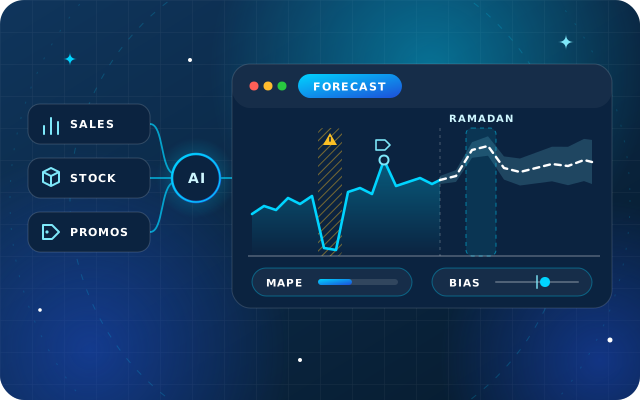
A forecasting model looks for patterns in past demand, such as trend, weekly and yearly seasonality, holiday effects, promotions and price changes, and projects them forward for each product and location. Machine learning models can combine many of these signals at once, including ones a spreadsheet would ignore, and express the forecast as a range rather than a single number.
What a model cannot do is find information that is not in the data. If stock-outs are recorded as zero sales, promotions are not flagged and one product appears under three codes, the model learns the wrong lessons with great confidence. That is why the data work comes first.
Demand is what customers wanted; sales are what you managed to sell. The closer your history gets to demand, the better the forecast. Before any model sees your data, work through this checklist:
If that history is scattered across spreadsheets and a basic accounting package, consolidating it comes first; our article on the signs you have outgrown spreadsheets explains when an ERP becomes worth it.
When a product is out of stock, sales drop to zero, but demand does not. If those weeks go into the model as zero sales, the forecast falls, you order less and the next stock-out arrives sooner. Forecasters call this censored demand.
A simple worked example: a product normally sells about 100 units a week. It is out of stock for two weeks in a ten-week period, so recorded sales total 800 units, an average of 80 a week. Plan on 80 and you are 20 units short every week, which makes the next stock-out more likely.
The fix is to record availability alongside sales. Your ERP knows the quantity on hand by day and location, so mark every product, location and day with zero stock, and let the model either exclude those days or estimate the lost demand. Lost-sale records from the counter, or orders you could not fill, are even better.
A promotion lifts sales while it runs, often pulls demand forward from the weeks after and can take sales from similar products. If the history does not say when promotions ran, the model treats the spike as normal demand and over-forecasts the same weeks next year. For each promotion, keep:
Keep a separate log of events outside your control, such as a competitor opening nearby, a road closure or a supplier shortage, so that both the model and the planner can explain the past.
Seasonality in the UAE does not follow the Gregorian calendar alone. Ramadan, Eid al-Fitr and Eid al-Adha follow the Hijri calendar and are confirmed by moon sighting, so they move about 11 days earlier each year. In the UAE in 2025, Ramadan began on 1 March and Eid al-Fitr fell on 30 March; in 2026, Ramadan is expected to begin in mid-February, subject to moon sighting.
A model that only knows the month will look for the Ramadan effect in March next year and miss it. Give it an event calendar with the actual dates instead, including the days before and after each event, because demand for many categories changes in the run-up to an event, not only during it. Other patterns worth encoding:
The UAE government portal lists the official public holidays, a good starting point for the calendar.
The level at which you forecast decides both accuracy and usefulness. Detailed forecasts are noisier; aggregated ones are steadier but cannot place an order.
| Level | Good for | Watch out for |
|---|---|---|
| Product, location and day | Fresh and perishable lines in busy stores | Very noisy for slow movers |
| Product, location and week | Replenishment for most retail and distribution | Needs reliable stock-out flags |
| Product and month | Supplier orders with long import lead times | Hides short peaks such as Eid |
| Category and month | Budgets, buying plans and capacity | Cannot be ordered directly |
Many businesses forecast at product and week for replenishment, then add the results up to check them against category plans. Slow movers that sell a few units a month are often better served by simple rules, or forecast at group level, because a model has little to learn from them.
Two measures cover most needs. MAPE, the mean absolute percentage error, is the average size of the error as a percentage of actual demand, ignoring whether the forecast was too high or too low. Bias shows the direction: total forecast minus total actual, divided by total actual. A positive bias means you over-forecast and build stock; a negative bias means you under-forecast and run short.
| Week | Forecast | Actual | Error | Absolute % error |
|---|---|---|---|---|
| 1 | 100 | 90 | +10 | 11.1% |
| 2 | 100 | 110 | -10 | 9.1% |
| 3 | 120 | 100 | +20 | 20.0% |
| 4 | 110 | 100 | +10 | 10.0% |
| Total | 430 | 400 | +30 | MAPE 12.6% |
Over these four weeks the MAPE is about 12.6% and the bias is +7.5%, that is 30 divided by 400. The errors are moderate, but the forecast leans high, so stock will build up unless the model is corrected.
Three practical points. MAPE breaks down when actual demand is zero or very small, so for slow movers use a weighted version, total absolute error divided by total actual demand, which here is 50 divided by 400, or 12.5%. Measure accuracy at the level and horizon where decisions are made, usually product and week over the supplier lead time. And always compare the model with a simple benchmark, such as the same week last year or a moving average: if it cannot beat the benchmark, it is not adding value. The free textbook Forecasting: Principles and Practice explains these measures in more depth.
A forecast only pays off when it changes what you buy. The usual link is the reorder point: order when stock on hand plus stock on order falls to the demand expected during the supplier lead time, plus safety stock for uncertainty.
A worked example: a distributor forecasts 120 units a week for a product with a three-week lead time and keeps one week of safety stock. Three weeks of demand (360 units) plus one week of safety stock (120 units) gives a reorder point of 480 units. If it orders every two weeks, the order-up-to level is 480 plus 240, or 720 units. In a reordering rule, those become a minimum of 480 and a maximum of 720, rounded to the supplier's carton or pallet quantity.
When the forecast changes, for example ahead of Ramadan, the minimum and maximum should change with it. Odoo Inventory, for instance, keeps a minimum and maximum per product and location in its reordering rules, and can either create a request for quotation automatically or list the need in its replenishment report for a buyer to review. In StarBiz, reorder rules and min/max levels sit alongside AI reorder suggestions based on consumption, lead time, cost changes and target margin, and a person can always review them.
Planners know things the history does not: a new tender, a store opening, a product being delisted, a supplier rationing stock or a promotion planned for next month. Overrides for reasons like these improve the forecast. Overrides because a number looks high usually do not.
Rather than switching every product to AI forecasts at once, run a pilot:
The clean-up pays off even before a model goes live, because ordinary stock and sales reports become more reliable. Our article on what an AI-driven ERP does for a growing UAE business covers the other prerequisites, including role-based access and keeping a human in the loop.
Star Bit Solutions builds and implements ERP for UAE retailers and distributors from Ajman. We can:
See how we approach trading and distribution, then tell us about your categories through the contact page, and we will suggest where a pilot would pay off first.

Star Bit Solutions is a software company in Ajman, UAE, founded in 2014. We implement and customize Odoo Enterprise and Odoo Community, and build StarBiz (AI-driven ERP), StarHub (life super app), StarBot (conversational AI), StarLearn (adaptive learning) and StarSense (AI and IoT platform). About us
Demand forecasting with confidence ranges, reorder rules and AI reorder suggestions on the same data as sales and stock.
Learn MorePrice lists, margins per line, landed costs and returns for retailers, traders and distributors.
Learn MoreOdoo Enterprise and Community implementation, including inventory and reordering rules set up around your data.
Learn MoreForecasting, anomaly detection and automation explained with real workflows, plus the data you need in place first.
· 8 min read

Ask AI, agents, AI fields and automation in Odoo 19: uses by department, limits, data and privacy questions, and where StarBiz and StarBot fit.
· 9 min read
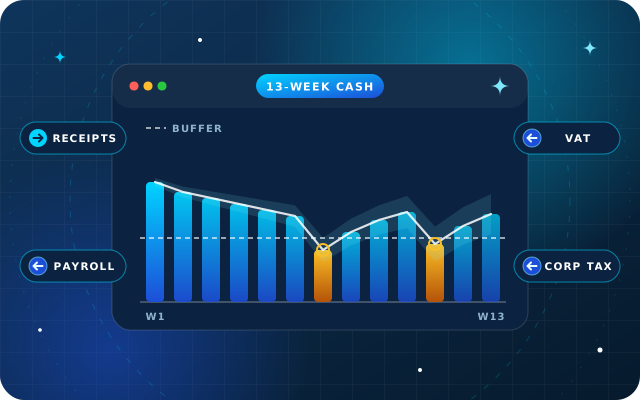
Inputs, direct and indirect methods, a rolling 13-week model, payment-date prediction, scenarios and ownership, using the data your ERP already holds.
· 10 min read
As a rule of thumb, aim for at least two full years of clean sales history per product and location, so each season and holiday appears more than once. You also need stock availability to flag stock-outs, a promotion calendar, prices on every line and returns recorded separately. New products can borrow history from similar items or from the products they replace.
MAPE, the mean absolute percentage error, is the average size of forecast errors as a percentage of actual demand, ignoring direction. A forecast of 110 against actual demand of 100 has an absolute percentage error of 10%. MAPE is easy to explain but unreliable when demand is zero or very low, so slow movers are better measured with a weighted version.
Bias measures whether forecasts are consistently too high or too low. Add up forecast minus actual over a period and divide by total actual demand: a positive result means over-forecasting and excess stock, a negative one means under-forecasting and stock-outs. A forecast can have a reasonable MAPE and still be biased, so track both measures together.
Ramadan and the two Eids follow the Hijri calendar, so they move about 11 days earlier each year. A model that only knows the Gregorian month will misplace their effects. Give the model an event calendar with the actual dates, including the days before and after each event, and keep at least two years of history so each pattern appears more than once.
Yes, when they know something the history does not, such as a new tender, a store opening, a delisting or a supplier shortage. Record every override with its reason, and measure the accuracy of the model and of the overridden forecast separately. Over time, keep only the kinds of override that actually improve results.
We clean your sales and stock data, set up StarBiz demand forecasting for a pilot category and connect it to reorder rules your buyers control.