AI in Odoo 19: What the New Features Can and Cannot Do
Star Bit Solutions9 min read
Odoo 19 AI puts an assistant on every screen, adds configurable agents and lets automations call a language model. Here is what each feature does in practice, where it stops, and what to check before you switch it on.
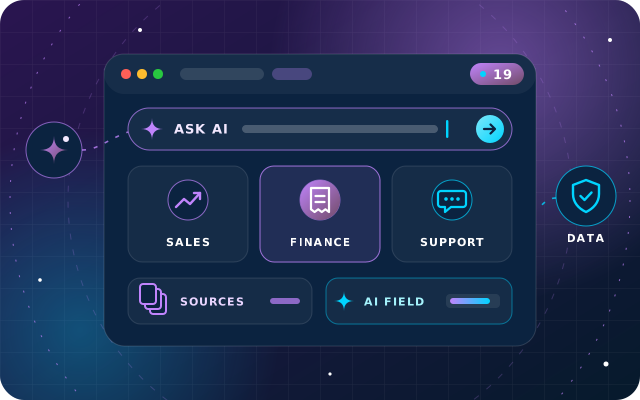
Odoo 19 adds Ask AI, configurable agents, AI fields and AI steps in automations, and the AI app is part of Odoo Enterprise.
The standard Ask AI agent searches, summarizes and drafts but cannot change data; agents act only through the topics you assign.
Answers are only as good as the sources, so restrict agents to approved documents and Knowledge articles where accuracy matters.
Before rollout, decide which provider processes prompts, what record data leaves the database and who may build or use each agent.
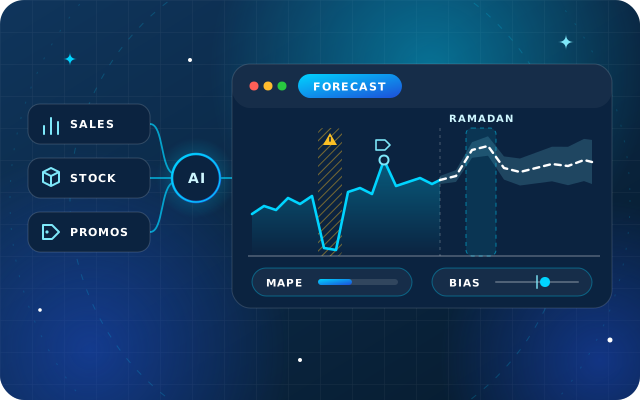
StarBiz adds forecasting and anomaly detection on ledger data, and StarBot takes conversations to WhatsApp and social with handover.
Odoo 19, released in September 2025, made AI part of the everyday interface. The Odoo 19 AI features put an Ask AI assistant on every screen, let administrators build agents with their own instructions and sources, fill fields from prompts and let automations hand a decision to a language model. They do not turn the ERP into an autopilot, and knowing where the line sits is what makes them useful.
This guide sticks to what Odoo's own release notes and 19.0 documentation describe: what each feature does, how departments can use it, where it stops and which data questions to settle first. It also explains where our own products, StarBiz and StarBot, add to it.
The Odoo 19 AI Features at a Glance
Feature
What it does
Where you meet it
Ask AI
Answers questions, opens views, summarizes and translates chatter, drafts and improves messages
Ctrl + K command palette, or the AI button at the top right
AI agents
Assistants with a system prompt, topics that grant tools, and sources such as PDFs, web links, Documents files and Knowledge articles
The AI app, Discuss and Live Chat
AI fields
Fill text, number, date, tag and other fields from a prompt that can reference other fields
Forms, through Studio or property fields
Natural language search
Turns a plain-language question into an Odoo search filter
Ask AI
AI in automation
Server actions use AI to update fields, can read attached files and search the web, and email templates can carry an AI prompt
Automation rules and email templates
Documents automation
Sorts documents and triggers actions from AI prompts
Documents
CRM insights
AI-powered insights on the probability of winning a lead
CRM
Live chat agent
Answers website visitors and can create leads
Live Chat
Voice transcript
Transcribes meetings or dictation and writes a summary
The text editor
Web page generation
Drafts a new web page from a short prompt and a chosen tone
Website
Agents run on OpenAI's ChatGPT models, including ChatGPT 5.0, or on Google Gemini. Most of this needs Odoo Enterprise, because the AI app is not part of Odoo Community. Odoo's AI documentation for 19.0 covers each feature in detail, and our overview of what is new in Odoo 19 for UAE businesses covers the rest of the release.
Practical Uses by Department
Sales and CRM
Read the AI insights on lead probability alongside your own pipeline judgment, ask for a summary of a long chatter thread before a call, and let AI draft follow-ups that the salesperson edits before sending. Email templates can include an AI prompt, so one template writes a personalized paragraph for each recipient, even when sending in bulk.
Finance and Administration
Document digitization, which reads vendor bills with OCR (optical character recognition) and AI, remains an In-App Purchase service that runs on prepaid credits; Odoo 19 adds manual correction by selecting text in the document. Ask AI can open the list you describe in plain words, and an AI field can condense notes or an attached file into a short summary on the record.
Customer Service
A live chat agent can answer routine questions from approved sources and create a lead when a visitor needs a person. In the back office, AI fields can condense a long customer message into key points, and Ask AI can suggest next steps for the support agent handling the case.
Marketing and the Website
Generate a first draft of a web page from a short description and a tone such as professional or friendly, then edit it like any other page. Improve and translate text in the editor, and turn a recorded planning meeting into a transcript with a summary.
How Agents Work: Prompts, Topics, Tools and Sources
Agents are configured in the AI app. The system prompt sets the role and tone. Topics bundle instructions with tools, the functions an agent may run: the preconfigured topics cover natural language search, information retrieval and, when CRM is installed, lead creation. Sources are the material the agent draws on, from PDFs and web links to Documents files and Knowledge articles, indexed before use.
Three settings matter most. The model decides which provider answers. The response style, Analytical, Balanced or Creative, trades consistency for flexibility. And Restrict to Sources limits answers to your own indexed material, which is the setting to use whenever accuracy matters more than conversation.
A policy assistant for staff is a good first agent. Here is how to build one:
Collect the approved sources, such as HR policies, the staff handbook and IT procedures, as PDFs or Knowledge articles.
In the AI app, create the agent, choose the model and select the Analytical response style.
Write a system prompt that defines the audience, the tone and what to say when the answer is not in the sources.
Add the sources, wait until each one shows Indexed, and switch them to active.
Tick Restrict to Sources and assign no topics, so the agent can inform but cannot change data.
Click Test and try real questions, including ones it should decline, before sharing it.
Tip: Start with agents that inform before agents that act. An agent with no topics can only provide information, which makes it a safe first project. Add topics that create records once the informing version has proved reliable.
Have a question about this guide? Ask the engineers who wrote it.
Change data from a chat by default. The standard Ask AI agent can open views and display reports, but it cannot create or alter records. Agents act only through the topics and tools you assign.
Know what it has not been given. Answers depend on the record in front of it and on the sources. When information is missing, an AI field returns a warning, and an agent that is not restricted to sources may fall back on general knowledge.
Replace review. Generated text, summaries and suggestions are drafts. A person still owns the email that is sent and the record that is changed.
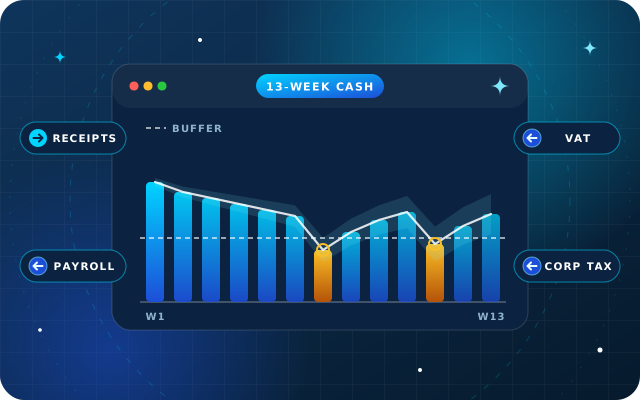
Run your finance analytics. Odoo 19 adds forecast-based purchasing and improved duplicate bill detection, but the release notes do not describe AI cash forecasting or anomaly detection on ledger postings.
Run on Community. The AI app ships with Odoo Enterprise. Odoo 19 Community keeps a few smaller helpers, such as translating selected text with AI in the editor, but agents, Ask AI, AI fields and AI automation need Enterprise or a third-party module with its own security review.
Data and Privacy Questions to Settle First
AI features send text from your database to an external language model. Agree the answers to these questions with IT, legal and the data owners before rollout:
Which provider, and whose account? Odoo's documentation describes your own key as optional, and the AI app's settings let you connect a ChatGPT or Google Gemini API key, which some organizations prefer for control over permissions and internal policy. Provider fees may apply. Confirm with Odoo what your hosting needs, whether Odoo Online, Odoo.sh or your own servers.
What leaves the database? Ask AI works with the record you have open, for example to summarize its chatter, and agents read their indexed sources. AI fields are also filled by a daily scheduled action, active by default, that computes every empty AI field. Decide which apps, fields and documents are appropriate.
Who can do what? Topics give agents tools that act, such as creating leads. Limit who can build agents and assign topics, and keep action-taking agents narrow.
Which rules apply? Personal data falls under the UAE data protection laws, led by the Personal Data Protection Law (Federal Decree-Law No. 45 of 2021), which also covers cross-border transfers. Free zones such as DIFC and ADGM have their own regimes, health data has its own federal law, and regulated sectors may add more.
Who signs off the output? Decide where AI drafts are reviewed before anything reaches a customer, a supplier or the ledger.
A Sensible Rollout Plan
Pick two or three use cases with clear owners, such as chatter summaries for sales, a policy assistant for staff and lead capture on live chat.
Settle the provider, the API key question and the data rules above.
Build in a staging copy of your database, using real but non-sensitive records.
Write system prompts and default prompts in plain language, and restrict agents to sources wherever accuracy matters.
Test with awkward questions, Arabic and English phrasing, and requests the agent should decline.
Train users to treat AI output as a draft, then review usage and feedback after the first month.
Where StarBiz and StarBot Add to Odoo's AI
Odoo 19's AI helps people work faster inside Odoo. Our products cover two areas it does not focus on.
StarBiz, our AI-driven ERP, has an AI layer that reads the ledger: demand and cash forecasting with confidence ranges, anomaly detection for unusual discounts, duplicate vendor bills and margin drops, and reorder and pricing suggestions, each automated action with a threshold, an owner and a log. Our OdooStar team can connect an Odoo database to the StarBiz AI layer where it adds value. For the background, read what an AI-driven ERP actually does for a growing UAE business.
StarBot takes conversations beyond the website: one assistant for web chat, mobile apps, WhatsApp and social messaging, answering in Arabic and English, with a human handover that passes the full transcript to an agent. It connects to Odoo through OdooStar for sales, inventory, helpdesk and CRM records.
How Star Bit Solutions Can Help
Through OdooStar, our Odoo practice, we implement and customize Odoo Enterprise, and Odoo Community where it fits. On Odoo 19 Enterprise that includes the AI app: agents, sources, default prompts, AI fields and the access rules around them. We help you choose the first use cases, test them on a copy of your data and train the people who will use them.
Tell us which two or three tasks you would like AI to take on, through the contact page, and we will show you what Odoo 19 can do with them and where StarBiz or StarBot fits better.
Written by the Star Bit Solutions team
Star Bit Solutions is a software company in Ajman, UAE, founded in 2014. We implement and customize Odoo Enterprise and Odoo Community, and build StarBiz (AI-driven ERP), StarHub (life super app), StarBot (conversational AI), StarLearn (adaptive learning) and StarSense (AI and IoT platform). About us
Only in small ways. The AI app, with Ask AI, agents, AI fields and AI server actions, ships with Odoo Enterprise and is not part of Odoo 19 Community. Community keeps a few helpers that call Odoo's online service, such as translating selected text with AI in the editor. Beyond that, Community users rely on third-party modules or external tools connected through Odoo's API, and each needs its own security and privacy review.
Which AI models does Odoo 19 use?
Odoo 19 supports OpenAI's ChatGPT models, including ChatGPT 5.0, and Google Gemini, and each agent has its own model setting. The AI app's settings also take your own ChatGPT or Gemini API key, which some organizations prefer for control over permissions and internal policy, and provider fees may apply. Odoo's documentation describes your own key as optional, but confirm what your hosting needs before rollout.
Can Odoo 19 AI agents change records?
Only when you allow it. The standard Ask AI agent can answer questions, open views and display reports, but it cannot create or alter data. A custom agent acts only through the topics you assign, such as the preconfigured Create Leads topic, each of which bundles instructions and tools. An agent without topics can only provide information.
Is my data safe when I use AI in Odoo?
That depends on your configuration. Prompts and record context are processed by the provider behind the agent, OpenAI or Google, so decide which records, fields and documents agents may use, who can build agents and whether to use your own API key. Check UAE data protection rules, and any free zone or sector rules, before sending personal data.
What is the difference between Odoo 19 AI and StarBiz?
Odoo 19 AI helps people work faster inside Odoo by answering, drafting, searching, filling fields and automating decisions. StarBiz, the AI-driven ERP from Star Bit Solutions, focuses on analyzing business data, with demand and cash forecasting, anomaly detection and reorder suggestions that people review. Our OdooStar team can connect an Odoo database to the StarBiz AI layer.
OdooStar by Star Bit Solutions
Put Odoo 19 AI to Work on the Right Tasks.
We help you choose the first use cases, configure agents, sources and access rules in Odoo 19, and connect StarBiz or StarBot where Odoo's AI stops.