Tally to Odoo Migration: A Step-by-Step Plan for UAE Businesses
Star Bit Solutions11 min read
A Tally to Odoo migration is mostly a finance project. This plan covers what to move, what to keep archived in Tally, UAE VAT mapping, the cut-over date and the checks that prove your numbers match.
Move masters, opening balances and open invoices and bills to Odoo, and keep detailed Tally history archived and readable.
In Odoo, customers and suppliers are contacts sharing one receivable or payable account, not separate ledger accounts.
Map every Tally VAT classification to an Odoo UAE tax, and record each customer's emirate so the right tax is applied.
Cut over on the first day of a financial year or VAT period, and load open items at the amount due, without charging VAT again.
Tie out the trial balance, aging, stock and VAT before go-live, then set a lock date on the migrated period.
Tally has carried many UAE businesses through their first years of growth. It is quick for keyboard-driven entry, accountants know it well and it supports UAE value added tax (VAT). Businesses usually move on when they need sales, purchasing, stock and HR in the same system as the books, used by more people.
A Tally to Odoo migration is mainly a finance project with an IT component, not the other way round. The mechanics are well understood: Tally exports its masters and reports, and Odoo imports Excel and CSV files. What decides the outcome is mapping ledgers, VAT and stock correctly, picking the right cut-over date and proving that Odoo's numbers match Tally's on day one.
What a Tally to Odoo Migration Moves, and Where It Lands
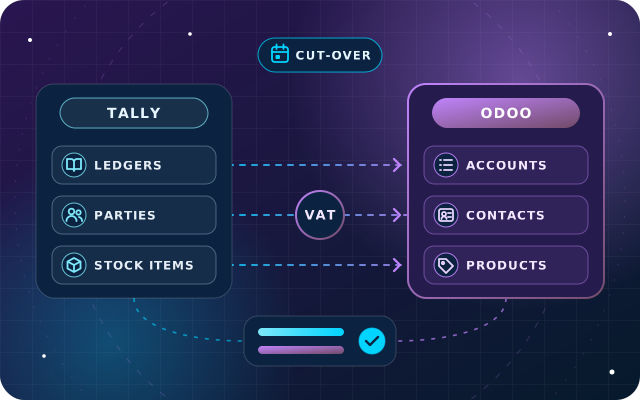
In Tally, almost everything is a ledger under a group, including every customer and supplier. In Odoo, accounts, contacts and products are separate records, so the first job is to give each kind of Tally data its Odoo home.
In Tally
In Odoo
What to watch
Groups and ledgers
Chart of accounts, account types and account groups
Map to the UAE chart rather than copying every ledger
Party ledgers under Sundry Debtors and Sundry Creditors
Contacts sharing one receivable and one payable account
Tax Registration Number (TRN), emirate, terms and bank details move with the contact
Stock items, stock groups and units
Products, product categories and units of measure
Cost, barcode, sales price and VAT per product
Godowns and batches
Warehouses, locations and lots
Settle the location structure before the stock count
Cost centers
Analytic accounts
Recorded on invoice, bill and journal lines
Price levels
Pricelists
Check rounding and currencies
Closing balances
Opening journal entry
Dated the day before go-live
Pending bills
Open invoices and vendor bills
One record per document, at the amount still due
The second row causes the most trouble. In Odoo, customers and suppliers share the receivable and payable accounts, and the partner on each journal item records who owes what. Recreating party ledgers as separate accounts clutters the chart and works against the partner ledger, aging reports, follow-ups and payment matching.
What Stays Archived in Tally
Detailed history, meaning years of vouchers, normally stays in Tally. Re-importing old vouchers is slow to validate and can distort periods that are already closed. Keep the old data safe and readable instead:
Back up the Tally data after the final closing entries, and keep copies in two places.
Export each closed year's key reports to PDF and Excel: trial balance, financial statements, ledgers, outstanding bills, stock summary and VAT reports.
Keep a working Tally installation that can open the data, and limit who can change it.
Plan for the archive to outlive the project. The UAE Corporate Tax Law requires records to be kept for seven years after the end of the tax period they relate to, as our corporate tax bookkeeping checklist explains. If you need last year's figures in Odoo for comparison, load them as monthly totals per account, and decide this early, because it moves the opening date.
Step 1: Map Tally Ledgers to the Odoo Chart of Accounts
Start from the chart of accounts in Odoo's UAE localization rather than an empty one. It already contains the receivable, payable, VAT and bank accounts that Odoo's processes expect. Then work through Tally's ledgers:
Export the ledgers with their groups and closing balances from Tally to Excel.
Mark each ledger as an account, a customer or supplier, a bank or cash account, or a VAT ledger.
Map each account ledger to an Odoo account, or create one with the right type, such as Current Assets, Income or Expenses.
Merge ledgers that existed only for convenience, and drop unused ones with no balance.
Rebuild Tally's group structure with account codes and account groups, so reports keep a familiar shape.
Bank and cash ledgers become journals in Odoo, each with its own account.
Have a question about this guide? Ask the engineers who wrote it.
Customers and suppliers become contacts. Clean the list first, because every duplicate becomes a duplicate statement, aging line and follow-up. For each contact, bring across:
the legal name, address and emirate, which Odoo stores as the state;
the TRN, in the contact's VAT, or tax ID, field;
payment terms, credit limits and bank details;
the Tally ledger name as a reference.
Stock items become products, with category, unit of measure, barcode, prices, cost and VAT treatment.
Odoo's import tool reads Excel and CSV files, offers templates and has a Test button that checks a file before anything is written. Give every record an External ID built from its Tally name or code, so later files, such as open invoices and opening stock, can refer to it without ambiguity. Odoo's import documentation covers the options.
Step 3: Map UAE VAT before You Load a Single Invoice
In Tally, VAT behavior comes from details on ledgers and stock items, such as taxability, nature of transaction and rate, plus the TRN and emirate on each party ledger. In Odoo, it comes from taxes and fiscal positions. Map every combination you use to an Odoo tax, and test it with transactions from your last VAT period.
Odoo's UAE localization already includes the taxes the return needs: standard-rated sales taxes per emirate, because the return reports those supplies emirate by emirate, plus zero-rated, exempt, export, import and reverse charge taxes. Fiscal positions pick the sales tax from the emirate in the customer's address, and the Non-UAE position switches sales to zero rate and purchases to reverse charge. On the return, however, each supply is reported in the emirate of your establishment most closely connected to it, so check the emirate mappings against where your establishments are.
Two rules follow. A UAE customer imported without an emirate falls back to the Non-UAE fiscal position, so its sales are zero-rated instead of taxed at 5%; make the emirate a required column. And never charge VAT again on migrated documents: the VAT on open Tally invoices already sits in Tally's VAT ledgers and reaches Odoo through the opening entry.
Step 4: Choose the Cut-over Date
The cleanest cut-over is the first day of a financial year, then the first day of a VAT period. Splitting a VAT period means one return draws figures from two systems. The Federal Tax Authority (FTA) assigns each business its tax periods, and quarterly periods do not always follow calendar quarters, so check yours.
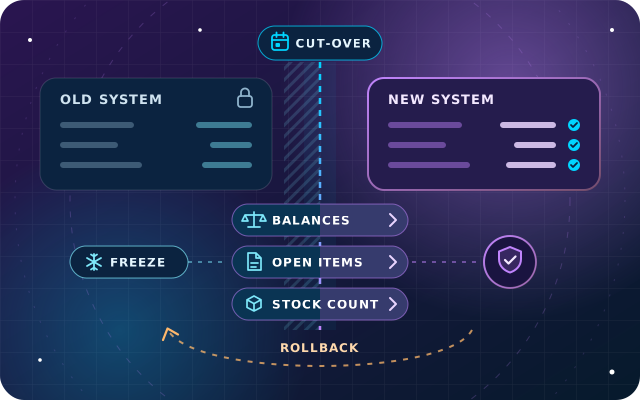
Then plan a short freeze around the date:
Agree the last day for entries in Tally and the first day in Odoo.
Pause new customers, suppliers and products for a few days, or log them for re-entry.
Count stock on the cut-over date, with no movements during the count.
Reconcile every bank account in Tally to the last day, including uncleared checks.
Book closing adjustments in Tally first, such as accruals and depreciation.
You do not need an audited trial balance to go live. Load provisional balances, and post agreed audit adjustments later, on the same date as the opening entry.
Tip: rehearse the whole cut-over on a copy of the Odoo database at least once, running every import and tie-out check and timing each step. The real cut-over then repeats something your team has already done.
Step 5: Load Opening Balances and Open Items
Opening balances come from Tally's trial balance at the close of the day before go-live. Enter them in the Chart of Accounts step of Odoo's Accounting onboarding, which offers opening debit and credit columns until an opening entry is posted and builds that entry for you, or import them as one journal entry dated the day before go-live.
Receivables and payables need more than a balance: Odoo must know each open invoice and bill, so payments, aging and follow-ups work from day one. Load one document per pending bill, with the partner, original number, invoice date, due date and amount still due in its original currency, against receivable and payable clearing accounts. In the opening entry, use the same clearing accounts in place of the receivable and payable balances, so both sides net to zero.
A Worked Example: One Customer, Four Open Items
Say Tally's ledger outstandings for one customer show three pending bills of AED 10,500, AED 4,200 and AED 2,100, the last one part-paid with AED 1,050 left, and an on-account receipt of AED 1,000. The customer owes AED 14,750.
In Odoo, that becomes three customer invoices for AED 10,500, AED 4,200 and AED 1,050, each with its Tally number and due date, and a journal entry crediting AED 1,000 to the customer's receivable against the clearing account, which Odoo shows as an outstanding credit on the open invoices. The balance is AED 14,750 in both systems, and the next receipt matches the right invoice.
Stock follows the same logic. Set each product's cost, then import the opening count by product, location and lot through the physical inventory screen. If Odoo values stock automatically, applying the count posts the stock value, so book that value once: through the count, with its counterpart pointed at a clearing account, or in the opening entry, never both.
If you used that onboarding step, look for an "Automatic Balancing Line" in the opening entry. Odoo adds one, on an Undistributed Profits/Losses account, when debits and credits do not balance. If it exists, something was missed.
Step 6: Tie out the Numbers before Go-Live
Go-live is a finance sign-off, not an IT milestone. Before anyone posts a new transaction, check each point and keep the evidence:
Odoo's trial balance matches Tally's at cut-over, account by account.
Receivables and payables match in total and partner by partner against Tally's ledger outstandings.
Stock quantities match the count by product, location and lot.
Stock value in Odoo's valuation report matches the inventory accounts and the figure finance approved.
Input and output VAT balances match Tally's VAT ledgers.
Each bank journal starts from the reconciled balance on the bank statement.
Every clearing account is at zero, with no automatic balancing line.
Check stock value inside Tally too. If "Integrate Accounts with Inventory" was switched off, the closing stock in Tally's balance sheet was entered by hand and can differ from the stock summary. Settle the right figure, normally after the count.
Once finance signs off, set a lock date in Odoo Accounting at the day before go-live. An accounting administrator can still grant an exception for a late audit adjustment, so leave the irreversible hard lock date for later.
Step 7: Train Your Team on Odoo's Way of Working
Experienced Tally users are fast on the keyboard, so start training from what people already do:
Sales and purchase vouchers become customer invoices and vendor bills, usually created from orders, deliveries and receipts rather than typed in.
Receipts and payments become payments, matched to invoices and bank statement lines.
Contra and journal vouchers become transfers between bank and cash journals, and miscellaneous journal entries.
Credit and debit notes become credit notes and refunds linked to the original invoice or bill.
Train each team on its own process and data in the rehearsal database, give accountants extra time on bank reconciliation and plan support for the first month-end.
How Star Bit Solutions Can Help
Our OdooStar team moves businesses from Tally and other systems to Odoo within a full implementation. We extract and clean your Tally masters, map ledgers, parties, stock items and VAT, test-load everything into a copy of your database and reconcile the opening balances with your finance team before go-live, with a parallel run where it is worth it.
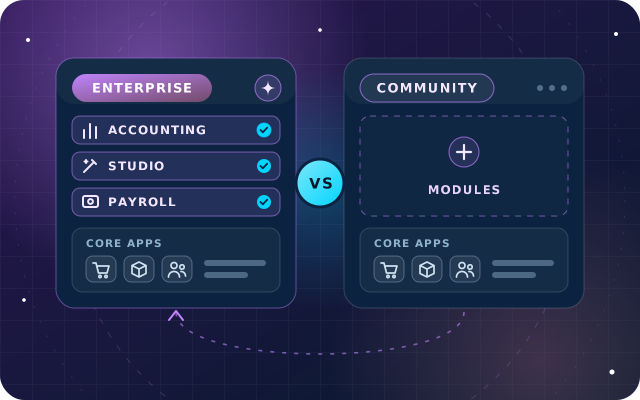
For a business moving up from Tally, Odoo Enterprise is usually the shorter road, with full Accounting and VAT reporting on top of Odoo's UAE localization. If Odoo Community covers your needs, we implement that too, and our Enterprise vs Community guide explains the difference. Trading companies can see our approach on the Trading and Commerce page.
Star Bit Solutions is a software company in Ajman, UAE, founded in 2014. We implement and customize Odoo Enterprise and Odoo Community, and build StarBiz (AI-driven ERP), StarHub (life super app), StarBot (conversational AI), StarLearn (adaptive learning) and StarSense (AI and IoT platform). About us
Balances versus open items, choosing the cut-over date, the freeze, the stock count, validation checks, a rollback plan and when parallel running pays off.
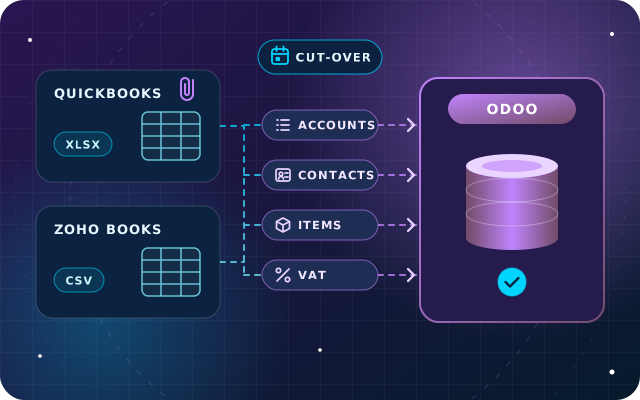
What QuickBooks and Zoho Books can export, how accounts, contacts, items and VAT codes map to Odoo, what to do with history and attachments, and how to cut over.
Not directly. Odoo's import tool reads Excel and CSV files, so the data is exported from Tally first, then cleaned and reshaped into Odoo's import format. Tally can export masters and vouchers as XML, and reports such as the trial balance, outstanding bills and stock summary to Excel. Scripting the reshaping means every rehearsal and the final load follow exactly the same steps.
Should we migrate all our Tally history into Odoo?
Usually not. Most businesses move masters, opening balances and open invoices and bills, and keep detailed history in Tally, backed up and readable. Re-importing years of vouchers is costly to validate and can distort closed periods. If you need comparisons with last year, load monthly totals per account instead, and agree that before you build the opening balances.
When is the best time to move from Tally to Odoo?
The first day of a new financial year is cleanest, followed by the first day of a VAT period, so no VAT return has to combine figures from two systems. Avoid your busiest weeks, plan a stock count for the cut-over date and leave time after the last Tally entries to reconcile the banks and book closing adjustments.
How do we prove our Tally balances match in Odoo?
Compare both systems before go-live: the trial balance account by account, each customer and supplier balance against Tally's ledger outstandings, stock quantities and value, VAT balances and bank balances. Load receivables and payables through clearing accounts, confirm they net to zero, keep the evidence and only then let users post new transactions.
Does Odoo handle UAE VAT the way Tally does?
It covers the same ground in a different way. Odoo's UAE localization provides UAE VAT taxes, fiscal positions and the VAT report, but VAT is driven by taxes on products and fiscal positions on contacts rather than by VAT details on ledgers. Map each Tally VAT classification to an Odoo tax, record every customer's emirate and TRN, and test real transactions before go-live.
OdooStar by Star Bit Solutions
Leave Tally with Every Balance Accounted for.
Send us your Tally setup and target go-live date. We will map ledgers, VAT and stock to Odoo and reconcile the opening balances with your finance team.