
SBS Automatic Database Backup: backups without the master password
Many automated Odoo backup add-ons ask for the database master password so a scheduled job can use it. This module backs up the current database with pg_dump on a schedule and delivers it to local storage or one of seven remote destinations, so that password is never needed or stored.
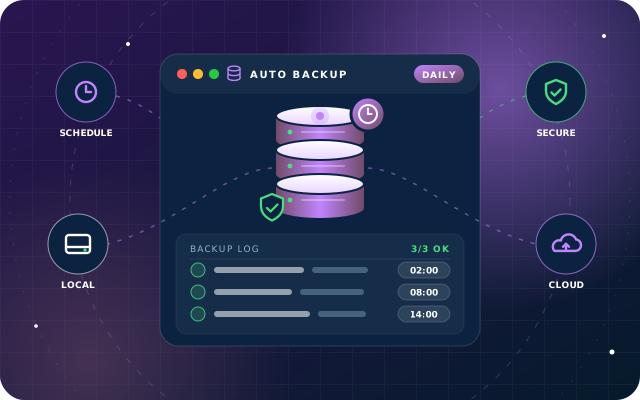
Why teams install Automatic Database Backup
Odoo's own backup page needs the database master password, so many automated backup add-ons store that credential in a database field or a config file. That is the credential that can drop or restore every database on the server, so a single leak exposes all of them.
Who it is for: System administrators and IT managers running Odoo 19 Community who want hands-off, verifiable local or cloud backups without exposing the database master password.
No master password to leak
Backups are produced with pg_dump against the current database only, so the credential that can drop or restore every database on the server is never stored.
Proof that each backup worked
Every run records the outcome, filename, byte size and SHA-256 checksum, and a chosen user is emailed whether it succeeded or failed.
Local and off-site copies together
Each job has its own destination, archive format and schedule, so a nightly local ZIP and a weekly off-site dump can run side by side.
What Automatic Database Backup adds to Odoo 19
Scheduled Odoo backups to local or remote storage, without ever storing your master password
Master password never stored
Backups are produced with pg_dump against the current database only. There is no field for the master password and no reference to it in the code.
Two archive formats
A full Odoo restore ZIP with the filestore included, or a smaller SQL-only PostgreSQL custom dump when the filestore is backed up separately.
Eight destinations
Local storage, FTP over TLS, SFTP, Google Drive, Dropbox, OneDrive, Nextcloud and Amazon S3 or any S3-compatible endpoint.
Independent schedule per job
Each configuration runs on its own interval in minutes, hours, days, weeks or months, so a nightly ZIP and a weekly off-site dump can coexist.
Retention that stays in its lane
Old backups are removed after a chosen number of days, but only the files this configuration created. Other configurations' backups and unrelated files are left untouched.
SHA-256 integrity record
Every run records the filename, byte size and SHA-256 checksum, so a stored archive can be verified against what Odoo believed it wrote.
Test Destination button
Checks that the target is reachable and writable before you rely on the schedule.
Built-in OAuth
Google Drive, Dropbox and OneDrive are authorised through a built-in redirect endpoint, and the authorisation can be reset from the record.
Email on completion
A chosen user is emailed whether the run succeeded or failed, so a silent failure does not go unnoticed for weeks.
One record per backup job
Each configuration names the job, picks the destination and archive format, sets the interval and retention rule, and optionally names a user to notify. There is no database selector, so no way to reach another database.
Every run is recorded
After each backup the record carries the outcome, when it ran, the filename written, the exact byte size and the SHA-256 of the archive. A failed run explains why instead of leaving a silent gap.
Destination-aware form
Selecting a destination reveals only the settings it requires, with the required ones marked.
Self-running scheduler
A single scheduled action checks every active configuration and runs the ones that are due; each configuration keeps its own next-run time, so the interval you set is the interval you get.
Restrictive file permissions
Local archives are written owner-only inside an owner-only directory, so other accounts on the server cannot read them.
Fenced local paths
Local backups only write beneath the sbs_backup_root directory the server administrator sets in the Odoo configuration file, so the path cannot be pointed anywhere on the filesystem.
Group-restricted secrets
Passwords, client secrets and tokens are limited to the backup manager group, and remote endpoint URLs are validated before use.
Verified on a live database
A 97 MB database produced an 18.8 MB archive with dump.sql, manifest.json and 755 filestore entries, with the SHA-256 recorded on the record matching the file on disk exactly; SQL-only mode produced a 9.1 MB PostgreSQL custom-format archive listing 16,249 objects under pg_restore. We tested local storage in both formats, retention, checksums, the connection test and email notification on a live database; the remote destinations need live third-party accounts and have not been tested yet.
From install to everyday use
The server administrator sets sbs_backup_root in the Odoo configuration file (needed for local backups) and installs the optional Python package for the chosen destination, if any.
A backup manager creates a configuration record: names the job, picks the destination and archive format, sets the interval and the retention rule, and optionally names a user to notify.
Selecting the destination reveals only the settings it requires; for Google Drive, Dropbox or OneDrive, the built-in redirect endpoint completes the OAuth authorisation.
The Test Destination button confirms the target is reachable and writable before the schedule is relied on.
A single scheduled action checks every active configuration and runs the ones that are due; each configuration keeps its own next-run time.
pg_dump produces the archive for the current database only (an Odoo restore ZIP that can include the filestore, or a SQL-only PostgreSQL custom dump); local archives are written owner-only inside an owner-only directory, and remote archives are delivered to the chosen destination.
The record is updated with the outcome, run time, filename, exact byte size and SHA-256 checksum; a failed run carries a message explaining why.
The chosen user is emailed whether the run succeeded or failed.
Retention removes backups older than the chosen number of days, touching only the files this configuration created.
What you will see in Odoo
- Backup configuration list
- A backup configuration using local storage
- Last backup result with checksum
- A configuration using the SQL-only dump format
- FTP destination settings
- SFTP destination settings
SBS Automatic Database Backup explained
We built this module so that scheduled backups never involve the master password. It calls PostgreSQL's own pg_dump through Odoo to dump only the database it is running in, so the password is never needed and never stored. Each backup is delivered to local storage, FTP, SFTP, Google Drive, Dropbox, OneDrive, Nextcloud or Amazon S3, with checksums, retention and email notification.
On a live database, a backup of a 97 MB database produced an 18.8 MB archive containing dump.sql, manifest.json and 755 filestore entries, and the SHA-256 recorded on the record matched the file on disk exactly. In SQL-only mode the same database produced a 9.1 MB PostgreSQL custom-format archive listing 16,249 objects under pg_restore.
Each backup job is one record with its own schedule. A configuration names the job, picks the destination and archive format, sets the interval and the retention rule, and optionally names a user to notify. The database is always the one Odoo is running in: there is no database selector, so a configuration cannot reach another database. A single scheduled action checks every active configuration and runs the ones that are due, and each configuration keeps its own next-run time, so the interval you set is the interval you get.
Every run is recorded. After each backup the record carries the outcome, when it ran, the filename written, the exact byte size and the SHA-256 of the archive. If a run fails, the message explains why instead of leaving a silent gap.
The Odoo restore ZIP is what Odoo's own restore page expects and can include the filestore. The PostgreSQL custom dump is considerably smaller, suits the case where the filestore is backed up separately, and is restored with pg_restore.
Selecting a destination reveals only the settings that destination requires, and the required ones are marked. Secrets are restricted to the backup manager group, so ordinary users cannot read them back out.
We designed it to reduce what a leak would cost. Local archives are written owner-only inside an owner-only directory, so other accounts on the server cannot read them. Local backups only write beneath a root directory the server administrator sets in the Odoo configuration file, so the path cannot be pointed anywhere on the filesystem. Remote endpoint URLs are validated before use.
We tested local storage in both archive formats, retention, checksums, the connection test and email notification on a live Odoo 19 Community database. FTP, SFTP, Google Drive, Dropbox, OneDrive, Nextcloud and S3 need live third-party accounts and have not been tested yet.
Requirements and compatibility
Everything your Odoo administrator needs to know before installing SBS Automatic Database Backup.
- Technical name
sbs_auto_db_backup- Odoo version
- 19.0, built and tested on Community Edition
- Price
- Free
- Hosting
- Odoo.sh, On Premise (not available on Odoo Online)
- Required Odoo apps
- Discuss (mail)
- Module dependencies
base, mail, web- Access roles
- Backup Manager
- Python packages
paramiko, boto3, dropbox, google-api-python-client, webdavclient3
Installation
Download SBS Automatic Database Backup from the Odoo App Store, or add it to your Odoo.sh repository or on-premise addons path.
In Odoo, activate developer mode, open Apps, choose Update Apps List and search for
sbs_auto_db_backup.Install the module. Odoo installs the required apps listed above automatically.
Assign the access roles to the right users, then follow the configuration notes.
Configuration and requirements
- Set sbs_backup_root in the Odoo configuration file to an absolute, dedicated directory; until it is set, a local-storage configuration cannot be saved. Other destinations do not need it.
- Make sure pg_dump is reachable by the Odoo service account.
- Install only the Python package your destination needs: paramiko for SFTP, boto3 for S3, dropbox for Dropbox, google-api-python-client for Google Drive, webdavclient3 for Nextcloud. FTP and local storage need nothing extra.
- Assign the backup manager group to the users who should be able to read passwords, client secrets and tokens; ordinary users cannot read them back out.
- Create one configuration record per backup job, choosing the destination, archive format, interval, retention days and the user to notify.
- For Google Drive, Dropbox and OneDrive, authorise the connection through the built-in OAuth redirect endpoint; the authorisation can be reset from the record.
- Click Test Destination to verify the target is reachable and writable before relying on the schedule.
Odoo 20 or Odoo Enterprise? Check the Odoo App Store for the Odoo versions SBS Automatic Database Backup is available for. When we upgrade a database to Odoo 20 we port the SBS modules and other customisations it uses, and we implement Odoo Enterprise as well as Community. See what Odoo 20 changes.
Need help setting up your Odoo backups?
The engineers who wrote SBS Automatic Database Backup can install it, configure it for your processes, extend it and support it. The module is free; you only pay for the help you choose.
- Installation on Odoo.sh or your own servers
- Configuration, data migration and user training
- Custom changes and integration with your other modules
- Support from the team that maintains the code
- Running Odoo Enterprise? We implement Enterprise too, and will tell you whether this module or a standard Enterprise app fits better
- Moving to Odoo 20? We port this module and your other customisations as part of the upgrade
Get help with Automatic Database Backup
Tell us about your Odoo setup and what you need. We reply within one business day.
Automatic Database Backup, answered
Does this module need the Odoo database master password?
No. There is no field for it and no reference to it in the code. Backups are produced with PostgreSQL's pg_dump against the database Odoo is running in, so the master password is never needed and never stored. There is no database selector, so there is no way to reach another database from the module.
Which backup destinations are supported?
Eight: local storage, FTP over TLS, SFTP, Google Drive, Dropbox, OneDrive, Nextcloud and Amazon S3 or any S3-compatible endpoint. Google Drive, Dropbox and OneDrive are authorised through a built-in OAuth redirect endpoint.
What does it depend on, and do I need extra Python packages?
It depends on the base, mail and web modules. Python packages are optional and needed only for the destination you use: paramiko for SFTP, boto3 for S3, dropbox for Dropbox, google-api-python-client for Google Drive and webdavclient3 for Nextcloud. FTP and local storage need nothing extra. pg_dump must be reachable by the Odoo service account, and local backups need sbs_backup_root set in the Odoo configuration file.
Which Odoo versions and editions does it support?
Odoo 19. We tested it on Odoo 19 Community Edition. It is available for Odoo.sh and on-premise installations, not Odoo Online.
How do I know a backup actually succeeded?
After each run the configuration record carries the outcome, when it ran, the filename, the exact byte size and the SHA-256 checksum of the archive, and a chosen user is emailed whether the run succeeded or failed. A failed run includes a message explaining why.
How do I restore a backup?
The Odoo restore ZIP is what Odoo's own restore page expects and can include the filestore. The PostgreSQL custom dump is considerably smaller and is restored with pg_restore.
Has every destination been tested?
Not yet. We tested local storage in both archive formats, retention, checksums, the connection test and email notification on a live database. FTP, SFTP, Google Drive, Dropbox, OneDrive, Nextcloud and S3 need live third-party accounts and have not been tested yet.
Can Star Bit Solutions install and customise SBS Automatic Database Backup for us?
Yes. The engineers who wrote SBS Automatic Database Backup can install it on Odoo.sh or your own servers, configure it for your processes, extend it and support it. The module itself is free; you only pay for the implementation or support you choose. Call or WhatsApp +971 55 973 4524 or email info@starbitsolutions.com.
Put Automatic Database Backup to work in your Odoo.
Install it free from the Odoo App Store, or let our engineers deploy, configure and support it alongside the rest of your Odoo setup.