
SBS Data Remove: clears test transactions, keeps your setup
Implementations pile up training orders, test invoices and trial stock moves alongside configuration that took weeks to get right, and Odoo refuses to delete records other records depend on. This module removes the transactions for the active company in one all-or-nothing run, keeping master data.
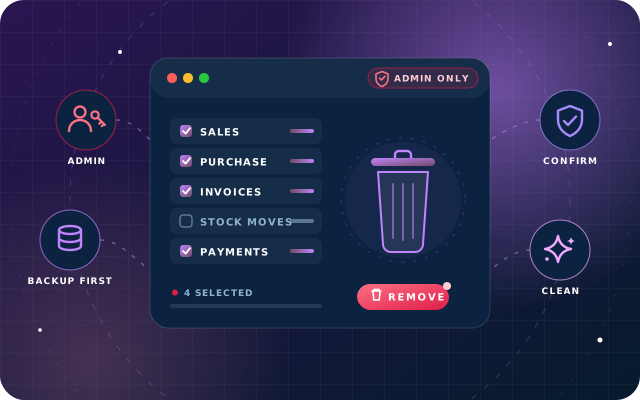
Why teams install Data Remove
Implementations accumulate weeks of training orders, imported test invoices, trial stock movements and demonstration projects alongside the configuration that took real effort to get right - the chart of accounts, the products, the customers, the pricing, the users. Going live means separating the two, but deleting by hand is slow and unreliable because Odoo refuses to delete records that other records depend on, and rebuilding the database from scratch means redoing all the configuration. This module removes the transactions and leaves the setup, in the right order, for one company at a time.
Who it is for: Odoo implementers, partners and system administrators who need to strip training, test and demo transactions out of implementation, training or staging databases - or clear a company before go-live cutover - without redoing weeks of configuration.
Go live on clean data
Clear training, test and demo transactions before go-live cutover without rebuilding the configuration you have already set up.
No half-cleaned databases
Each cleanup runs as a single transaction, so any failure rolls the whole request back and leaves no dangling references.
Other companies stay untouched
Every operation is filtered to the active company, and a model with no unambiguous company owner stops the run with an error rather than a guess.
What Data Remove adds to Odoo 19
Wipe a company's test transactions in one atomic run and keep your setup intact.
Only the active company
Every operation is filtered to the company you are currently working in. Switch companies in the top bar and you change what a cleanup would touch; other companies' records are outside the scope entirely.
All or nothing
A cleanup runs as one transaction. If anything fails part way through, the whole request is rolled back, so you never end up half-cleaned with dangling references.
Ambiguous ownership stops the run
If a model has no unambiguous company owner, the operation stops with an error rather than guessing. Shared and global records are never removed by a company-scoped cleanup.
Administrators only, twice over
The module checks for the system administrator group, and Odoo's own access rules already prevent anyone else from reaching the settings model these actions live on.
One page under Settings › Remove Data
Every action lives on a single page grouped by area, with a warning at the top that names the company the buttons apply to - the one shown in the top right of the screen.
Confirmation before every action
Nothing happens on a single click. Every button asks for confirmation first, and the most destructive one spells out that any error rolls the whole request back.
Everything in one atomic run
The Everything button removes all transactional areas in one atomic run while keeping master data.
Sales cleanup
Removes sales orders and their lines for the active company.
Point of Sale cleanup
Removes POS orders and sessions.
Purchase cleanup
Removes purchase orders and requisitions.
Expenses cleanup
Removes expenses and expense sheets.
Manufacturing cleanup
Removes manufacturing orders, and - as a separate action - bills of materials.
Inventory cleanup
Removes stock moves, transfers, packages and lots.
Accounting cleanup
Removes invoices, bills, vouchers and journal entries, with a separate action that resets the chart of accounts.
Project cleanup
Removes projects, tasks and forecasts.
Quality cleanup
Removes quality checks and alerts, and - separately - quality configuration.
Website cleanup
Removes website content and blog posts.
Base-data and rebuild actions
Delete All Product, Delete All Product Attribute and Clean and reset Account Chart remove master data for rebuilding a database from a fresh import, chatter messages can be cleared, and a maintenance action rebuilds category and location display names.
Skips what is not installed
The module depends on base only; areas whose application is not installed are simply skipped.
Access and company scoping verified
We confirmed that a user without the system administrator group was refused before reaching any removal action, and that in a two-company database the company filter selected zero records while the empty company was active.
From install to everyday use
Take a verified backup - one you have just taken and confirmed you can restore - before every run.
Log in as a user who holds the system administrator group and, in the top bar, switch to the company whose transactions you want to remove; the company named in the top right of the screen is the one the buttons apply to.
Open Settings › Remove Data and read the warning at the top of the page.
Choose the area to clear - Sales, Point of Sale, Purchase, Expenses, Manufacturing, Inventory, Accounting, Project, Quality or Website - or press Everything to remove all of those areas in one atomic run while keeping master data.
Confirm in the dialog. Every button asks for confirmation first, and the most destructive one spells out that any error rolls the whole request back.
The cleanup runs as a single transaction scoped to the active company: areas whose application is not installed are skipped, a model without an unambiguous company owner stops the run with an error, and any failure part way through rolls the whole request back.
Use Delete All Product, Delete All Product Attribute and Clean and reset Account Chart only when rebuilding a database from a fresh import - they remove master data, not transactions, and are far more serious than the rest of the page.
Before relying on any cleanup, run it once on a copy of your own database and confirm the result is what you expect.
What you will see in Odoo
- The Remove Data page
- The confirmation dialog
SBS Data Remove explained
Clear a company's transactions and keep the setup you spent weeks on. Wipe sales, purchases, inventory, accounting or the lot - scoped to the active company, run as a single all-or-nothing transaction, and restricted to system administrators. Master data stays where it is.
Read this before installing: this module permanently deletes database records. There is no undo, no archive and no recycle bin. A cleanup that removes ten thousand journal items removes them for good. Take a verified backup before every run - not a backup you assume exists, but one you have just taken and confirmed you can restore.
Nothing happens on a single click. Everything lives on one page under Settings › Remove Data, grouped by area, and the warning at the top names the company the buttons apply to - the one shown in the top right of the screen. Every button asks for confirmation first, and the most destructive one spells out that any error rolls the whole request back. The confirmation dialog screenshot on the Odoo App Store was taken with the dialog open and then dismissed; no data was removed to produce it.
Some actions are not transaction cleanups. Delete All Product, Delete All Product Attribute and Clean and reset Account Chart remove master data, not transactions; they are for rebuilding a database from a fresh import, not for tidying a live one. The separate actions for bills of materials and quality configuration also remove setup rather than transactions. Treat all of these as separate and far more serious than the rest of the page.
The module is intended for implementation, training and staging databases, and go-live cutover - not routine housekeeping on a production system.
We tested the interface, the warnings, the confirmation step, the administrator restriction and the company scoping on a live Odoo 19 database. A user without the system administrator group was refused before reaching any removal action. In a two-company database where one company held every transaction and the other held none, the company filter selected zero records while the empty company was active. We deliberately did not execute the deletions themselves, because doing so would have destroyed the data we use to document this and our other modules. Before relying on any cleanup, run it once on a copy of your own database and confirm the result is what you expect.
Requirements and compatibility
Everything your Odoo administrator needs to know before installing SBS Data Remove.
- Technical name
sbs_data_remove- Odoo version
- 19.0, built and tested on Community Edition
- Price
- Free
- Hosting
- Odoo.sh, On Premise (not available on Odoo Online)
- Module dependencies
base- Access roles
- System administrator (Odoo system administrator group)
Installation
Download SBS Data Remove from the Odoo App Store, or add it to your Odoo.sh repository or on-premise addons path.
In Odoo, activate developer mode, open Apps, choose Update Apps List and search for
sbs_data_remove.Install the module.
Assign the access roles to the right users, then follow the configuration notes.
Configuration and requirements
- Install the module on Odoo 19 (tested on Odoo 19 Community Edition). It depends on base only, so no other app has to be installed first; areas whose application is not installed are simply skipped.
- Make sure the people who will run cleanups belong to the system administrator group. The module checks for it, and Odoo's own access rules already keep everyone else away from the settings model the actions live on.
- Before opening Settings › Remove Data, select the correct company in the top bar - every operation is filtered to the active company.
- Take a verified backup before every run, and test any cleanup on a copy of your own database first. The module is intended for implementation, training and staging databases and go-live cutover, not routine housekeeping on a production system.
Odoo 20 or Odoo Enterprise? Check the Odoo App Store for the Odoo versions SBS Data Remove is available for. When we upgrade a database to Odoo 20 we port the SBS modules and other customisations it uses, and we implement Odoo Enterprise as well as Community. See what Odoo 20 changes.
Get help running SBS Data Remove safely
The engineers who wrote SBS Data Remove can install it, configure it for your processes, extend it and support it. The module is free; you only pay for the help you choose.
- Installation on Odoo.sh or your own servers
- Configuration, data migration and user training
- Custom changes and integration with your other modules
- Support from the team that maintains the code
- Running Odoo Enterprise? We implement Enterprise too, and will tell you whether this module or a standard Enterprise app fits better
- Moving to Odoo 20? We port this module and your other customisations as part of the upgrade
Get help with Data Remove
Tell us about your Odoo setup and what you need. We reply within one business day.
Data Remove, answered
Does SBS Data Remove delete my configuration and master data?
No - the transaction cleanups remove sales, purchases, inventory, accounting and the other transactional areas while master data stays where it is. The exceptions are separate actions: Delete All Product, Delete All Product Attribute and Clean and reset Account Chart remove master data and are meant for rebuilding a database from a fresh import, and the separate bills of materials and quality configuration actions remove setup records.
Can a cleanup be undone?
No. The module permanently deletes database records; there is no undo, no archive and no recycle bin. Take a verified backup before every run - one you have just taken and confirmed you can restore - and try the cleanup on a copy of your database first.
Which companies are affected when I run a cleanup?
Only the active company. Every operation is filtered to the company you are currently working in; switch companies in the top bar and you change what a cleanup would touch. Other companies' records are outside the scope entirely, and if a model has no unambiguous company owner the run stops with an error rather than guessing.
What happens if something fails part way through?
A cleanup runs as one transaction. If anything fails part way through, the whole request is rolled back, so you never end up half-cleaned with dangling references.
What does the module depend on, who can use it, and which Odoo editions are supported?
It depends on base only, and areas whose application is not installed are simply skipped. Access is restricted to system administrators. It is built for Odoo 19, tested on Odoo 19 Community Edition, and available for Odoo.sh and on-premise installations, not Odoo Online.
Can Star Bit Solutions install and customise SBS Data Remove for us?
Yes. The engineers who wrote SBS Data Remove can install it on Odoo.sh or your own servers, configure it for your processes, extend it and support it. The module itself is free; you only pay for the implementation or support you choose. Call or WhatsApp +971 55 973 4524 or email info@starbitsolutions.com.
Put Data Remove to work in your Odoo.
Install it free from the Odoo App Store, or let our engineers deploy, configure and support it alongside the rest of your Odoo setup.