
SBS Auto Return - Sales Discount Integration: discounted returns credited at the price paid
Returns of goods sold with a discount from SBS Sales Discount Amount would otherwise be credited at full list price, refunding more than the customer paid. This bridge copies the original discount onto the credit note, shared proportionally when only part comes back.
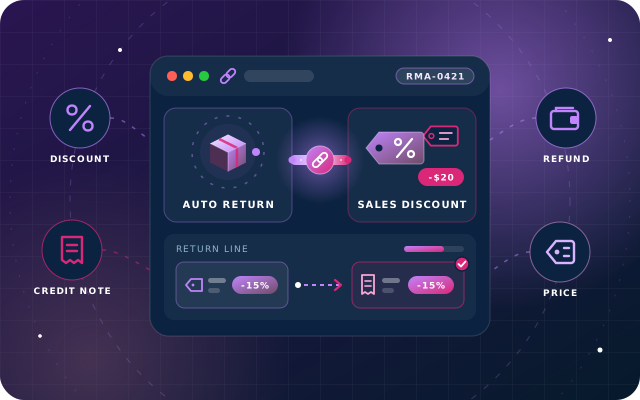
Why teams install Auto Return - Sales Discount Integration
In Odoo Community, a credit note built for a return of goods that were sold with a fixed-amount (or percentage) discount from SBS Sales Discount Amount would be credited at the full list price, refunding the customer more than they ever paid. This bridge carries the original discount onto the credit note, proportionally for partial returns, so refunds match what was actually charged.
Who it is for: Odoo 19 Community businesses that sell with fixed-amount or percentage line discounts and process customer returns through SBS Auto Return, particularly retail, wholesale and distribution teams whose refunds must match what the customer actually paid.
Refunds match what was paid
Credit notes carry the discount from the original sale, so customers are never refunded more than they were charged.
Partial returns credited fairly
When only part of a line comes back, the discount is shared in the same proportion as the returned quantity.
Returns recorded as before
Nothing about the return record changes and there is nothing to configure. Odoo installs the bridge when the second SBS module is installed; if both already are, install it once from Apps.
What Auto Return - Sales Discount Integration adds to Odoo 19
Returns of discounted goods are credited at the price they were sold for, never more
Discount carried onto the credit note
When a return is finalised and its credit note is built, the discount from the source invoice line is copied onto the credit line automatically.
Fixed and percentage discounts
Handles both the fixed-amount discounts introduced by SBS Sales Discount Amount (forty off) and ordinary percentage discounts (four per cent off).
Proportional sharing on partial returns
If only part of the original quantity comes back, the discount is shared in the same proportion: 2 of 4 units returned carries 20.00 of a 40.00 fixed discount.
Works for invoice-linked returns
Returns raised against an existing invoice pick up the discount from the matching invoice line.
Works for unidentified, hand-typed returns
Returns typed in by hand without an identified source document are handled the same way as invoice-based returns.
Discount type preserved
A fixed discount on the original line stays marked as a fixed discount on the credit note, rather than being converted or dropped.
Prevents silent over-refunding
Without the bridge, the 2-unit return in the worked example would refund 500.00 instead of 480.00; the bridge closes that gap on every discounted return.
Installs and removes itself
Odoo installs the bridge automatically when the second of SBS Auto Return and SBS Sales Discount Amount is installed (if both already were, install it once from Apps), and removes it again if either is uninstalled.
No menus, no models, no settings
A bridge, not an application: nothing is added to the user interface and there is nothing to configure.
Zero configuration
Discounts are taken from the documents you already have; no setup step is required after installation.
Return process unchanged
Nothing about the return record itself changes; you record goods coming back exactly as before, and only the resulting credit note is affected.
Built for Odoo 19 Community
We built it for Odoo 19 and tested it on Odoo 19 Community Edition. It is available for Odoo.sh and on-premise installations, not Odoo Online.
From install to everyday use
Install SBS Auto Return and SBS Sales Discount Amount on Odoo 19 with this bridge in your addons path, and Odoo installs the bridge automatically, with nothing to configure. If both were already installed, install the bridge once from Apps.
Sell goods as usual, applying a fixed-amount or percentage discount on the invoice line through SBS Sales Discount Amount.
When goods come back, record the return in SBS Auto Return exactly as before, either against the original invoice or as an unidentified return typed in by hand.
Finalise the return; SBS Auto Return builds the credit note.
The bridge copies the discount from the source line onto the credit line, sharing it in proportion when only part of the quantity is returned.
The customer is credited at the price they actually paid (480.00 rather than 500.00 in the worked example), and the credit note still shows the discount marked as fixed.
What you will see in Odoo
- The invoice, and the credit note it produced
- Invoice line carrying a fixed discount
- Credit note line with the proportional discount
- The return behind it
- The finalised return that produced the credit note
SBS Auto Return - Sales Discount Integration explained
Credit discounted goods at the price they were sold for. When SBS Auto Return and SBS Sales Discount Amount are both installed, this bridge carries the fixed or percentage discount from the original sale onto the credit note - and shares it proportionally when only part of the line comes back.
A bridge, not an application. No menus, no models, no settings. Odoo installs it automatically when the second of SBS Auto Return and SBS Sales Discount Amount is installed (if both already were, install it once from Apps), and removes it again if either is uninstalled.
Why it matters: SBS Sales Discount Amount lets a sales line carry a discount as a fixed amount rather than a percentage - forty off, rather than four per cent off. If a return of those goods is credited at the full list price, every discounted return quietly costs you money. Over a run of returns that is a real and silent loss.
The discount follows the goods back. When a return is finalised and its credit note is built, this bridge copies the discount from the source line onto the credit line. If only part of the original quantity is coming back, the discount is shared in the same proportion. It does this both for returns raised against an invoice and for unidentified returns typed in by hand.
A worked example: an original invoice for 4 units at 250.00 with a 40.00 fixed discount nets 960.00. The credit note for 2 returned units shows 2 units at 250.00 with a 20.00 fixed discount, netting 480.00. Half the goods came back, so half the discount came back with them. Without the bridge the credit line would have shown no discount at all and refunded 500.00 instead of 480.00.
We built it for Odoo 19 and tested it on Odoo 19 Community Edition. There is nothing to configure: discounts are taken from the documents you already have.
Requirements and compatibility
Everything your Odoo administrator needs to know before installing SBS Auto Return - Sales Discount Integration.
- Technical name
sbs_auto_return_sales_discount- Odoo version
- 19.0, built and tested on Community Edition
- Price
- Free
- Hosting
- Odoo.sh, On Premise (not available on Odoo Online)
- Required Odoo apps
- Invoicing (account), Discuss (mail), Inventory (stock), Sales (sale_management)
- Module dependencies
account, mail, stock, sale_management, sbs_auto_return, sbs_sales_discount
Installation
Download SBS Auto Return - Sales Discount Integration from the Odoo App Store, or add it to your Odoo.sh repository or on-premise addons path.
In Odoo, activate developer mode, open Apps, choose Update Apps List and search for
sbs_auto_return_sales_discount.Install the module. Odoo installs the required apps listed above automatically.
Follow the configuration notes.
Configuration and requirements
- None. Discounts are taken from the documents you already have.
Odoo 20 or Odoo Enterprise? Check the Odoo App Store for the Odoo versions SBS Auto Return - Sales Discount Integration is available for. When we upgrade a database to Odoo 20 we port the SBS modules and other customisations it uses, and we implement Odoo Enterprise as well as Community. See what Odoo 20 changes.
Need help with discounted returns in Odoo?
The engineers who wrote SBS Auto Return - Sales Discount Integration can install it, configure it for your processes, extend it and support it. The module is free; you only pay for the help you choose.
- Installation on Odoo.sh or your own servers
- Configuration, data migration and user training
- Custom changes and integration with your other modules
- Support from the team that maintains the code
- Running Odoo Enterprise? We implement Enterprise too, and will tell you whether this module or a standard Enterprise app fits better
- Moving to Odoo 20? We port this module and your other customisations as part of the upgrade
Get help with Auto Return - Sales Discount Integration
Tell us about your Odoo setup and what you need. We reply within one business day.
Auto Return - Sales Discount Integration, answered
Do I have to install this module myself?
Only if SBS Auto Return and SBS Sales Discount Amount were both already installed when you added it; then install it once from Apps. Otherwise, with its code in your addons path or Odoo.sh repository, Odoo installs it automatically when the second of the two is installed. Odoo removes it again if either of them is uninstalled.
What does the bridge depend on?
It requires sbs_auto_return and sbs_sales_discount, both of which must be present, plus the standard Odoo apps Invoicing (account), Discuss (mail), Inventory (stock) and Sales (sale_management).
What happens when only part of a discounted line is returned?
The discount is shared in the same proportion as the returned quantity. In the worked example, 2 of 4 units sold at 250.00 with a 40.00 fixed discount come back, so the credit note carries a 20.00 fixed discount and nets 480.00 instead of 500.00.
Does it change how I record a return?
No. Nothing about the return record itself changes; you record the goods coming back as usual. The bridge only affects the credit note that finalising the return produces.
Which Odoo version and hosting options are supported?
We built it for Odoo 19 and tested it on Odoo 19 Community Edition. It is available for Odoo.sh and on-premise installations, not Odoo Online.
Can Star Bit Solutions install and customise SBS Auto Return - Sales Discount Integration for us?
Yes. The engineers who wrote SBS Auto Return - Sales Discount Integration can install it on Odoo.sh or your own servers, configure it for your processes, extend it and support it. The module itself is free; you only pay for the implementation or support you choose. Call or WhatsApp +971 55 973 4524 or email info@starbitsolutions.com.
Put Auto Return - Sales Discount Integration to work in your Odoo.
Install it free from the Odoo App Store, or let our engineers deploy, configure and support it alongside the rest of your Odoo setup.