IoT Security Basics: Protecting Sensors, Gateways and Dashboards
Star Bit Solutions10 min read
Every sensor, gateway and dashboard is a way into your network. These IoT security basics cover default credentials, firmware updates, segmentation, encrypted transport, device identity, least-privilege dashboards, monitoring and incident response.
Common IoT attacks exploit the basics: default passwords, old firmware, flat networks and unencrypted traffic.
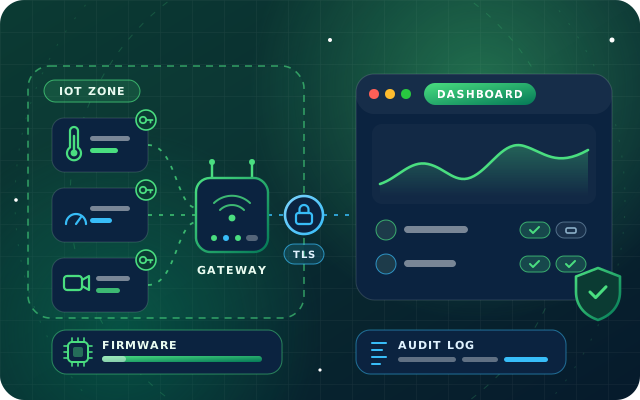
Give every device unique credentials or a certificate, keep an inventory and revoke a lost device on its own.
Keep devices in their own network zones, with gateways connecting outwards and TLS on every link.
Scope dashboard roles by site, zone, asset and action, and log every change and command with the user and time.
In the UAE, check TDRA registration for IoT services, device type approvals and where classified data is stored.
A temperature probe in a cold room, an energy meter on a switchboard, a gateway on the factory floor: each one is a small computer on your network, often running for years with little attention. That is what makes IoT security different. The devices are numerous, inexpensive, physically exposed and rarely patched, and they sit right next to equipment that matters.
The risk is not theoretical. In 2016 the Mirai botnet took over large numbers of internet-connected devices simply by trying a short list of common default usernames and passwords, as a CISA alert described at the time. This guide covers the basics that defeat attacks of that kind, from the sensor to the dashboard, with a short note on TDRA's rules for IoT in the UAE.
Why IoT Security Is Different from Office IT
Office IT has decades of habits behind it: managed laptops, patch cycles and endpoint protection. Connected devices often have none of that. Many run small embedded systems that cannot host security software, some cannot be updated at all, and a battery sensor may stay in a ceiling void for its whole working life. Classic field protocols such as Modbus were designed for closed networks and have no authentication or encryption of their own.
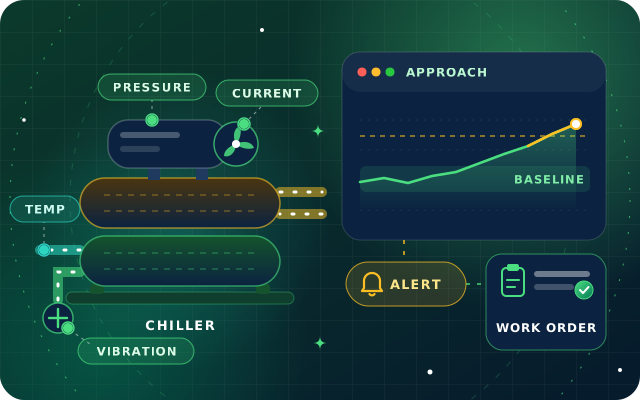
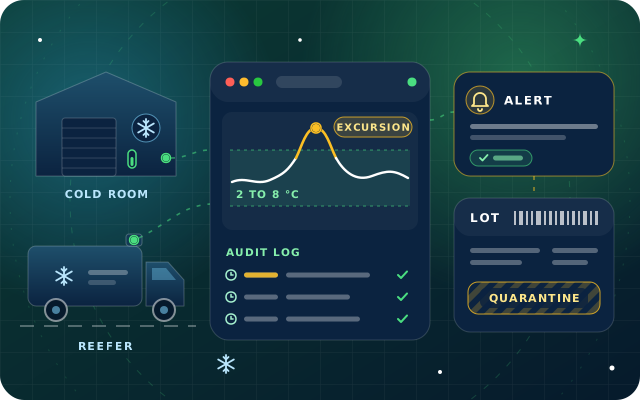
The consequences differ too. A compromised laptop leaks data; a compromised controller can switch off a chiller, open a valve or hide a temperature excursion in a pharmacy fridge, the kind of event our guides to cold chain monitoring and chiller maintenance are built around. IoT security protects data, operations and sometimes safety at the same time.
Five Layers, Five Kinds of Weakness
It helps to look at an IoT system layer by layer, because each one fails in its own way.
Layer
Typical weakness
Basic control
Sensors and controllers
Default passwords, open debug ports, firmware that is never updated
Shared keys, remote administration open to the internet
Own identity and certificate, outbound-only connections, managed updates
Network
Devices on the same network as office PCs and servers
Separate zones, firewall rules by exception
Platform and data
Plain MQTT or HTTP, unprotected storage and backups
TLS on every link, encrypted storage, tested backups
Dashboards and apps
Shared logins, everyone an administrator
Named accounts, roles by site and action, audit logs
Replace Default Credentials and Give Every Device Its Own Identity
The first provision of ETSI EN 303 645, the European baseline standard for consumer IoT security, is simple: no universal default passwords. Every device password must be unique per device or set by the user. The standard is written for consumer devices, but the rule is just as sound in a factory, a hotel or a warehouse.
Change every default password at installation, including gateways, routers, cameras and controller web pages, and keep the new ones in a password manager, not a spreadsheet.
Prefer certificates or unique keys for machine-to-machine connections. ETSI recommends against passwords for machine-to-machine authentication.
Give each device and gateway its own credentials, so that one stolen device does not unlock the rest of the fleet.
Keep an inventory with device type, location, firmware version, owner and credential reference.
Revoke a lost or retired device's credentials individually, and factory-reset it before it leaves the site.
StarSense works this way: each device and gateway receives its own credentials at enrollment, the device registry holds location, type, firmware and owner for every asset, and a lost or compromised device is revoked individually without touching the rest of the fleet.
Have a question about this guide? Ask the engineers who wrote it.
Device vulnerabilities are fixed through firmware updates, so a device that never receives them stays exposed. Before you buy, ask how long the manufacturer will provide security updates. ETSI EN 303 645 expects manufacturers to publish that support period and a vulnerability disclosure policy, so a vendor that cannot answer is telling you something.
Track firmware versions per device in the inventory and check vendor advisories every month.
Accept only updates whose authenticity and integrity are verified, typically through signed firmware.
Test each update on a few devices before rolling it across a site, and schedule it outside critical hours.
Roll out in batches, so that a faulty update cannot take every device down at once.
Isolate devices that can never be updated on their own network segment, and plan their replacement.
StarSense includes gateway and firmware update management, and its device registry records each asset's firmware alongside its location, type and owner.
Segment the Network
If an attacker reaches one sensor, segmentation decides how far they get. Keep operational technology (OT), the systems that monitor and control physical equipment, in network zones separate from information technology (IT) such as office PCs, servers and guest Wi-Fi, and allow traffic between zones only by exception.
Give building systems, production equipment and cameras separate zones where their risks differ.
Let gateways connect outwards to the platform, and never open inbound ports from the internet to individual devices.
Block device zones from reaching the ERP, file servers and email; let platforms exchange data through their integrations instead.
Disable unused services and interfaces on every device, including debug ports and remote administration you do not use.
StarSense comes with network segmentation guidance for OT and IT environments, and its gateways buffer readings locally when a link drops, so tighter network rules do not have to mean lost data.
Encrypt Data from Sensor to Dashboard
Readings, commands and credentials should never cross a network in clear text.
Run MQTT over TLS, on port 8883 rather than the plain port 1883, and make devices verify the server certificate.
LoRaWAN encrypts payloads with AES-128 session keys, but its protection depends on keeping the root keys used to join the network secret.
Keep classic Modbus inside a protected segment and let the gateway carry the data onwards over TLS. The Modbus/TCP Security specification adds TLS, so check whether your devices support it.
Encrypt data at rest on the platform, and protect backups as carefully as the live system.
In StarSense, every connection from gateway to platform and between services uses TLS. The servers behind any platform need the same discipline; our hardening checklist for self-hosted Odoo shows what that looks like for a business system.
Least-Privilege Dashboards and Accounts
Dashboards are where people meet the system, and where shared logins and all-powerful accounts creep in. Apply least privilege, the principle that each person or service gets only the access its job needs:
Named accounts for everyone, with two-factor authentication for administrators and remote access.
Roles scoped by site, zone, asset and action, so a tenant sees their floor and a technician can acknowledge an alert without changing its rules.
Remote control of relays, valves and setpoints limited to the few people who need it, with every manual override recorded.
Audit logs for configuration changes, commands and acknowledgments.
Separate service accounts and keys for integrations, each with narrow rights.
StarSense applies permissions by site, zone, asset and action, and records configuration changes, commands, alert acknowledgments and rule edits with the user, the time and the previous value. The same thinking applies to the business systems your devices feed, as our guide to Odoo access rights explains.
Monitor Devices and Prepare an Incident Response Plan
Monitoring catches what prevention misses. ETSI's baseline asks manufacturers to examine telemetry for security anomalies, such as an abnormal increase in failed logins, and operators should watch for the same signs: devices that stop reporting, report at odd hours, change firmware unexpectedly or start talking to new destinations.
StarSense tracks device health through heartbeat, signal strength, battery level and last-seen status, alerts on missing data as well as thresholds, and sends alerts by email, in-app notification or WhatsApp through StarBot. When something does go wrong, a short, rehearsed plan beats improvisation:
Detect and record: note what was seen, when and on which devices.
Contain: isolate the affected segment or device and revoke its credentials.
Keep operations safe: move critical equipment to local or manual control while you investigate.
Recover: reflash known-good firmware, re-enroll with new credentials and restore configuration from backup.
Review: find the root cause, close the gap and update the plan.
Tip: Before buying any connected device, ask the vendor three questions. Are credentials unique per device? How long will security updates be provided? How do we report a vulnerability? Vague answers are an answer.
UAE Rules: TDRA's IoT Framework
In the UAE, the Telecommunications and Digital Government Regulatory Authority (TDRA) regulates IoT under the IoT Regulatory Policy that its predecessor, the TRA, issued in March 2018, and the IoT Regulatory Procedures for registering services that followed in 2019. Three points matter for most projects:
Providers offering IoT services to the UAE market must register them with TDRA. The registration service asks for a network connection diagram and, where available, information security certificates and penetration test reports.
Radio and telecommunications equipment needs TDRA type approval, and devices that collect data are expected to offer a factory reset and to build in security by design.
The policy classifies data as Open, Confidential, Sensitive or Secret, and treats stored personal data as Secret. Confidential, Sensitive and Secret data of individuals and businesses should be stored primarily in the UAE, with transfers abroad only to places with comparable protection, and government data in those classes must stay in the UAE.
Ask any IoT provider for its TDRA registration and device type approvals, and check the latest requirements on the TDRA IoT services registration page. This is a summary for planning, not legal advice.
An IoT Security Checklist
No default passwords anywhere, with unique credentials or certificates per device.
A live inventory with location, firmware version, owner and support period.
Signed firmware updates, tested first and rolled out in batches.
Devices in their own network zones, with gateways connecting outwards only.
TLS on every connection, MQTT included, with certificate checks.
Unused ports, services and debug interfaces disabled.
Named accounts, roles by site and action, and two-factor sign-in for administrators.
Audit logs for changes, commands and acknowledgments.
Alerts on missing data, unexpected firmware changes and failed logins.
A written incident response plan that the team has rehearsed.
TDRA registration and type approvals confirmed with your providers.
How Star Bit Solutions Can Help
StarSense, our AI and IoT platform, treats every device as an identity, every connection as untrusted until proven otherwise and every action as something to log. It runs on your own servers, in a private cloud or as a managed service by Star Bit Solutions, with the same security model in each case. Projects start with a site survey and a pilot, so security questions are settled before devices go in, whether the site is a building, a plant or a network of smart city sensors.
Have a security questionnaire or an OT network policy we need to fit into? Send it to [email protected], call +971 55 973 4524 or use the contact page, and an engineer will answer point by point.
Written by the Star Bit Solutions team
Star Bit Solutions is a software company in Ajman, UAE, founded in 2014. We implement and customize Odoo Enterprise and Odoo Community, and build StarBiz (AI-driven ERP), StarHub (life super app), StarBot (conversational AI), StarLearn (adaptive learning) and StarSense (AI and IoT platform). About us
Sensor points, chiller fault patterns, alert routing and maintenance schedules: a practical guide to predictive maintenance for cooling plant in UAE buildings.
Sensors for cold rooms, reefers and fridges, alerting and escalation, tamper-evident records, calibration and tying each excursion to the lots it affected.
Maintenance strategies compared, the sensors that matter, baselines and anomaly detection in plain terms, alert thresholds and the loop to work orders.
Start with five habits: no default passwords and a unique identity for every device, firmware kept up to date, connected devices on their own network segment, encryption on every connection, and dashboards where each person has only the access their job needs. Add monitoring for unusual device behavior and a rehearsed incident response plan, and you close the most common ways in.
Why are default passwords dangerous on IoT devices?
The same username and password often ship on every unit of a model and appear in public manuals, so attackers can try them automatically across the internet. The Mirai botnet did exactly that in 2016 with a short list of common defaults. ETSI EN 303 645 therefore requires device passwords to be unique per device or set by the user.
Should IoT devices be on a separate network?
Yes. Put sensors, controllers, cameras and gateways in their own network zones, separate from office computers, servers and guest Wi-Fi, and allow traffic between zones only by exception. Gateways should connect outwards to the platform rather than accept connections from the internet. If one device is compromised, segmentation limits how far an attacker can go.
Is MQTT secure?
MQTT relies on the transport for encryption, so secure deployments run it over TLS, on port 8883 rather than the plain port 1883, with devices checking the server certificate and each device authenticating with its own credentials or certificate. Add access control on the broker, so each device can publish and subscribe only to the topics it actually needs.
Do IoT services in the UAE need TDRA approval?
Under TDRA's IoT Regulatory Policy, providers offering IoT services to the UAE market must register those services with TDRA, and radio and telecommunications equipment needs TDRA type approval. The policy also sets storage expectations by data classification. Requirements can change, so check the latest guidance on tdra.gov.ae and ask your provider for its registration. This is not legal advice.
StarSense by Star Bit Solutions
Secure Your Sensors before You Scale Them.
Tell us what you need to monitor. We will propose a pilot with a device list, a network plan and the security controls built in.