Odoo Manufacturing on Enterprise: MRP, Quality and Maintenance Working Together
Star Bit Solutions10 min read
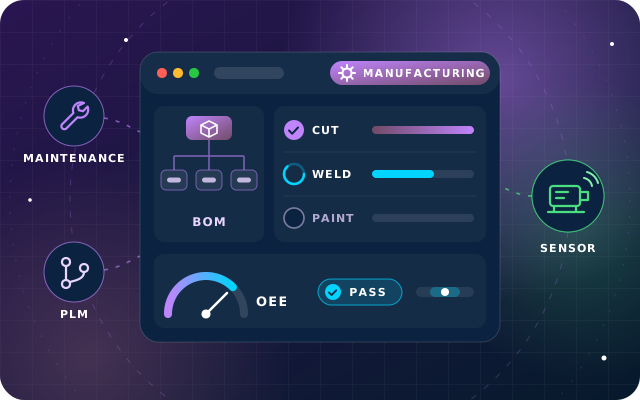
Odoo manufacturing pays off when bills of materials, work orders, quality checks and maintenance share one record of what happened on the line. Here is how the Odoo 19 Enterprise apps fit together, what each one adds, and where machine data from StarSense comes in.
Manufacturing and Maintenance exist in Community; Shop Floor, Quality, PLM and the master production schedule are Enterprise apps.
Operations on the bill of materials drive work orders, planning and cost, so get work centers, durations and rates right first.
Quality control points run inside the work order on Shop Floor, so checks happen at the machine, not on a clipboard afterwards.
Odoo estimates the next failure from failure history; StarSense adds condition data such as vibration and temperature from the machine itself.
Many factories already have the data they need. It is just spread across a spreadsheet of bills of materials, a whiteboard of the day's jobs, a quality binder at the end of the line and a maintenance notebook nobody else can read. When a delivery slips, finding out why takes a meeting.
Odoo manufacturing on Enterprise brings those records together. The bill of materials drives the work orders, the work orders carry the quality checks, a failed check leads to a quality alert, and a stopped machine becomes a maintenance request from the same screen. This guide explains how the Odoo 19 apps fit, what to configure first, and where machine data from StarSense adds what Odoo cannot measure on its own.
How Odoo Manufacturing Fits Together on Enterprise
Odoo splits manufacturing across several apps. Knowing which does what, and which edition includes it, saves a lot of confusion in the first workshop.
App
What it answers
Edition
Manufacturing
What to make, from which components, through which operations
Community and Enterprise
Shop Floor
What each operator does next, and how long it took
Enterprise
Quality
Which checks must pass, and what happens when one fails
Enterprise
Maintenance
Which machine needs attention, and when
Community, with work center integration on Enterprise
PLM
Who approved a design change, and which version is live
Enterprise
Master production schedule
How much to make in each period against demand
Enterprise
The Manufacturing app is often called MRP, after its technical name, a term that comes from material requirements planning; PLM stands for product lifecycle management. All of these apps share the same product, stock and accounting data, which is why they work better together than as separate tools.
Bills of Materials and Operations: The Recipe and the Route
A bill of materials (BoM) lists the components and quantities needed to make a product. In Odoo it is also the route: once Work Orders is enabled in the Manufacturing settings, each BoM carries operations, and each operation names the work center where it happens and how long it should take.
Three choices on each operation shape everything downstream:
Duration. Set a default duration, or let Odoo compute it from the tracked time of the last few work orders once you have history.
Instructions. Attach a PDF or text work sheet or, with the Quality app, add step-by-step instructions that appear on the operator's screen.
Components per operation. Mark which operation consumes each component, so Odoo can show whether the first operation can start before everything has arrived.
The Miscellaneous tab holds the rest: manufacturing readiness, flexible consumption (blocked, allowed or allowed with a warning), lead times and an analytic distribution for cost tracking. Odoo 19 adds a default batch size on the BoM, so new manufacturing orders start with the quantity you usually make. Sub-assemblies with their own BoMs give you multi-level structures, and by-products record a process that yields more than one product.
Work Centers, Capacity and Planning
Work centers are where work orders are processed, and they carry the numbers that planning and costing depend on. Set them up carefully before the first order:
Working hours, which are also the basis for overall equipment effectiveness (OEE).
Time efficiency, below 100% for a center that runs slower than the BoM durations assume, and an OEE target.
Setup and cleanup time around each work order, and product capacities where a center handles several units at once.
Cost per hour, an expense account, allowed employees for machines that need a certified operator, and alternative work centers for when this one is busy.
The work center form then reports OEE, lost time, load and performance. Planners see scheduled work orders by work center, and Odoo 19 adds a Gantt view for manufacturing orders and an editable deadline on each order. If you run shifts, Odoo's documented approach is one work center per shift with its own working hours, so reports compare shifts directly.
Have a question about this guide? Ask the engineers who wrote it.
Shop Floor is the operator's view of Odoo manufacturing. It opens on a workstation or tablet, shows the work centers activated on that device, and can be installed as an app in Chrome so operators stay out of the rest of Odoo.
The Overview shows a card for every manufacturing order that is ready to start, and each work center has its own queue, ordered by priority and scheduled date. Operators sign in from the operator panel, with a PIN if you set one, and press Start; the instructions open as the timer runs. From the work order card they can register production and serial numbers, scrap or add a component, change the routing, propose an update to the instructions, create a quality alert, request maintenance or block further work until a problem is solved.
Time is recorded per work order and per operator, so the real duration on each work order reflects what actually happened. Odoo 19 redesigned Shop Floor, made component consumption work with barcode scanning, and lets you decide whether operators may close manufacturing orders from it. Odoo's Shop Floor documentation shows each view.
Quality Control Points inside the Work Order
A quality control point (QCP) tells Odoo when to create a quality check: for which products or categories, on which operation and how often. Point it at the Manufacturing operation and a specific work order operation, and the check appears as a step on the operator's card at the right moment.
Frequency is flexible. A check can run every time, randomly on a share of operations, periodically every so many days, weeks or months, or only on demand, and it can apply per operation, per product or to a percentage of the quantity. The check types cover most needs:
Measure, with a norm and a tolerance, optionally read from a connected device.
Pass-Fail against a stated criterion, and Take a Picture for visual evidence.
Register Consumed Materials and Register Production for traceability.
Instructions, Print label, Spreadsheet and Worksheet checks for everything else.
When a check fails, the Message If Failure tab tells the operator what to do next, usually to raise a quality alert. Alerts carry the product, work center, root cause, corrective actions and preventive actions, and move through stages on the quality team's board. In Odoo 19, any control point can also record a failure location.
Maintenance and PLM: Keeping Machines and Designs under Control
Maintenance
Each machine is a piece of equipment with a category, a maintenance team, a responsible technician and, on Enterprise, the work center it belongs to. From the history of completed corrective requests, Odoo computes the mean time between failures (MTBF), the mean time to repair (MTTR) and an estimated date for the next failure.
Maintenance requests are corrective or preventive. Preventive requests can repeat at an interval you set, and a request for a work center can block it so no work orders are planned during the maintenance window. Operators can raise a request from Shop Floor, a request can name the manufacturing order and work order where the problem appeared, and the maintenance calendar shows everything that is planned.
PLM
PLM is installed separately from Manufacturing. Changes to a BoM go through engineering change orders (ECOs) with their own stages, and an approver at each stage can be required, optional or comments only. Every applied ECO becomes a BoM version with an effective date, design files such as CAD drawings and PDFs travel with it, and Apply Rebase reconciles two ECOs that changed the same BoM in parallel.
Costing: From the MO Overview to Product Cost
Odoo calculates two costs for every manufacturing order (MO). The MO cost is what the order should cost according to its BoM. The real cost is what it actually cost once quantities, durations and operator rates are known. Both appear side by side under the order's Overview smart button. A worked example shows how they move, using a hypothetical steel cabinet:
Components. Sheet steel at 120 and fittings at 30, both at their average purchase cost, give 150.
Operations. Cutting for 12 minutes at a work center costing 60 an hour (12), welding for 20 minutes at 90 an hour (30) and painting for 15 minutes at 48 an hour (12) give 54.
MO cost. 150 plus 54 gives 204 before work starts, and the real cost shows the same figure.
What happened. Welding takes 30 minutes instead of 20, so that operation costs 45 and the real cost rises to 219.
When the order is done. The MO cost updates to 219 and, with average costing, the product's cost moves towards the average of its completed orders.
Labor comes on top when you track it: the estimate uses the cost per employee set on the work center, while the real cost uses each operator's own hourly cost from the Employees app. Odoo 19 also lets you value each operation on real usage or at a fixed cost and, for AVCO (average cost) and FIFO (first in, first out) valuation, falls back to the work center's employee cost when an operator has no hourly cost of their own.
Where StarSense Machine Data Fits
Odoo knows what was planned and what operators recorded. It does not know that a spindle bearing has run a little warmer every week for a month. That is condition data, and it comes from the machine itself, as our guide to predictive maintenance explains.
Odoo's estimated next failure is statistical: the latest failure date plus the mean time between failures. StarSense, our AI and IoT platform, reads vibration, temperature, current and run-hours through gateways that speak MQTT, Modbus, BLE and LoRaWAN, learns each asset's normal behavior and raises an anomaly score before a hard threshold is crossed. It also reports OEE and utilization for each machine.
Through StarSense's REST API and webhooks, we can connect those alerts to Odoo, so a rising score can open a maintenance request with the readings that triggered it, while Odoo stays the system of record for work orders, quality and cost. Odoo's own IoT features remain the right tool for devices at the workstation, such as measuring tools for Measure checks, label printers and scales.
A Rollout Order That Keeps the Factory Running
Clean product data, units of measure and costs before building any BoM.
Model work centers with honest working hours, efficiency and costs.
Build BoMs with operations for your top products first, then the long tail.
Pilot Shop Floor on one line, with operator PINs and a short training session.
Add quality control points where defects cost most, not everywhere at once.
Register equipment and preventive schedules, then link requests to work centers.
Introduce PLM once BoMs are stable, so every later change goes through an ECO.
Compare MO cost with real cost every month and fix the biggest gaps first.
Tip: Let durations learn from reality. Start with default durations, then switch operations to compute from tracked time once a few weeks of Shop Floor data exist, so planning and costing follow your actual line.
How Star Bit Solutions Can Help
Through OdooStar, our Odoo practice in Ajman, we implement Odoo Enterprise for manufacturers across the UAE: BoMs and work centers, Shop Floor, quality, maintenance, PLM and costing, configured on a test database with your own products before anything goes live. Because the same team builds StarSense, we can also connect your machines, so maintenance requests can start from real readings.
Star Bit Solutions is a software company in Ajman, UAE, founded in 2014. We implement and customize Odoo Enterprise and Odoo Community, and build StarBiz (AI-driven ERP), StarHub (life super app), StarBot (conversational AI), StarLearn (adaptive learning) and StarSense (AI and IoT platform). About us
Job budgets with committed cost, purchasing against a job, subcontractor bills, milestone and progress claims, and an honest look at retention in Odoo 19.
Odoo 19 Community includes Manufacturing, with bills of materials, manufacturing orders and work orders, and a Maintenance app. Shop Floor, Quality, PLM, the master production schedule and the link between maintenance and work centers come with Odoo Enterprise. Manufacturers that want checks and maintenance at the work center therefore need Enterprise, and a Community database can move to it later.
What is the difference between MO cost and real cost in Odoo?
MO cost is what a manufacturing order should cost according to its bill of materials: component costs, operation durations and work center rates. Real cost is what it actually cost, using the components consumed, the time tracked and each operator's own hourly cost. The two start equal and drift apart as work happens, and when the order is done the MO cost updates to match.
Can Odoo Shop Floor run on a tablet at the machine?
Yes. Shop Floor opens in a browser on a workstation or tablet, and can be installed as an app in Chrome to keep operators out of other Odoo apps. Each device shows the work centers you activate on it, operators sign in from the operator panel, optionally with a PIN, and time is tracked per operator and per work order.
How does StarSense work with Odoo Maintenance?
StarSense watches the machine itself, learning each asset's normal vibration, temperature, current and cycle profile and raising an anomaly score when readings drift. Through its REST API and webhooks, we can connect those alerts to your Odoo database, so a rising score opens a maintenance request with the readings behind it, while Odoo stays the system of record for work orders and cost.
OdooStar by Star Bit Solutions
Run the Plant from One Record, from BoM to Machine.
Tell us what you make and how your line runs. Our engineers will map bills of materials, work centers, checks and maintenance in Odoo 19 Enterprise, and connect your machines where it pays.