Odoo Community Payroll: What You Can Run on Odoo 19 without Enterprise
Star Bit Solutions9 min read
Odoo Community has no Payroll app, so salaries often live in spreadsheets. Here is what you can run on Odoo 19 Community with SBS HR Payroll, how UAE gratuity fits in, and when Odoo Enterprise Payroll is the better route.
Odoo 19 Community has no Payroll app; the free SBS HR Payroll module adds salary rules, structures, payslips, batches and journal entries.
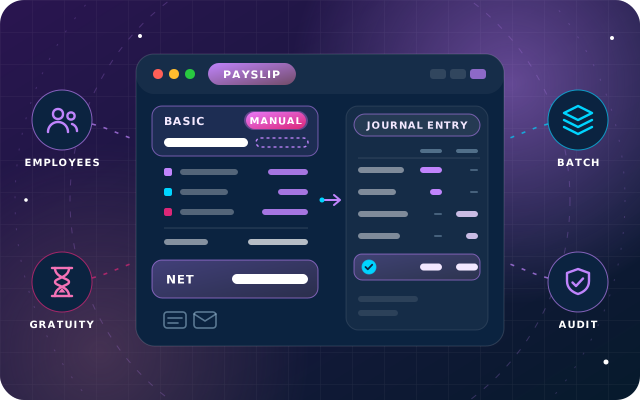
Manual overrides keep the computed figure beside them, and confirmed payslips are reversed, never deleted, so payroll history stays auditable.
In SBS HR Payroll, a UAE gratuity provision is a salary rule you configure: basic wage / 30 × 21 / 12 a month for the first five years.
Choose Odoo Enterprise Payroll for its UAE localization and WPS file export; the two payroll apps cannot be installed together.
Odoo Community payroll is a common question from HR and finance teams, and the short answer is that Odoo Community ships without a Payroll app. Odoo's own editions comparison lists Payroll as an Enterprise app, alongside Accounting, Documents and Approvals. So salaries end up in a spreadsheet, and someone retypes the totals into a journal entry every month.
That works until a formula breaks, or an auditor asks how a figure was reached. This guide explains what Community already gives HR teams and what our free SBS HR Payroll module adds on Odoo 19.
What Odoo 19 Community Gives HR Teams, and What It Leaves out
Community includes the Employees, Time Off and Recruitment apps, so the people side of HR is covered: employee records, departments, leave requests and allocations. What is missing is the money side: salary rules, payslips and the accounting entries that put payroll into the ledger.
Odoo Enterprise fills that gap with its Payroll app, which carries country localizations, including one for the United Arab Emirates. On Community, a module has to do the job, and SBS HR Payroll is the one we built for it.
What SBS HR Payroll Adds to Odoo Community Payroll
SBS HR Payroll puts the calculation inside Odoo. Salary rules hold the arithmetic, salary structures group the rules that apply to a person, and a payslip runs them in order to produce the basic, the allowances, the gross and the net.
Salary rules: each rule has a condition, an amount type (fixed, percentage or Python), a category, and its own debit and credit accounts.
Salary structures: a structure collects the rules for a group of employees and can inherit a parent structure's rules.
Employee Payroll tab: each employee record holds the salary structure, the wage and the monthly cash allowances.
Payslip batches: a batch groups the period's run, and Generate Payslips creates one payslip per selected employee, carrying the batch's salary journal onto each.
Posting to accounting: confirming a payslip builds and posts the journal entry from each rule's accounts, so nobody retypes a total.
Reports and email: Pay Slip and Pay Slip Details print from a payslip, Pay Slip Lines by Contribution Register prints a date range, and a mail template sends the payslip to the employee.
Access comes in three groups. SBS Payroll User works with payslips for their own and their subordinates' employee records. SBS Payroll Manager can also override and reset computed amounts, and SBS Payroll Administrator maintains the rules, structures, categories and contribution registers.
Payroll Corrections You Can Audit
Every payroll has the month where a figure must change by hand. In a spreadsheet the calculation is simply overwritten. SBS HR Payroll keeps the rule's own figure in a Computed Amount column beside the value you typed, flags the line as Manual and shows it in bold.
For example, if the basic salary rule computes 6,000 and a manager enters 6,500, the payslip shows both figures, and Gross and Net recalculate from the manual one: 8,300 instead of 7,800. Pressing Compute Sheet again keeps the override, and Reset to Computed Amounts discards every override after a confirmation.
Only an SBS Payroll Manager can override, and the restriction is enforced on the server, not just hidden on screen. Once a payslip is confirmed, canceling it posts a reversing entry and keeps the original. Reopening or deleting an accounted payslip is refused, so the fix is a new, corrected payslip and the history stays intact.
Tip: Each salary rule needs both a debit and a credit account, or neither, and confirmation is refused if a rule has only one. A common arrangement is to leave the earning rules informational and let the Net rule carry the posting.
Have a question about this guide? Ask the engineers who wrote it.
Install SBS HR Payroll on Odoo 19 Community, with a chart of accounts and at least one general journal in place.
As SBS Payroll Administrator, create the salary rule categories and contribution registers, then the salary rules with their conditions, amount types and accounts.
Build salary structures, using a parent structure where groups of employees share rules.
Fill each employee's Payroll tab with the structure, the wage and the monthly cash allowances.
Create a payslip batch for the month, set its salary journal and run Generate Payslips.
Compute each sheet and review basic, allowances, gross and net, each traced to the rule that produced it.
Let an SBS Payroll Manager apply any overrides, then confirm the payslips so the journal entries post.
Print or email the payslips, and check the posted entries on each payslip's Accounting Information tab.
UAE Considerations: Gratuity Provisions and WPS
SBS HR Payroll is a general payroll engine rather than a UAE localization, so the UAE-specific parts are rules you configure. Two matter most: the end-of-service gratuity and the Wage Protection System (WPS).
End-of-Service Gratuity
The Ministry of Human Resources and Emiratisation (MoHRE) summarizes the federal rules in its guidance for workers. A full-time foreign worker who completes at least a year of continuous service earns a gratuity on the last basic wage: 21 days' wage for each of the first five years and 30 days' wage for each year after that, capped at two years' wage in total. UAE nationals receive end-of-service benefits under the pensions and social security legislation instead. Our article on how payroll software should handle UAE gratuity covers the calculation in more depth.
The gratuity is paid at exit, but it accrues every month, so finance teams usually book a monthly provision. In SBS HR Payroll you can set that up as a salary rule in its own category, with a Python amount and two accounts: debit an end-of-service expense account and credit an end-of-service provision liability. Make sure the Net rule does not include that category, so the provision never reduces the employee's pay, and give the rule a condition that leaves out UAE nationals. Staff in the voluntary Savings Scheme also need different treatment, as our gratuity article explains.
Here is the arithmetic for an employee on a basic salary of AED 6,000 a month:
Length of service
Daily basic wage
Gratuity days a year
Monthly provision
First five years
6,000 / 30 = 200
21
200 × 21 / 12 = 350
After five years
200
30
200 × 30 / 12 = 500
This is the same formula Odoo documents for the end-of-service provision in its UAE payroll localization. Set the rule up so the rate moves from 21 to 30 days once an employee passes five years, and test it on an employee in each band. The provision is an estimate. At exit, calculate the actual entitlement on the final basic wage and service, including parts of a year and excluding unpaid absence, and agree the provision balance to it. This article is general guidance, not tax or legal advice; check the latest MoHRE guidance or a qualified adviser for your own cases.
The Wage Protection System
UAE labor legislation requires private-sector establishments to pay wages monthly through WPS, an electronic system that transfers wages through approved banks, financial institutions and exchange houses, as MoHRE's WPS guidance explains. SBS HR Payroll computes, posts and documents payroll, but a WPS salary file is not among its features, so plan how that file will be produced and checked outside Odoo.
SBS HR Payroll or Odoo Enterprise Payroll?
For UAE payroll, Odoo Enterprise Payroll with the UAE localization is the more complete route, and it is the one we implement for clients on Enterprise. Odoo's UAE payroll documentation describes ready-made rules for end of service and its monthly provision, annual leave provisions, sick leave, unpaid leave and social insurance contributions for UAE nationals, plus a WPS salary information file (.sif) export.
Area
SBS HR Payroll on Community
Odoo Enterprise Payroll
Cost
Free module
Part of the Enterprise subscription
UAE rules
Salary rules you configure
UAE localization with ready-made rules
Gratuity provision
A rule you define and test
Built-in end-of-service provision
WPS salary file
Not included
Export in .sif format
Journal entries
Posted when a payslip is confirmed
Generated from payslips and batches
Hosting
Your own server or a private cloud
Odoo Online, Odoo.sh or on-premise
Choose Enterprise Payroll when you pay many employees through WPS and want the salary file from Odoo, when you employ UAE nationals with social insurance contributions, or when you want Odoo to maintain the localization as the rules change. SBS HR Payroll suits a Community database with straightforward salary structures, where your team is comfortable owning the rules.
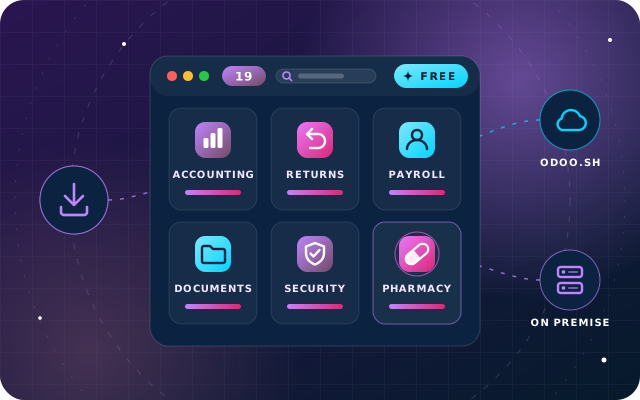
The two cannot run together: SBS HR Payroll excludes hr_payroll, so neither can be installed alongside the other. Moving from one to the other later is a planned project, not a switch.
Keep Employee Data Next to Payroll
Payroll is only as good as the employee data behind it. SBS Employee Master Extension adds an Extras tab to the employee form with personal and family details, nationality and identity document numbers, present and permanent addresses, emergency contact and nominee, bank details with a separate bank nominee, references, qualifications and employment history.
It separates access into three tiers. Own Data Only gives staff a read-only My Profile view of what is held about them, HR User sees the extended details generally, and only Sensitive HR Manager sees bank and nominee information. This is personal data, so grant the top tier sparingly and keep a note of who holds it.
Checklist before Your First Live Payroll
Confirm the database runs Odoo 19 Community on your own server or a private cloud; the module is not listed for Odoo Online.
Check that the Invoicing, Employees, Time Off, Calendar and Discuss apps are available, since the module depends on them.
Agree the accounts for salaries, salaries payable, gratuity expense and the gratuity provision with your accountant.
Build and review every salary rule, including the gratuity provision, on a staging copy.
Assign the payroll groups, and keep the Manager group small.
Run one month in parallel with your current method and reconcile every payslip line.
Agree how the WPS salary file will be produced and checked.
Go live, then compare the provision balance with your gratuity schedule every quarter.
How Star Bit Solutions Can Help
Our OdooStar team implements both routes. On Enterprise, we configure Payroll with the UAE localization, map the salary rules to your chart of accounts and test the WPS output on your own data, as part of an Odoo Enterprise implementation. On Community, we install SBS HR Payroll, build your salary structures and provisions, and run the parallel month with you.
Star Bit Solutions is a software company in Ajman, UAE, founded in 2014. We implement and customize Odoo Enterprise and Odoo Community, and build StarBiz (AI-driven ERP), StarHub (life super app), StarBot (conversational AI), StarLearn (adaptive learning) and StarSense (AI and IoT platform). About us
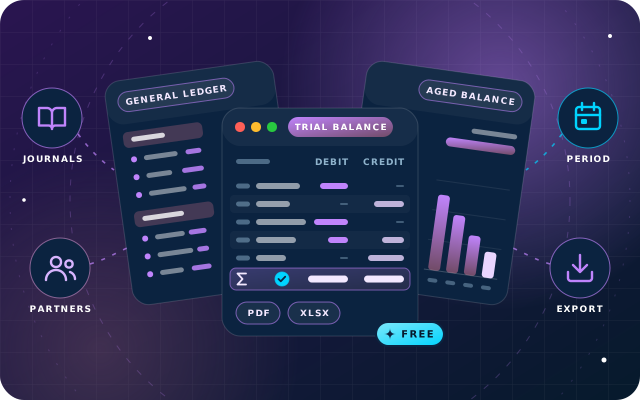
General ledger, trial balance, partner ledger, aged balances, cash and bank books, fixed assets, budgets and fiscal-year locks for Odoo 19 Community, from a free module.
No. Odoo's editions comparison lists Payroll as an Enterprise app, so Odoo 19 Community has no payroll out of the box, although the Employees, Time Off and Recruitment apps are included. SBS HR Payroll, our free module, adds salary rules, structures, payslips and batches to Community, and posts journal entries to accounting when payslips are confirmed.
Can SBS HR Payroll be installed alongside Odoo Enterprise Payroll?
No. SBS HR Payroll declares that it excludes hr_payroll, so it cannot be installed alongside the Enterprise Payroll app, and Enterprise Payroll cannot be installed alongside it. That is deliberate. On Enterprise we implement the standard Payroll app with the UAE localization, and the module exists to give Community users a payroll app.
How do I record a UAE gratuity provision in Odoo Community?
With SBS HR Payroll installed, create a salary rule in its own category that works out the monthly provision, for example the basic wage divided by 30, times 21, divided by 12 for the first five years of service. Give it a debit gratuity expense account and a credit provision account, keep it out of the Net rule so it never reduces pay, and use the rule's condition to leave out UAE nationals.
Does SBS HR Payroll produce a WPS salary file?
A WPS salary file is not among its features. It computes payslips, posts the journal entries and prints payslips and contribution register reports. Odoo Enterprise Payroll with the UAE localization includes a WPS export in the .sif salary information file format, which is one reason to choose Enterprise if you pay many employees through WPS.
Which Odoo hosting does SBS HR Payroll support?
It is built for Odoo 19 Community Edition and listed for Odoo.sh and on-premise installations, not Odoo Online. Odoo.sh hosts Enterprise databases, so a Community payroll normally runs on your own server or a private cloud. It depends on the Invoicing, Time Off, Discuss, Calendar and Employees apps, and needs a chart of accounts and at least one general journal before payslips are confirmed.
OdooStar by Star Bit Solutions
Run Payroll in Odoo, Not in a Spreadsheet.
Tell us how many people you pay and how. We will recommend Enterprise Payroll or SBS HR Payroll, build the rules and run a parallel month with you.