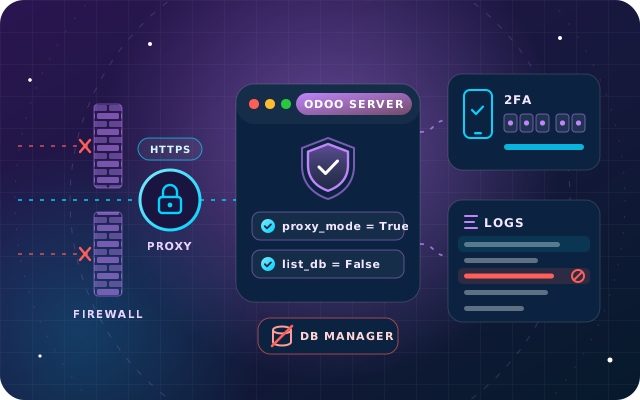
Security and backups
Odoo Security on Your Own Server: A Practical Hardening Checklist
TLS and proxy mode, the database manager, master password, updates, firewalls, two-factor sign-in, least privilege and logs for self-hosted Odoo.
· 9 min read
An Odoo backup is only as good as its last successful restore. Here is a practical strategy for self-hosted Odoo 19: what to copy, how often, where to keep it, how to protect it and how to prove it works.
Key takeaways
Setting up an Odoo backup takes minutes. Proving that it restores takes a deliberate test, and that step is easy to skip. The difference only shows on a bad day: a failed disk, a module update that breaks the database, ransomware on the server or a user who archives the wrong records in bulk. On that day, the only Odoo backup that counts is one you can restore completely, quickly and with confidence.
If your Odoo Enterprise database runs on Odoo Online or Odoo.sh, Odoo backs up production for you. If you run Odoo Enterprise or Community on your own server or a private cloud, the strategy is yours. This guide sets one out for self-hosted Odoo 19.
Every Odoo database lives in two places. PostgreSQL holds the records: contacts, orders, invoices, stock moves, journal entries and settings. The filestore, a folder in Odoo's data directory, holds attachments and binary fields such as scanned bills, signed contracts, product images and generated PDFs. Restore one without the other and Odoo looks complete until somebody opens an attachment.
The two halves must also come from the same moment. Odoo's ZIP backup can pack them together, as a dump.sql file, a manifest.json and the filestore folder. In the Odoo 19 database manager the Include filestore box is ticked by default, and unticking it produces a ZIP without attachments. The pg_dump custom format always leaves the filestore out, so it only works if the files are copied separately on the same schedule.
A database is not a server, so also keep what you need to rebuild one:
Two targets drive every backup decision. The recovery point objective (RPO) is how much recent work you can afford to lose. The recovery time objective (RTO) is how long the business can wait for Odoo to come back. Agree both with finance and operations, because they feel the loss first.
With one backup a night, a failure late in the afternoon can cost a full day of invoices, receipts and payments. If that is too much, back up more often or add PostgreSQL continuous archiving, which replays the database's write-ahead log so you can restore to a chosen moment. The PostgreSQL backup documentation explains this point-in-time recovery alongside plain dumps and file system copies.
Recovery time depends on the size of the database and filestore, how fast you can fetch the off-site copy and how well the steps are rehearsed. The only reliable figure is the one you measure during a real test restore.
Odoo's own deployment guide recommends daily backups of databases and filestore for self-hosted servers. Add an extra backup before every risky change: installing or updating modules, applying Odoo updates, large imports and version upgrades, as in our Odoo 19 upgrade checklist.
Retention protects you from problems noticed late, such as a mass deletion or a faulty import discovered weeks afterwards. Daily, weekly and monthly generations cover both recent and older mistakes, and it is the same pattern Odoo uses for Odoo.sh production databases. A starting schedule for a self-hosted server could look like this:
| Backup | When | Keep | Where |
|---|---|---|---|
| Full backup, database and filestore | Every night | The last 7 | Backup server or NAS on site |
| Weekly copy | Once a week | The last 4 | Off-site location or cloud account |
| Monthly archive | First night of each month | At least 3 | Off-site, versioned or write-once storage |
| Year-end archive | After the year-end close | As long as your records policy requires | Off-site, encrypted, tightly restricted |
| Pre-change backup | Before updates, imports or upgrades | Until the change is proven | Next to the nightly backups |
Adjust the numbers to your recovery point and storage budget. For year-end archives, follow the record-keeping periods your auditor advises and check the latest guidance from the Federal Tax Authority.
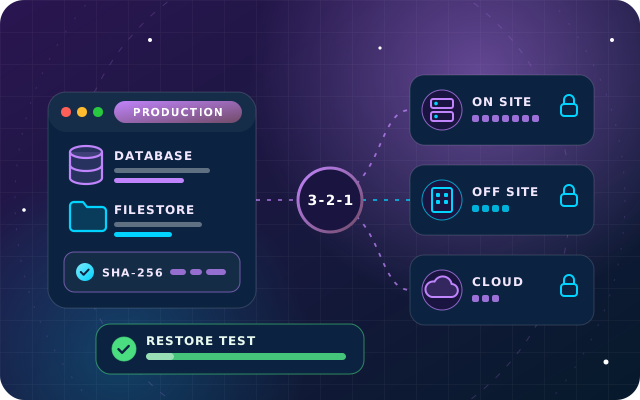
The 3-2-1 rule, set out in a US-CERT paper that CISA publishes, is a quick test for any backup plan: keep three copies of important data, on two different types of storage, with one copy off-site. On a self-hosted Odoo server it can look like this:
Odoo's deployment guide adds the detail that matters most against ransomware: the remote archive should not be accessible from the Odoo server itself. If production can delete its own off-site backups, so can anyone who takes over production. Pull-based copies, where the backup server fetches the files, separate credentials and versioned or write-once storage all close that gap.
Location is a decision too. If your policies say business data stays in the UAE, choose an off-site destination with storage in the UAE and get that confirmed in writing.
A backup holds everything in Odoo: customers and prices, salaries, bank details and user password hashes. Protect it like the live database.
That last point matters, because scripts that call Odoo's database manager page need the master password. Odoo strongly recommends disabling the database manager on internet-facing systems, notes that it is not designed for large databases and expects production backups to be run by the system administrator. Tools that run pg_dump directly avoid the dependency.
On Odoo's cloud, much of this is done for you, but know exactly what you get.
Even on Odoo's cloud, downloading a copy now and then and keeping it under your own control gives you an independent record for audits, disputes or a later change of hosting. Our comparison of Odoo Online, Odoo.sh and on-premise hosting covers the other differences.
A restore test turns a file into evidence. Run one at least quarterly, after any change to the backup set-up and whenever someone new takes over the job. This procedure suits most self-hosted Odoo 19 servers:
odoo-bin db load with its --neutralize option. Neutralization disables scheduled actions, outgoing emails, bank synchronization, payment providers, delivery methods and other external services, so the test cannot email customers or move money.Tip: Make the restore test a named person's job, with a date in the calendar. Backups fail quietly, and a scheduled restore is the routine that notices.
For self-hosted Odoo 19 and Odoo.sh, our free SBS Automatic Database Backup module schedules backups from inside Odoo without ever storing the master password. It calls PostgreSQL's pg_dump for the database Odoo is running in, and there is no database selector, so a job cannot reach any other database on the server.
It is built and tested on Odoo 19 Community and listed for Odoo.sh and on-premise installations, not Odoo Online. We tested local storage in both formats, retention, checksums, the connection test and email notification on a live database. The remote destinations need live third-party accounts and have not been tested by us yet, so prove your chosen destination with a restore test. The module handles scheduling; off-site separation, storage encryption and restore tests remain part of your plan.
Through OdooStar, we implement and support Odoo Enterprise on Odoo Online, Odoo.sh and your own servers, and Odoo Community where it fits. For self-hosted databases, our support and maintenance covers monitoring and backups: we set the schedule around your recovery targets, arrange encrypted off-site copies, configure SBS Automatic Database Backup where it helps and run restore tests with your team.
Want a second opinion on your current set-up? Contact us, call +971 55 973 4524 or email [email protected].

Star Bit Solutions is a software company in Ajman, UAE, founded in 2014. We implement and customize Odoo Enterprise and Odoo Community, and build StarBiz (AI-driven ERP), StarHub (life super app), StarBot (conversational AI), StarLearn (adaptive learning) and StarSense (AI and IoT platform). About us
Scheduled Odoo 19 backups to local or cloud storage, with SHA-256 records and no stored master password.
Learn MoreImplementation, support and maintenance, including monitoring and backups, for Odoo Enterprise and Community.
Learn MoreEnterprise on Odoo Online, Odoo.sh or your own servers, with hosting and backups settled before go-live.
Learn MoreTLS and proxy mode, the database manager, master password, updates, firewalls, two-factor sign-in, least privilege and logs for self-hosted Odoo.
· 9 min read
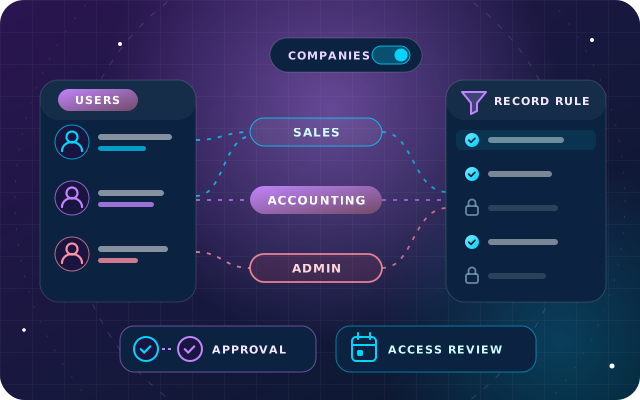
Users and groups, record rules, multi-company access, approvals and separation of duties, plus a quarterly access review for Odoo 19.
· 8 min read
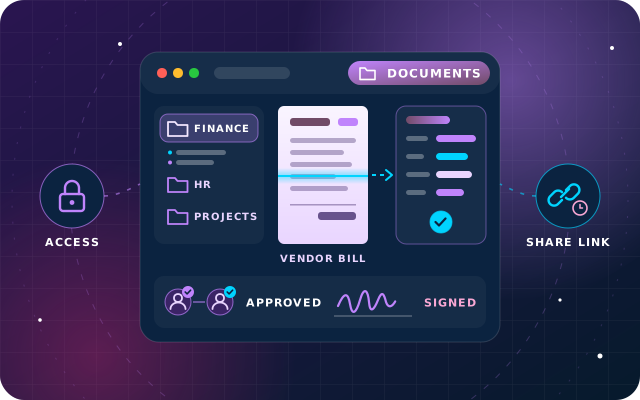
Folders, access rights, bill digitization, approvals and signatures in Odoo 19 Enterprise, plus a free Community route with SBS Document Management.
· 10 min read
On Odoo Online, download a backup from the database manager. On Odoo.sh, use the Backups tab, where production is already backed up daily. On your own server, schedule a job that dumps the PostgreSQL database and copies the filestore together, for example in Odoo's ZIP format, then copies the result off-site. Avoid relying on the database manager page in production, and prove each set-up by restoring it.
It depends on the format. Odoo's ZIP backup includes the filestore, where attachments and binary fields such as scanned bills and product images are kept, unless you untick Include filestore in the Odoo 19 database manager. The pg_dump custom format contains only the PostgreSQL database, so attachments must be copied separately on the same schedule. Odoo.sh backups include the database dump, the filestore, logs and sessions.
Odoo's deployment guide recommends daily backups of databases and filestore for self-hosted servers, copied to a remote archive the server itself cannot access. Add an extra backup before updates, module installations, large imports and upgrades. If losing a day of work is unacceptable, back up more often or add PostgreSQL continuous archiving for point-in-time recovery, and keep daily, weekly and monthly generations.
Odoo strongly recommends disabling the database manager on internet-facing systems. It is meant as a development and demo tool, needs the master password for every backup and is not designed for large databases, where it may hit memory limits. On production servers, run backups as a system administration task, with pg_dump and a filestore copy, or with a module that never stores the master password.
Restore it under a new database name on a separate server and neutralize it. In the database manager, tick Neutralize and choose This database is a copy, or use the --neutralize option of odoo-bin db load. A neutralized database disables scheduled actions, outgoing emails, bank synchronization, payment providers and delivery methods, and shows a red banner so testers know it is not production.
Tell us how your Odoo is hosted and backed up. Our engineers will review the schedule, the off-site copies and the restore process with you.