Odoo upgrades
Odoo 19 Is Here: What Is New for UAE Businesses
AI agents, a rebuilt VAT201, corporate tax and WPS payroll updates, merged units and packagings, and the checks to run before upgrading.
· 10 min read
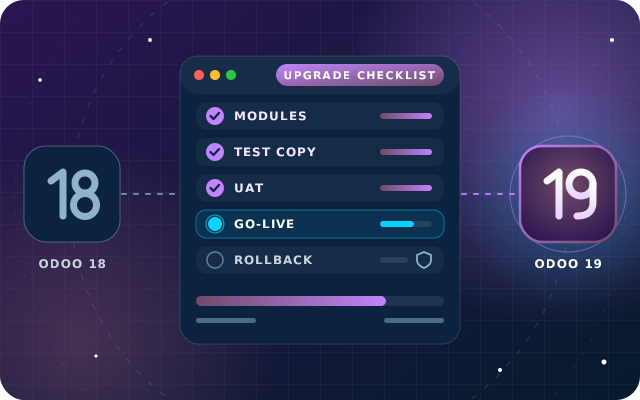
A smooth Odoo 19 upgrade is a rehearsed one. This checklist follows Odoo's official process, from listing customizations and testing an upgraded copy to timing the cut-over around UAE VAT deadlines and planning a rollback.
Key takeaways
Odoo 19 has been out for two weeks. For a UAE business already on Odoo, the practical question is how to get there without disrupting invoicing, stock or payroll. New to the release? Start with what is new in Odoo 19 for UAE businesses.
An Odoo 19 upgrade is not a reinstall. Odoo's upgrade platform converts your database to the new version, but everything that makes the database yours, from custom modules to Studio changes, reports and integrations, has to be checked by people who know it. This checklist follows Odoo's official upgrade process and adds the timing questions specific to the UAE.
Odoo supports each major version for three years, so a supported older version keeps working while you prepare, although support for Odoo 16 ended in September 2025. Deadlines depend on hosting. On Odoo Online, a database on a major version must be upgraded every two years, with a notice a few weeks before a mandatory upgrade. On Odoo.sh, you must upgrade within two years of a version's end of support. On your own server, you can stay on one version indefinitely, although Odoo does not recommend it.
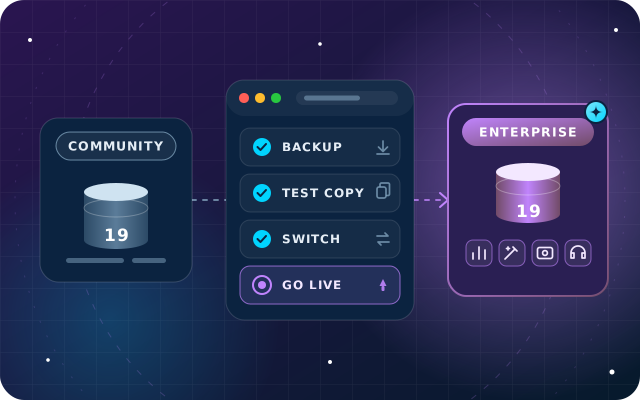
Two points shape the plan. The smaller the gap between versions, the easier the upgrade. And an upgrade never changes edition or hosting: moving from Community to Enterprise, or from your own server to Odoo Online, is a separate project, even if you run both together. If the edition question is still open, our guide to choosing between Odoo Enterprise and Community sets out the differences.
Start with a written inventory of everything that is not standard Odoo. Odoo treats any module that extends the standard code and was not built with Studio as a custom module, and a database with custom modules cannot be upgraded until each one has a version for the target release.
Then challenge each item. Odoo recommends freezing development and comparing your customizations with what the new version does as standard: anything Odoo 19 covers natively, such as sections on quotations or suggested purchase quantities, no longer needs porting. For each one that stays, our guide on when to configure, use Studio or write code helps you choose the cleanest layer.
With Odoo Enterprise, upgrading to the most recent version is free, including support to fix discrepancies in the upgraded database. The service has clear limits, so plan for the parts it leaves to you.
| Item | Covered by Odoo's upgrade service? |
|---|---|
| Standard apps and their data | Yes |
| Studio customizations | Yes, while Studio is installed and its subscription is active |
| Custom modules built in-house or by partners | Only with a maintenance of customizations subscription |
| Cleaning existing data and configuration | No |
| Training on the new version | No |
Odoo Community has no official upgrade service, so a Community upgrade runs as a migration project, usually with the community OpenUpgrade tools once they support the new version, plus the same porting and testing.
The first test upgrade shows whether the standard conversion works on your data, and how you request it depends on where Odoo runs.
| Hosting | How to request a test upgrade | What to know |
|---|---|---|
| Odoo Online | From the database manager, with the purpose set to Test | Custom Python modules cannot run here, so the work is testing Studio changes and training |
| Odoo.sh | From your project, on a staging branch | The latest daily production backup is upgraded, then restored with your custom modules updated on every commit |
| On-premise | Through upgrade.odoo.com or Odoo's command-line script | The upgraded dump arrives without the production filestore, which you merge before testing |
On your own server, the test request is a single command run where the database is hosted: python <(curl -s https://upgrade.odoo.com/upgrade) test -d your_database -t 19.0. The script needs database access and outbound connections to Odoo's upgrade servers, so check your firewall first. Odoo allows several test upgrades, and each one is worth it.
Test databases are neutralized so they cannot touch live operations: scheduled actions are disabled, outgoing mail goes nowhere, payment providers and carriers switch to test mode, and bank synchronization is off. When the upgrade finishes, Odoo attaches an upgrade report to the confirmation email and posts it in Discuss for administrators. Read it: it lists the changes, including any views Odoo disabled because they no longer worked.
Developers first make each custom module install cleanly on an empty Odoo 19 database, then on the upgraded copy. Odoo's guide to upgrading a customized database lists the usual breakages, such as references to fields, models or views that were renamed or removed, view changes that no longer find their anchor, and renamed methods. Views, email templates, reports, server and automated actions, and computed fields deserve the closest testing.
Finance should then compare the upgraded copy with production at the same cut-off date:
Some Odoo 19 changes reshape existing data, so give each one its own test case.
User acceptance testing (UAT) is where the people who use Odoo every day repeat their real work on the upgraded copy. Name one key user per department and give each a short script built from real tasks, not a tour of new features.
Odoo's own end-to-end example makes a good template: buy a product, receive it, sell it, ship it, invoice it and issue a credit note, then check reports, taxes, currencies, bank accounts and the fiscal year. Add your UAE specifics, such as a VAT201 preview, a pay run and the Wage Protection System (WPS) file if you run payroll in Odoo Enterprise, and an online order if you sell on your website.
Ask each key user to sign off in writing when their script passes. Odoo's documentation also flags easily forgotten items: integrations, data exports, automated actions and server actions in the action menu. Then train every role on the screens that changed, in short sessions close to go-live.
Your production database is unavailable while it upgrades, and any change made after the copy is uploaded does not reach the upgraded version. Odoo therefore recommends upgrading when use is minimal, requesting a fresh test upgrade if time has passed and rehearsing the whole process the day before.
In the UAE, the finance calendar usually decides the window:
Note: these dates are general guidance, not tax advice, so check the latest guidance from the Federal Tax Authority for your own tax periods.
Imagine a distributor on Odoo 18 Enterprise that files VAT returns on calendar quarters and runs payroll in Odoo. Its plan could look like this:
If the plan slips, pick a later quiet window rather than squeezing the cut-over into December, when the year-end close begins.
A rollback plan answers one question in advance: if the upgraded database is not right on go-live day, how does the business get back to work? That depends on hosting.
Agree go and no-go criteria with the business owner before the day, for example matching trial balances, invoices that print, payments that post and a WPS file that generates. Set a decision time, freeze data entry during the cut-over and tell staff exactly when they can log in again.
Our OdooStar team upgrades Odoo databases to Odoo 19 on a tested path. For Odoo Enterprise, Odoo's upgrade service converts the standard data while we port your custom modules on Odoo.sh or your own servers, check Studio changes and reports, run the data checks with your finance team and train your users. Community databases follow the same method as a migration project.
We also plan the cut-over around your VAT return, payroll and year-end, and stay close during hypercare. To start, send us your version, edition, hosting and module list, and we will outline what your Odoo 19 upgrade involves.

Star Bit Solutions is a software company in Ajman, UAE, founded in 2014. We implement and customize Odoo Enterprise and Odoo Community, and build StarBiz (AI-driven ERP), StarHub (life super app), StarBot (conversational AI), StarLearn (adaptive learning) and StarSense (AI and IoT platform). About us
Upgrades, implementation, customization and support for Odoo Enterprise and Community.
Learn MoreEnterprise apps, Studio and hosting choices, configured and tested on your own data.
Learn MoreWhat we deploy for traders, from price lists and margin per line to returns and landed costs.
Learn MoreAI agents, a rebuilt VAT201, corporate tax and WPS payroll updates, merged units and packagings, and the checks to run before upgrading.
· 10 min read
What you gain, the documented switch on Odoo 19, which add-ons must go, user counts, testing and a phased plan for the move.
· 9 min read
AI agents that create and update records, websites from a prompt, an IFRS-aligned UAE chart of accounts, new payroll reports and the checks to run first.
· 9 min read
It depends on your database rather than on Odoo 19 itself. A database with standard apps and a few Studio changes mostly needs testing and training, while one with many custom modules needs porting, more test upgrades and more user testing. The production run is the shortest part, but the database is unavailable while it runs, so plan it for a quiet window.
No. With Odoo Enterprise, upgrading to the most recent version is free, including support to fix discrepancies in the upgraded database. The service covers standard apps and Studio customizations, but not custom or third-party modules without a maintenance of customizations subscription, nor data cleaning or training, so budget for those separately.
No. Odoo's upgrade service is part of Odoo Enterprise. Community databases are upgraded as a migration project, usually with the community OpenUpgrade tools once they support the new version, followed by porting custom modules and the same testing. A Community database can also move to Enterprise, which is a separate project from the version upgrade.
Usually, yes. Odoo's upgrade service covers Studio customizations as long as Studio is still installed and its subscription is active. Test them anyway: if a customized view no longer works with the new version, Odoo disables it during the upgrade and lists it in the upgrade report, so you can rebuild it on the test copy before go-live.
It depends on hosting. On Odoo Online, a completed production upgrade cannot be reverted, so testing is your safety net. On Odoo.sh, a failed upgrade is reverted automatically and a pre-upgrade backup is kept on success. On your own server, keep a verified backup of the database and filestore and the old server ready until users accept the new version.
Send us your version, edition, hosting and module list. We will map your upgrade, from the first test copy to a quiet go-live.