Odoo upgrades
Odoo 20 Is Here: What Is New for UAE Businesses
AI agents that create and update records, websites from a prompt, an IFRS-aligned UAE chart of accounts, new payroll reports and the checks to run first.
· 9 min read
An Odoo 20 upgrade goes smoothly when it is planned around your customizations, the apps that changed and the UAE finance calendar. Here is a step-by-step checklist with a sample timeline, from assessment and test upgrades to go-live and rollback.
Key takeaways
Odoo 20 has been out for less than a week. Today, 30 September 2026, is also a corporate tax deadline that the Federal Tax Authority (FTA) highlighted this week: returns and payment are due for tax periods that ended on 31 December 2025. It is a useful reminder that the right upgrade date depends on the finance calendar as much as on the release.
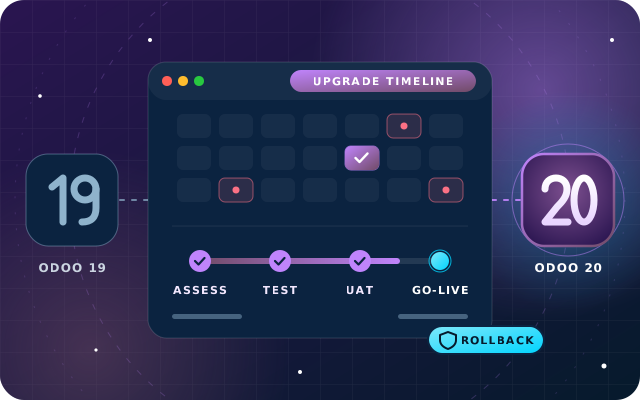
This Odoo 20 upgrade checklist takes you from assessment to a quiet go-live, with a sample timeline. It builds on our Odoo 19 upgrade checklist, because Odoo's upgrade method has not changed, and on what is new in Odoo 20, because the apps have.
Write down five facts before anything else: your current version, your edition, where Odoo runs, which apps each team uses and which integrations depend on Odoo. Together they decide your route.
| Starting point | Route to Odoo 20 | Where the time goes |
|---|---|---|
| Odoo 19 Enterprise | Odoo's upgrade service migrates the standard data | Porting custom modules, testing and training |
| Odoo 19 Community | A migration project, for example with OpenUpgrade tools | Migration runs, porting and before-and-after checks |
| Odoo 16, 17 or 18 | The same routes, across more versions | Changes add up across every version you skip |
| Not on Odoo yet | A new implementation directly on Odoo 20 | Data migration, configuration and training |
Check the support status as well. Odoo gives each major version three years of standard support, and its support table lists September 2026 as the end of standard support for Odoo 17. Databases on Odoo 17 or older therefore have the strongest reason to plan now, while Odoo 19 stays in standard support until September 2028 under Odoo's current plan. After that, extended support costs extra and is offered only on-premise and, for a limited number of versions, on Odoo.sh. The same page confirms that you can upgrade from any version straight to a major version still in standard support.
Custom code is where most upgrade effort goes. Odoo's upgrade service converts standard apps and data, and a database with custom modules cannot be upgraded until each one has an Odoo 20 version.
Two SBS modules need a decision rather than a port if you are moving to Enterprise at the same time. SBS Account Community and SBS HR Payroll are Community-only: they conflict with the Enterprise Accounting and Payroll apps, which take their place.
Most of Odoo 20 adds features, but some apps were merged, removed or restructured. If your teams use any of these, give each change its own test case.
| App | What changed in Odoo 20 | What to test |
|---|---|---|
| Field Service | Discontinued, with its features integrated into Planning | Scheduling, worksheets, travel fees and service reports |
| Payroll | Work entries and the Planning-Payroll integration removed; work entry types merged with time off types | A full pay run, payslips and the WPS file |
| Employees | The Remote Work module merged into the Employees app | Remote work settings and schedules |
| Accounting | Parent accounts replace account groups, depreciation models replace asset models, payment statuses renamed | Reports, filters and automations that use them |
| Expense accounting | The "Employee Expenses" menu removed; approved expenses create draft bills | The approval and posting routine |
| Inventory | The return wizard removed and returns simplified | Customer and vendor returns |
| Manufacturing | The flexible consumption setting removed; one "Produce" button replaces two | Component consumption and shop floor routines |
| Project | The dashboard profitability report removed, replaced by new budget and margin reports | Project margin reporting |
| Access rights | Record rules replaced by a domain on each access right | Custom user groups and multi-company access |
| AI | All AI features need IAP credits; "topics" renamed skills | Existing AI set-ups and the credit budget |
Developers should also review custom views that use icons, because Font Awesome is replaced by Material Symbols, and any code that relied on mail tracking values, which Odoo 20 removes.
Request an upgraded test database as early as possible: from the database manager on Odoo Online, from a staging branch on Odoo.sh, or through upgrade.odoo.com or Odoo's script on your own server, as described in Odoo's upgrade documentation. Test databases are neutralized, so scheduled actions, outgoing email, live payments and bank synchronization are switched off.
Read the upgrade report that comes with the upgraded copy, because it lists changes, including any views Odoo disabled because they no longer worked. Then compare the copy with production at the same cut-off date:
Request a fresh test upgrade whenever weeks pass or code changes, because both Odoo's standard upgrade scripts and your own database keep evolving.
User acceptance testing (UAT) means key users repeat real work on the upgraded copy until they are confident enough to sign off. Name one tester per department and give each a script: quotation to invoice for sales, receipt to delivery for the warehouse, bill to payment and VAT for finance, and pay run to WPS file for payroll.
Odoo 20 changes screens that people use every day, so plan training with care. Cover the new payment statuses with finance, Planning with anyone who scheduled work in Field Service, the single "Produce" button on the shop floor and the simplified returns in the warehouse. Keep sessions short, role-based and close to go-live.
The production database is unavailable while it upgrades, so choose a time when use is minimal and rehearse the full run the day before, as Odoo recommends. In the UAE, plan around these dates:
Note: these dates are general guidance, not tax advice, so check the latest guidance from the FTA for your own tax periods.
Here is how a company on Odoo 19 Enterprise, with a few custom modules, quarterly VAT returns, payroll in Odoo and revenue below the AED 50 million e-invoicing line, could plan the move. Adjust the weeks to your own scope.
| When | What happens |
|---|---|
| Weeks 1 and 2, October | Assessment, module inventory and the first test upgrade |
| Weeks 3 to 5 | Module porting, a second test upgrade and data checks, while the third-quarter VAT return is filed on Odoo 19 by 28 October |
| Weeks 6 and 7, November | User acceptance testing, sign-off and role-based training |
| Week 8 | A rehearsal, then the production upgrade on a quiet weekend between payroll runs |
| Weeks 9 to 12 | Hypercare through the first pay run and the first month-end on Odoo 20 |
| December | Kept clear for the year-end close; if the plan slips, go live after the close and audit instead |
Decide before go-live how the business would get back to work if the upgraded database is not right.
On a self-hosted Odoo 19 database, SBS Automatic Database Backup can schedule backups as an Odoo restore ZIP that includes the filestore, and it records a SHA-256 checksum for every run, so you can verify the archive before you rely on it. Agree go and no-go criteria in writing, such as matching trial balances, invoices that print and a WPS file that generates, and freeze data entry during the cut-over. After go-live, keep engineers close through the first pay run and month-end, then move to normal support.
OdooStar, our Odoo practice in Ajman, runs Odoo 20 upgrades in six steps: assessment, a test upgrade on a copy, code and module porting, user acceptance testing, cut-over and hypercare. For Odoo Enterprise, Odoo's upgrade service migrates the standard data and we handle everything that makes the database yours. For Community, we plan and run the migration project.
We port the SBS modules and other customizations you use, check the redesigned UAE chart of accounts and your payroll set-up, and pick a cut-over date with your finance team. Send us your version, edition and module list for a straight answer on your route to Odoo 20.

Star Bit Solutions is a software company in Ajman, UAE, founded in 2014. We implement and customize Odoo Enterprise and Odoo Community, and build StarBiz (AI-driven ERP), StarHub (life super app), StarBot (conversational AI), StarLearn (adaptive learning) and StarSense (AI and IoT platform). About us
Upgrade routes for Enterprise and Community, and our six-step method from assessment to hypercare.
Learn MoreScheduled Odoo backups with the filestore and a SHA-256 checksum for every run.
Learn MoreAccounting, Payroll, Studio and Planning configured and tested on your own data.
Learn MoreAI agents that create and update records, websites from a prompt, an IFRS-aligned UAE chart of accounts, new payroll reports and the checks to run first.
· 9 min read
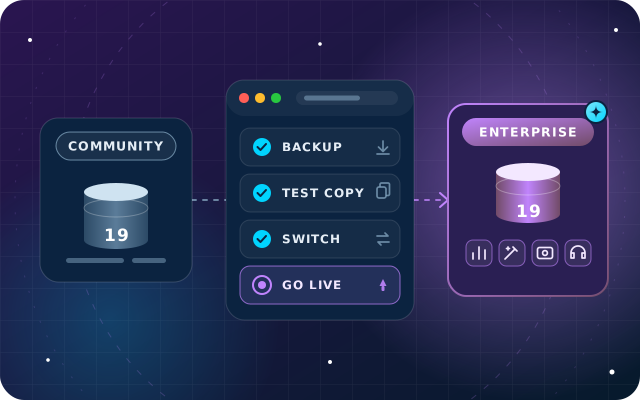
What you gain, the documented switch on Odoo 19, which add-ons must go, user counts, testing and a phased plan for the move.
· 9 min read
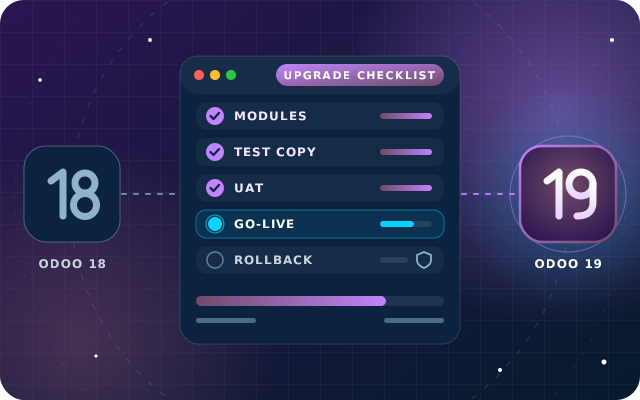
Customizations, test databases, data checks, user testing, training, UAE-friendly timing and a rollback plan, in the order you need them.
· 10 min read
Yes. Odoo's support page says you can upgrade from any version to a major version still in standard support, so the routes are the same as from Odoo 19, but the step is bigger. Every version you skip adds its own changes to data, screens and code, so review custom modules against each of them. Standard support for Odoo 17 ends in September 2026, which makes planning more urgent.
Check each module's Odoo App Store page for the Odoo versions it is published for. Our free modules are built and tested on Odoo 19 Community and listed for Odoo.sh and on-premise. When we upgrade a client to Odoo 20, we port the SBS modules they use as part of the project, and anyone needing an Odoo 20 version of a module can ask us.
In Odoo 20 the Field Service app is discontinued and its features are integrated into the Planning app, including a live technician map, automatic planning by customer location, travel fees and worksheets, which now use property fields instead of Studio fields. Test how your jobs, worksheets and reports appear in Planning on an upgraded copy, and train dispatchers before go-live.
Pick a quiet window after your VAT return is filed and between payroll runs, away from the year-end close and audit. For tax periods ending on 30 September, the FTA lists 28 October 2026 as the VAT filing deadline, so filing first and upgrading in November is a sensible plan. If you must start e-invoicing on 1 January 2027, keep that go-live in its own window, and if the plan slips, move the upgrade to after the year-end close.
Send us your version, edition and module list. We will map your route, from the first test upgrade to a quiet go-live.